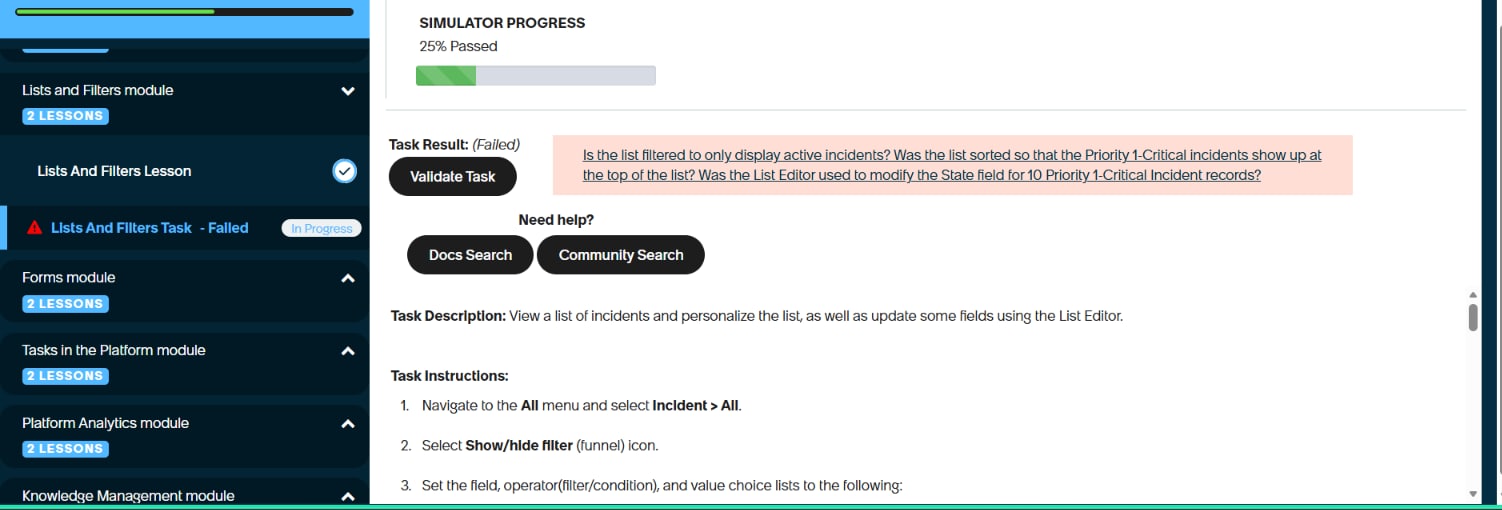
Validation failing in lists and filters task

- Mark as New
- Bookmark
- Subscribe
- Mute
- Subscribe to RSS Feed
- Permalink
- Report Inappropriate Content
09-05-2026 11:41 AM
In the lists and filters task in welcome to servicenow, I forget to add closed in the filter and continued the task which resulted in failed in validate task. So, I tried again by following every step correctly, but no matter how many times I'm redoing it, it's still resulting in Validate task Failed. What do I need to do to make my task validation successful?

- Mark as New
- Bookmark
- Subscribe
- Mute
- Subscribe to RSS Feed
- Permalink
- Report Inappropriate Content
09-05-2026 05:29 PM
Hi @Keerthana_A
In this case is better rise a servicenow ticket
This helps other users find accurate and useful information more easily

- Mark as New
- Bookmark
- Subscribe
- Mute
- Subscribe to RSS Feed
- Permalink
- Report Inappropriate Content
09-10-2026 12:59 AM
Hi @Keerthana_A
1. Validate Incident Details
Validate the following details for each incident in the List View:
- Incident Number
- Category
- Priority
- All relevant columns displayed in the List View
Refer to the following videos for guidance:
2. Update Incident State
Ensure that you perform this task by impersonating the Platform User.
- Select the State column for all 1 - Critical incidents.
- Use the List Editor to change the State to In Progress.
- Select the green check mark to save the changes.
- A total of 10 rows should be updated.
Regards
Tanushree Maiti
ServiceNow Technical Architect
LinkedIn: https://www.linkedin.com/in/tanushreemaiti