
- Mark as New
- Bookmark
- Subscribe
- Mute
- Subscribe to RSS Feed
- Permalink
- Report Inappropriate Content
09-09-2024 07:57 PM
- 17,347 Views


- Mark as New
- Bookmark
- Subscribe
- Mute
- Subscribe to RSS Feed
- Permalink
- Report Inappropriate Content
09-09-2024 08:14 PM
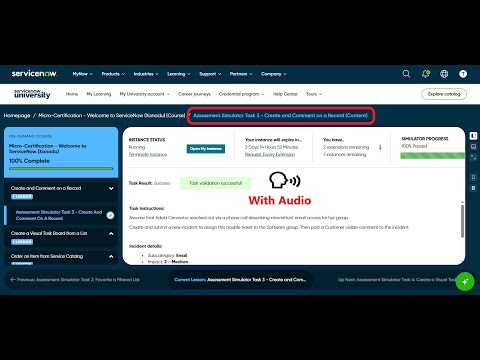
@AbiolaM Please refer to this video https://www.youtube.com/watch?v=AgqQ-LWodxQ and see if you are following the exact steps. If the issue persists despite following all the steps then reach out to now learning team and raise a support case with them.
- Mark as New
- Bookmark
- Subscribe
- Mute
- Subscribe to RSS Feed
- Permalink
- Report Inappropriate Content
09-09-2024 08:14 PM
@AbiolaM Please refer to this video https://www.youtube.com/watch?v=AgqQ-LWodxQ and see if you are following the exact steps. If the issue persists despite following all the steps then reach out to now learning team and raise a support case with them.
- Mark as New
- Bookmark
- Subscribe
- Mute
- Subscribe to RSS Feed
- Permalink
- Report Inappropriate Content
12-06-2024 04:58 AM
Hey, I have followed your video but it doesnt work... any other ideas?
- Mark as New
- Bookmark
- Subscribe
- Mute
- Subscribe to RSS Feed
- Permalink
- Report Inappropriate Content
02-11-2025 08:51 AM
I have followed the same instructions but i still cannot validate..... any other way?
- Mark as New
- Bookmark
- Subscribe
- Mute
- Subscribe to RSS Feed
- Permalink
- Report Inappropriate Content
02-22-2025 03:41 PM
You should perform these tasks by impersonating as a "Platform User" and not as a admin. If you try to validate by being in admin mode it will not work. Impersonate as a "Platform User", create an incident, comment and then validate it will work.

