- Mark as New
- Bookmark
- Subscribe
- Mute
- Subscribe to RSS Feed
- Permalink
- Report Inappropriate Content
11-16-2021 08:04 AM
Hi All,
Version : PARIS PATCH10
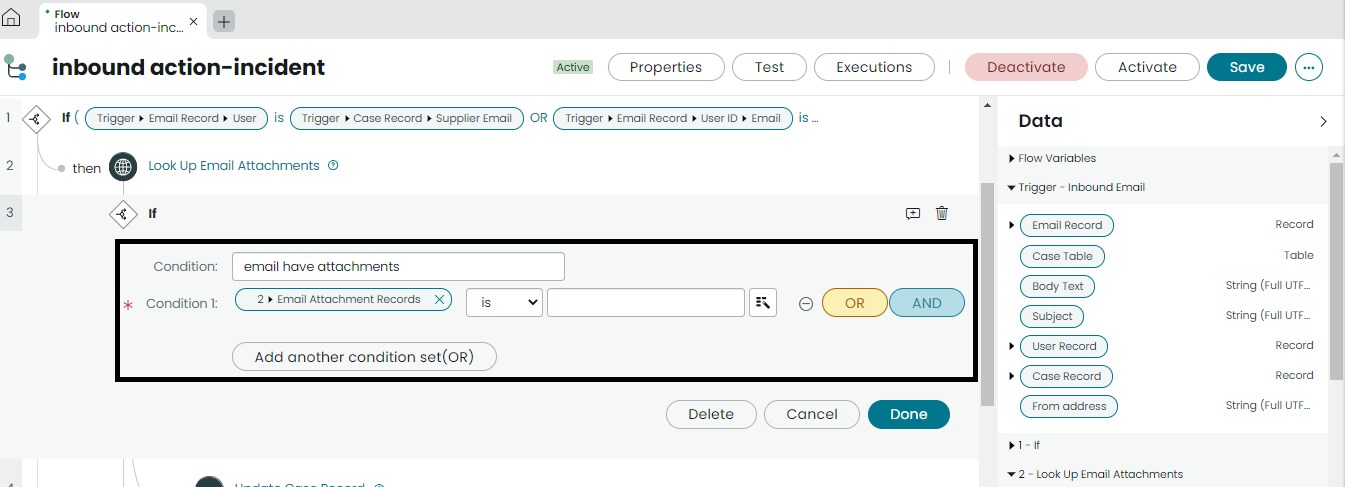
How to check replied email has attachments Or Not in Flow designer.

Solved! Go to Solution.
- Mark as New
- Bookmark
- Subscribe
- Mute
- Subscribe to RSS Feed
- Permalink
- Report Inappropriate Content
11-17-2021 01:06 PM
As an alternative, this could also be done with the help of an Action that can be used elsewhere too. I created a new Action, called it "Get Records Count"
Have defined a single input:

Next I have added a Script step that also has an input that looks the same as the Action input:

The code is pretty str8 fwd:
(function execute(inputs, outputs) {
  if (inputs.records && inputs.records.isValidRecord)
    outputs.count = inputs.records.getRowCount();
  else
    outputs.count = 0;
})(inputs, outputs);
And - of course - as visible in the picture, the Script Step also has an output, I named it count.
Finally the Action itself also has an output, again named the same as the Script step output:

And I have configured the Action to use the Script step's output as the Action's output value:

Once this is done and activated, I can use it as below:


- Mark as New
- Bookmark
- Subscribe
- Mute
- Subscribe to RSS Feed
- Permalink
- Report Inappropriate Content
11-17-2021 06:54 AM

- Mark as New
- Bookmark
- Subscribe
- Mute
- Subscribe to RSS Feed
- Permalink
- Report Inappropriate Content
11-17-2021 07:32 AM
I believe there is a fault in the filter:

- Mark as New
- Bookmark
- Subscribe
- Mute
- Subscribe to RSS Feed
- Permalink
- Report Inappropriate Content
11-17-2021 08:25 AM
Hi Janos,
Thanks for Reply,
Please help me what is the filter condition i need to setup in INBOUND action using with CSM Case Table.
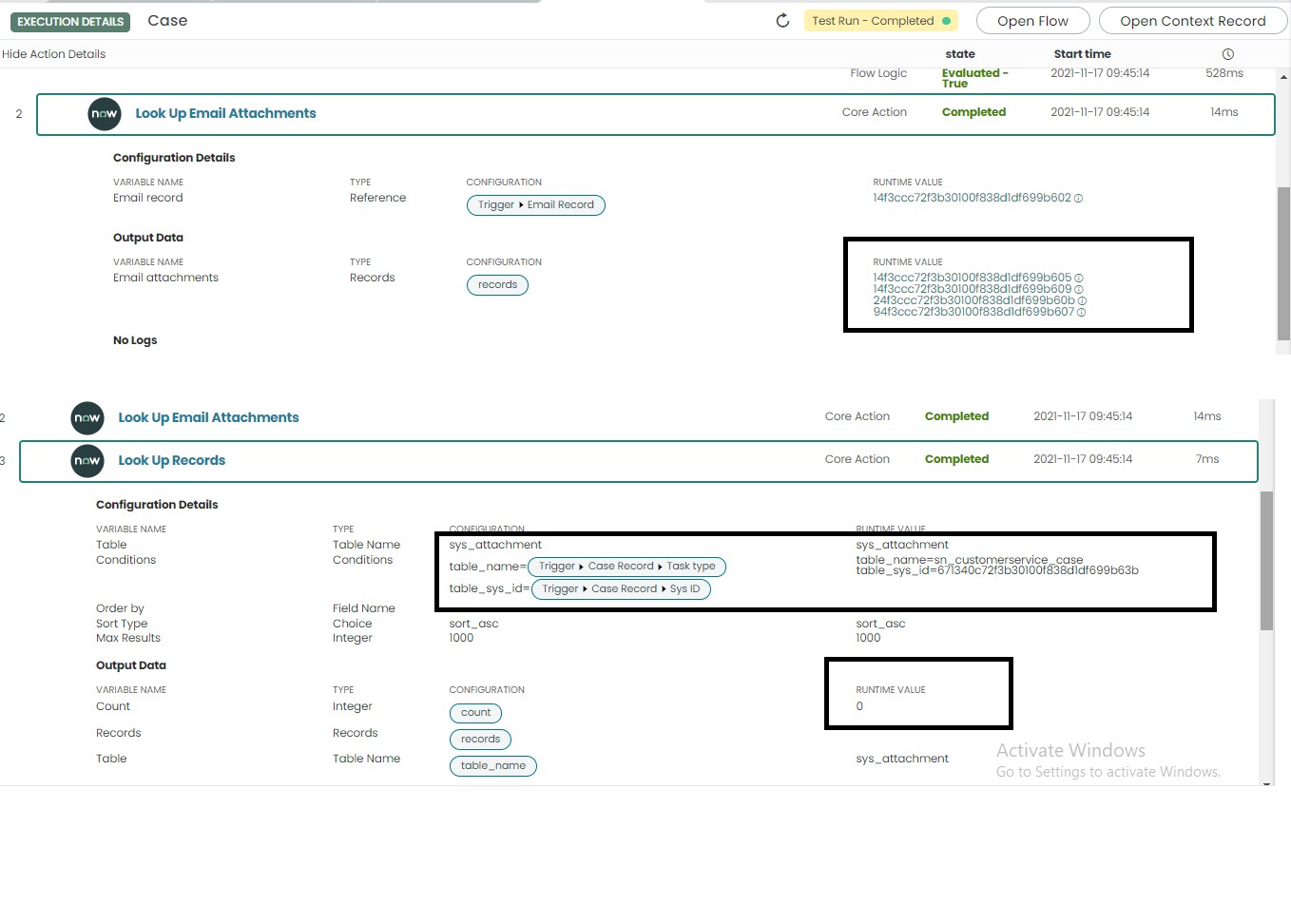
Is it Correct please? , but still returning 0, but it has 4-attachments in Email logs(sys_email) table record.
what showing count still "0",
how to push attachments Email log-----> Target record (case table record).

- Mark as New
- Bookmark
- Subscribe
- Mute
- Subscribe to RSS Feed
- Permalink
- Report Inappropriate Content
11-17-2021 12:57 PM
Actually what I said earlier is not correct. The correct filter is:

- Mark as New
- Bookmark
- Subscribe
- Mute
- Subscribe to RSS Feed
- Permalink
- Report Inappropriate Content
11-17-2021 01:06 PM
As an alternative, this could also be done with the help of an Action that can be used elsewhere too. I created a new Action, called it "Get Records Count"
Have defined a single input:
Next I have added a Script step that also has an input that looks the same as the Action input:
The code is pretty str8 fwd:
(function execute(inputs, outputs) {
  if (inputs.records && inputs.records.isValidRecord)
    outputs.count = inputs.records.getRowCount();
  else
    outputs.count = 0;
})(inputs, outputs);
And - of course - as visible in the picture, the Script Step also has an output, I named it count.
Finally the Action itself also has an output, again named the same as the Script step output:
And I have configured the Action to use the Script step's output as the Action's output value:
Once this is done and activated, I can use it as below: