- Mark as New
- Bookmark
- Subscribe
- Mute
- Subscribe to RSS Feed
- Permalink
- Report Inappropriate Content
07-06-2026 06:19 PM
Hi,
As a user, there doesn't appear to be any Sort By default options when creating the List Report Widget.
Currently its being sorted by Created and I want to change to Priority.
Thanks
Solved! Go to Solution.
- Mark as New
- Bookmark
- Subscribe
- Mute
- Subscribe to RSS Feed
- Permalink
- Report Inappropriate Content
07-07-2026 12:11 AM
Hi there,
In case you haven't found your answer, i thought I'd say, the sort options can be found in the list filters themself rather than in the "Configure" section


- Mark as New
- Bookmark
- Subscribe
- Mute
- Subscribe to RSS Feed
- Permalink
- Report Inappropriate Content
07-07-2026 02:31 AM
Hi @TZAU ,
You can configure the sort order directly in the report.
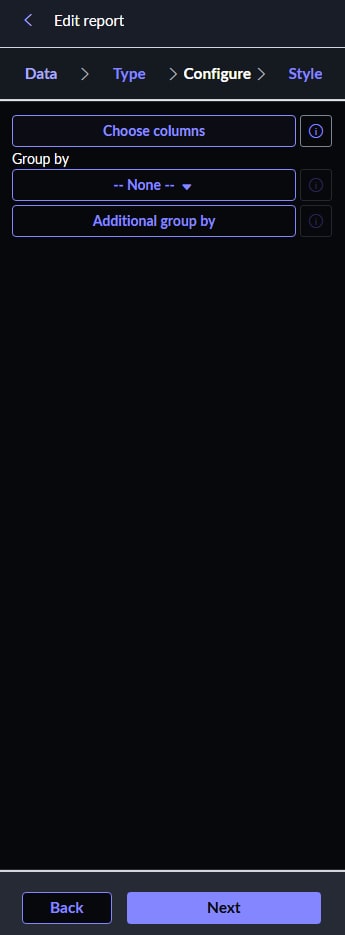
Navigate to the report, open the Configure tab, and click Add Sort (as shown in the screenshot). Then select Priority as the sort field and choose the desired order (Ascending or Descending).
Save and run the report to verify the results. The List Report Widget will use the sorting configured in the underlying report.
If you found this helpful, please mark it as Helpful and Accept as Solution so it can reach others too.


If you found this helpful, please mark it as Helpful and Accept as Solution so it can reach others too.
Thanks & Regards,
Sachin Narayanasamy
- Mark as New
- Bookmark
- Subscribe
- Mute
- Subscribe to RSS Feed
- Permalink
- Report Inappropriate Content
07-07-2026 11:14 PM
Thanks for that Sachin, the Sort option was hidden in the Filters so I missed it.
- Mark as New
- Bookmark
- Subscribe
- Mute
- Subscribe to RSS Feed
- Permalink
- Report Inappropriate Content
07-07-2026 12:11 AM
Hi there,
In case you haven't found your answer, i thought I'd say, the sort options can be found in the list filters themself rather than in the "Configure" section
- Mark as New
- Bookmark
- Subscribe
- Mute
- Subscribe to RSS Feed
- Permalink
- Report Inappropriate Content
07-07-2026 02:31 AM
Hi @TZAU ,
You can configure the sort order directly in the report.
Navigate to the report, open the Configure tab, and click Add Sort (as shown in the screenshot). Then select Priority as the sort field and choose the desired order (Ascending or Descending).
Save and run the report to verify the results. The List Report Widget will use the sorting configured in the underlying report.
If you found this helpful, please mark it as Helpful and Accept as Solution so it can reach others too.
If you found this helpful, please mark it as Helpful and Accept as Solution so it can reach others too.
Thanks & Regards,
Sachin Narayanasamy
- Mark as New
- Bookmark
- Subscribe
- Mute
- Subscribe to RSS Feed
- Permalink
- Report Inappropriate Content
07-07-2026 11:14 PM
Thanks for that Sachin, the Sort option was hidden in the Filters so I missed it.