- Mark as New
- Bookmark
- Subscribe
- Mute
- Subscribe to RSS Feed
- Permalink
- Report Inappropriate Content
08-17-2016 12:11 AM
Hi all,
Just want to start in saying that this could be me confusing myself!
From what I can gather - the best way to assign roles is to assign to groups, and then add the users to those groups.
This is fine and dandy - however we do not want to have these groups as assignment groups.
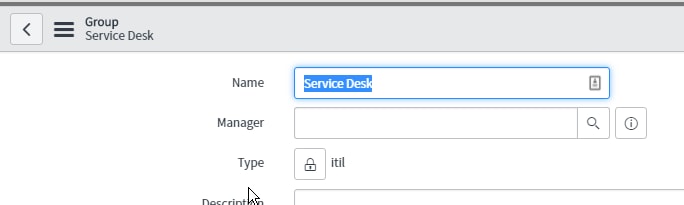
I followed the below wiki article, and assigned the group type as 'itil' and then modified the Assignment group's dictionary entry to contain type 'itil'
Configuring Group Types for Assignment Groups - ServiceNow Wiki


This works great, and as expected, until someone who is a member of more than one group.
What we have found is if you were to add an assignee in Assigned to before adding an assignment group, it will add the first group they are a member of, whether or not it is an assignment group with the 'itil' type or not.
Does anyone know how I can stop this from happening?
I hope I have explained this well enough......
Thanks in Advance!
Brendan
Solved! Go to Solution.


- Mark as New
- Bookmark
- Subscribe
- Mute
- Subscribe to RSS Feed
- Permalink
- Report Inappropriate Content
12-18-2016 05:32 PM
- Mark as New
- Bookmark
- Subscribe
- Mute
- Subscribe to RSS Feed
- Permalink
- Report Inappropriate Content
12-15-2016 08:13 PM
Hit the below link by replacing with YOURINSTANCENAME.
and search for group name as ITIL and right click on header and copy SYSID
- Mark as New
- Bookmark
- Subscribe
- Mute
- Subscribe to RSS Feed
- Permalink
- Report Inappropriate Content
12-15-2016 08:17 PM

- Mark as New
- Bookmark
- Subscribe
- Mute
- Subscribe to RSS Feed
- Permalink
- Report Inappropriate Content
12-18-2016 04:50 PM
Hello Brendan,
In the script, my reference was also to group type.
Please let me know if I am missing something.
- Mark as New
- Bookmark
- Subscribe
- Mute
- Subscribe to RSS Feed
- Permalink
- Report Inappropriate Content
12-18-2016 05:02 PM
hey Pradeep,
Yep it does - I was having issues getting the sys id for the group type. The link you sent me was to the actual groups.
I think I have found the type sys_id now - will report back in shortly after I have tested
- Mark as New
- Bookmark
- Subscribe
- Mute
- Subscribe to RSS Feed
- Permalink
- Report Inappropriate Content
12-18-2016 05:06 PM
Thanks for the update. Navigate to the table sys_user_group_type.list from navigation filter and right click on record "ITIL" to get the sys_id