- Mark as New
- Bookmark
- Subscribe
- Mute
- Subscribe to RSS Feed
- Permalink
- Report Inappropriate Content
03-03-2020 05:18 PM
Hello,
I would like to auto create a case task with certain field values (and it be auto saved), when a specific field is populated on the case. The field on the case (checkbox) will be auto checked when a specific update is automatically added to the activity stream of the case.
Solved! Go to Solution.

- Mark as New
- Bookmark
- Subscribe
- Mute
- Subscribe to RSS Feed
- Permalink
- Report Inappropriate Content
05-08-2020 12:53 PM
Add this code and check-
var lastComments = current.comments.getJournalEntry(1);
if(lastComments.indexOf('The customer called and requested a callback') > -1){
var childTask = new GlideRecord('sn_customerservice_task');
childTask.initialize();
childTask.assignment_group = "ff0370019f22120047a2d126c42e702b"; // replace the sys_id with sys_id of the group
childTask.parent = current.sys_id;
childTask.short_description = "Child Task Test";
childTask.insert();
}
I tried this on my PDI and it works:
Case:

Case Task:

- Mark as New
- Bookmark
- Subscribe
- Mute
- Subscribe to RSS Feed
- Permalink
- Report Inappropriate Content
05-08-2020 12:53 PM
Add this code and check-
var lastComments = current.comments.getJournalEntry(1);
if(lastComments.indexOf('The customer called and requested a callback') > -1){
var childTask = new GlideRecord('sn_customerservice_task');
childTask.initialize();
childTask.assignment_group = "ff0370019f22120047a2d126c42e702b"; // replace the sys_id with sys_id of the group
childTask.parent = current.sys_id;
childTask.short_description = "Child Task Test";
childTask.insert();
}
I tried this on my PDI and it works:
Case:
Case Task:
- Mark as New
- Bookmark
- Subscribe
- Mute
- Subscribe to RSS Feed
- Permalink
- Report Inappropriate Content
05-08-2020 02:40 PM


- Mark as New
- Bookmark
- Subscribe
- Mute
- Subscribe to RSS Feed
- Permalink
- Report Inappropriate Content
05-08-2020 03:02 PM
OK. I just used your script, and it worked.

- Mark as New
- Bookmark
- Subscribe
- Mute
- Subscribe to RSS Feed
- Permalink
- Report Inappropriate Content
05-08-2020 03:28 PM
Hello,
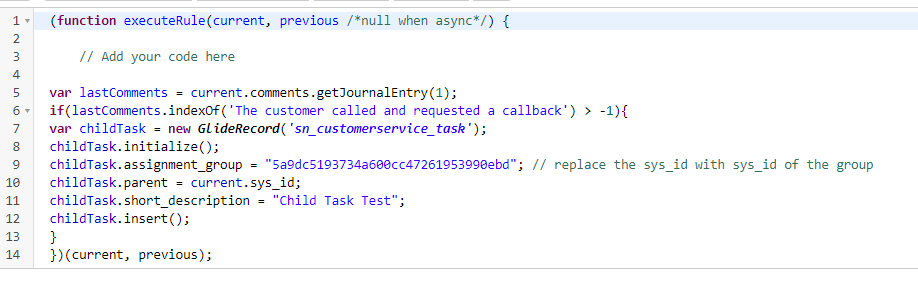
I got it working 🙂 Here's the code:
var lastComments = current.comments.getJournalEntry(1);
if(lastComments.indexOf('The customer called and requested a callback') > -1){
var childTask = new GlideRecord('sn_customerservice_task');
childTask.initialize();
childTask.assignment_group = "5a9dc5193734a600cc47261953990ebd"; // replace the sys_id with sys_id of the group
childTask.parent = current.sys_id;
childTask.short_description = "Callback requested";
childTask.priority = 2;
childTask.u_escalate_reason_1 = 'Callback';
childTask.assigned_to = 'NULL';
childTask.insert();
}
})(current, previous);