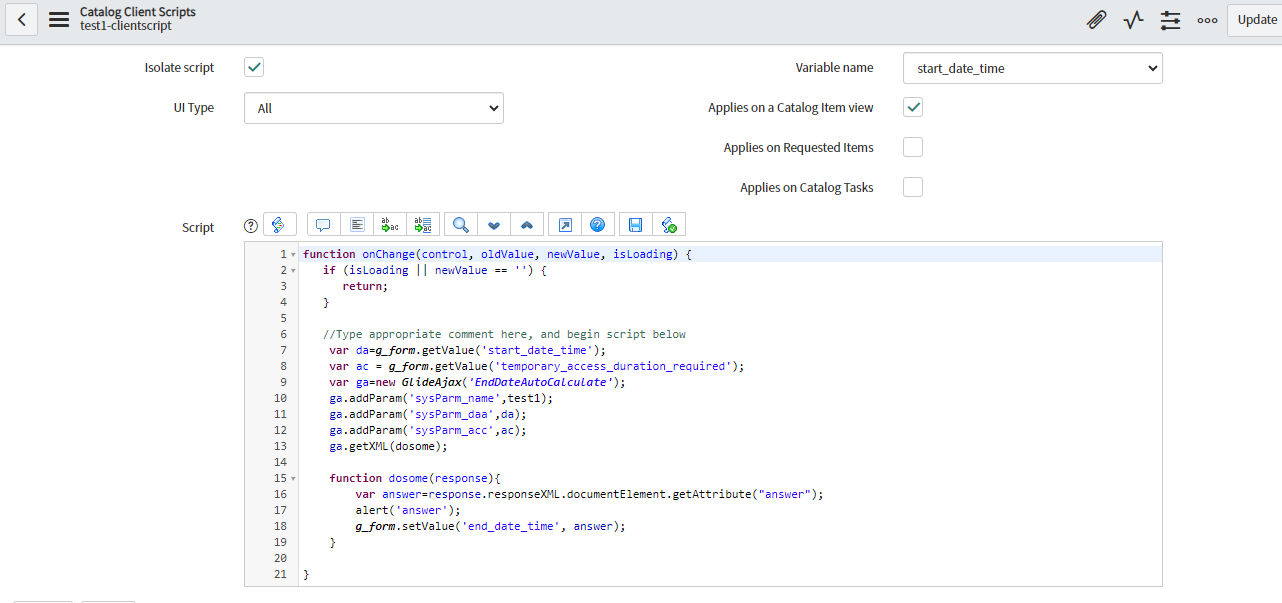
Calculate the End date based on the start date

- Mark as New
- Bookmark
- Subscribe
- Mute
- Subscribe to RSS Feed
- Permalink
- Report Inappropriate Content
10-18-2023 05:31 AM
Hi All,
Please help the Regarding & Any source code available please share.
1)Start Date - date
2)Temporary Access Duration Required -Drop Down -
5 Minutes
15 Minutes
30 Minutes
1 Hour
5 Hours
12 Hours
1 Day
5 Days
10 Days
3)End Date -Date
Note is for the end Date.
Note : Prepopuated Date Based on duration selected - Use 'start date' to calculate the 'end date'. uneditable/greyed out.
If minutes will select then end date should be as start date

- Mark as New
- Bookmark
- Subscribe
- Mute
- Subscribe to RSS Feed
- Permalink
- Report Inappropriate Content
10-18-2023 06:37 AM
Hello @Sirri
var gdt = new GlideDateTime(current.start_date);
if(current.dropdown_field=='1 Day'){
gdt.addDaysLocalTime(1);
}
if(current.dropdown_field == '30 Minutes')
{
var time= 60*30;
gdt.addSeconds(time);
}
Plz mark my solution as Accept, If you find it helpful.
Regards,
Samaksh
- Mark as New
- Bookmark
- Subscribe
- Mute
- Subscribe to RSS Feed
- Permalink
- Report Inappropriate Content
10-19-2023 11:53 AM
- Mark as New
- Bookmark
- Subscribe
- Mute
- Subscribe to RSS Feed
- Permalink
- Report Inappropriate Content
10-20-2023 06:05 AM
Hello @Sirri
It looks good, try and execute the code.
Plz mark my solution as Accept, If you find it helpful.
Regards,
Samaksh
- Mark as New
- Bookmark
- Subscribe
- Mute
- Subscribe to RSS Feed
- Permalink
- Report Inappropriate Content
10-18-2023 06:51 AM
Hi @Sirri ,
Please checkout this link if it helps you.
Please mark my answer helpful and accept as solution if it helped you ✔️.