
- Mark as New
- Bookmark
- Subscribe
- Mute
- Subscribe to RSS Feed
- Permalink
- Report Inappropriate Content
02-12-2019 07:25 AM
Hi all,
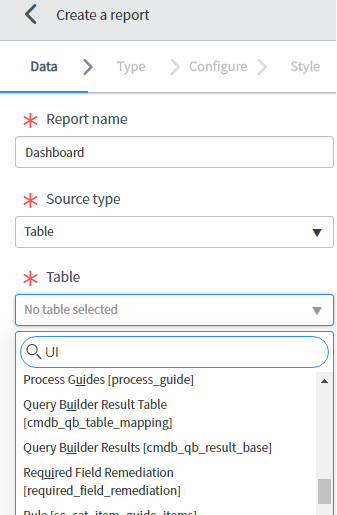
I want create a report in dashboard to see the data graphically.
The table I am interested is "sys_ui_action", however, I cannot see this table is available in the scroll down list.
Can anyone help?

Solved! Go to Solution.
- Labels:
-
Scripting and Coding

- Mark as New
- Bookmark
- Subscribe
- Mute
- Subscribe to RSS Feed
- Permalink
- Report Inappropriate Content
02-12-2019 08:28 AM
Hi
By default system tables in servicenow are restricted from the reporting, due to the concern of size.
If you must report on a system table, you can add it to the glide.ui.permitted_tables property. Navigate to System Properties > UI Properties and locate the property labeled List of system tables (beginning with "sys_", comma separated), that are reportable. By default, system tables are not reportable. Proceed with caution.
Please refer below link for complete details:
https://docs.servicenow.com/bundle/london-performance-analytics-and-reporting/page/use/reporting/concept/c_ReportOnSystemTables.html
- Mark as New
- Bookmark
- Subscribe
- Mute
- Subscribe to RSS Feed
- Permalink
- Report Inappropriate Content
02-12-2019 08:28 AM
Hi
By default system tables in servicenow are restricted from the reporting, due to the concern of size.
If you must report on a system table, you can add it to the glide.ui.permitted_tables property. Navigate to System Properties > UI Properties and locate the property labeled List of system tables (beginning with "sys_", comma separated), that are reportable. By default, system tables are not reportable. Proceed with caution.
Please refer below link for complete details:
https://docs.servicenow.com/bundle/london-performance-analytics-and-reporting/page/use/reporting/concept/c_ReportOnSystemTables.html
