Dynamic creation of branches in flow designer

- Mark as New
- Bookmark
- Subscribe
- Mute
- Subscribe to RSS Feed
- Permalink
- Report Inappropriate Content
04-21-2025 02:42 AM - edited 04-21-2025 03:10 AM


- Mark as New
- Bookmark
- Subscribe
- Mute
- Subscribe to RSS Feed
- Permalink
- Report Inappropriate Content
04-21-2025 11:32 AM
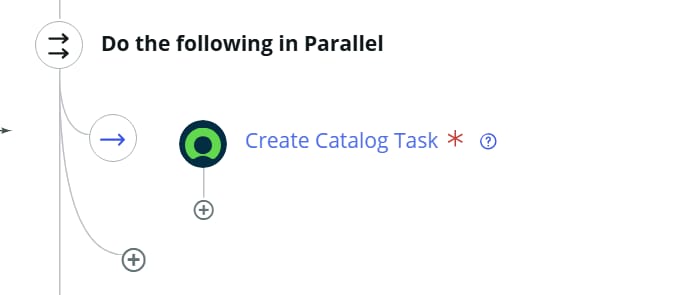
Technically, no. But it depends on what you want to do. If you are wanting to create a dynamic number of tasks, for example, based on a variable or condition, then you can just create all of them and don't click the "Wait for completion" checkbox. Then after you have created all the tasks, wait for them all to complete. It's not technically a Do the following in Parallel, but it accomplishes the same thing.
- Mark as New
- Bookmark
- Subscribe
- Mute
- Subscribe to RSS Feed
- Permalink
- Report Inappropriate Content
04-23-2026 07:56 AM
How would you implement the "Wait For" condition?
I mean, lets say having created 3 (non-wait) "parallel" catalog tasks. (or 4 or 5) - and you have registered the task numbers in a flow variable (or so).
How would you define the Wait For condition (which takes typically one table record + field values to trigger on) - is there a trigger based solution?
(or is your proposal to write a polling loop , checking every x minutes all task closure states to decide on wether go sleep again or continue?)
- Mark as New
- Bookmark
- Subscribe
- Mute
- Subscribe to RSS Feed
- Permalink
- Report Inappropriate Content
04-23-2026 08:14 AM
It's a Wait for Condition activity that I was referring to.
I believe when I implemented this, I had a business rule that ran when the specific tasks were closed. When the parent RITM had no remaining open tasks, I set a variable. The Wait for Condition activity in the flow was waiting for that variable to have a specific value. Once it did, it would proceed in the flow.
- Mark as New
- Bookmark
- Subscribe
- Mute
- Subscribe to RSS Feed
- Permalink
- Report Inappropriate Content
04-27-2026 02:32 AM
Thanks for quick feedback - I finally implemented it using following pattern:
- create "MASTER" sc_task (non-wait)
--- iteration
----- create SLAVE task x (non-wait), including a common key, e.g. Task Identifier = MASTER-number
----- call SLAVE-SUBFLOW (non-wait)
---
- wait for MASTER task having been closed (by last slave subflow)
- continue now
===
The SLAVE-SUBFLOW does some work, then waits for its "own" SLAVE task being closed.
Before returning, check if its the "last" SLAVE task that was closed (records look up on common key) - if so - close the MASTER task.