- Mark as New
- Bookmark
- Subscribe
- Mute
- Subscribe to RSS Feed
- Permalink
- Report Inappropriate Content
01-27-2023 10:04 AM
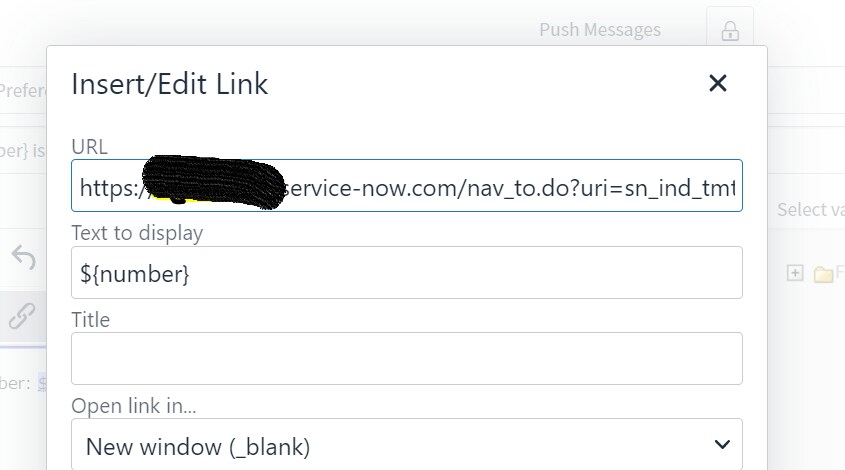
In the email notification, I have this text in the body 'Order task Number: ${number} on order line number: ${order_line_item} is on hold and needs to be retriggered.'
how can I make this task number hyperlink and when clicked it should go to that particular task?
Thanks
Solved! Go to Solution.

- Mark as New
- Bookmark
- Subscribe
- Mute
- Subscribe to RSS Feed
- Permalink
- Report Inappropriate Content
01-27-2023 10:42 AM - edited 01-27-2023 10:43 AM
Method 1:

In your case, text should be:
Order task Number: ${URI_REF}
Method 2:
Not in email body, configure email script with name as "test_script".
(Never hardcode the instance name, use glide.servlet.uri
var URL= '<a href="' + gs.getProperty('glide.servlet.uri') + '/now/'+ current.getTableName() + '/' + current.sys_id + '">' + current.number + '</a>';
template.print(URL+ "<br />");
and in notification body, call that email script like this:
${mail_script:test_script}
- Mark as New
- Bookmark
- Subscribe
- Mute
- Subscribe to RSS Feed
- Permalink
- Report Inappropriate Content
01-27-2023 11:06 AM