Options
- Mark as New
- Bookmark
- Subscribe
- Mute
- Subscribe to RSS Feed
- Permalink
- Report Inappropriate Content
02-21-2024 05:31 AM
Hi All,
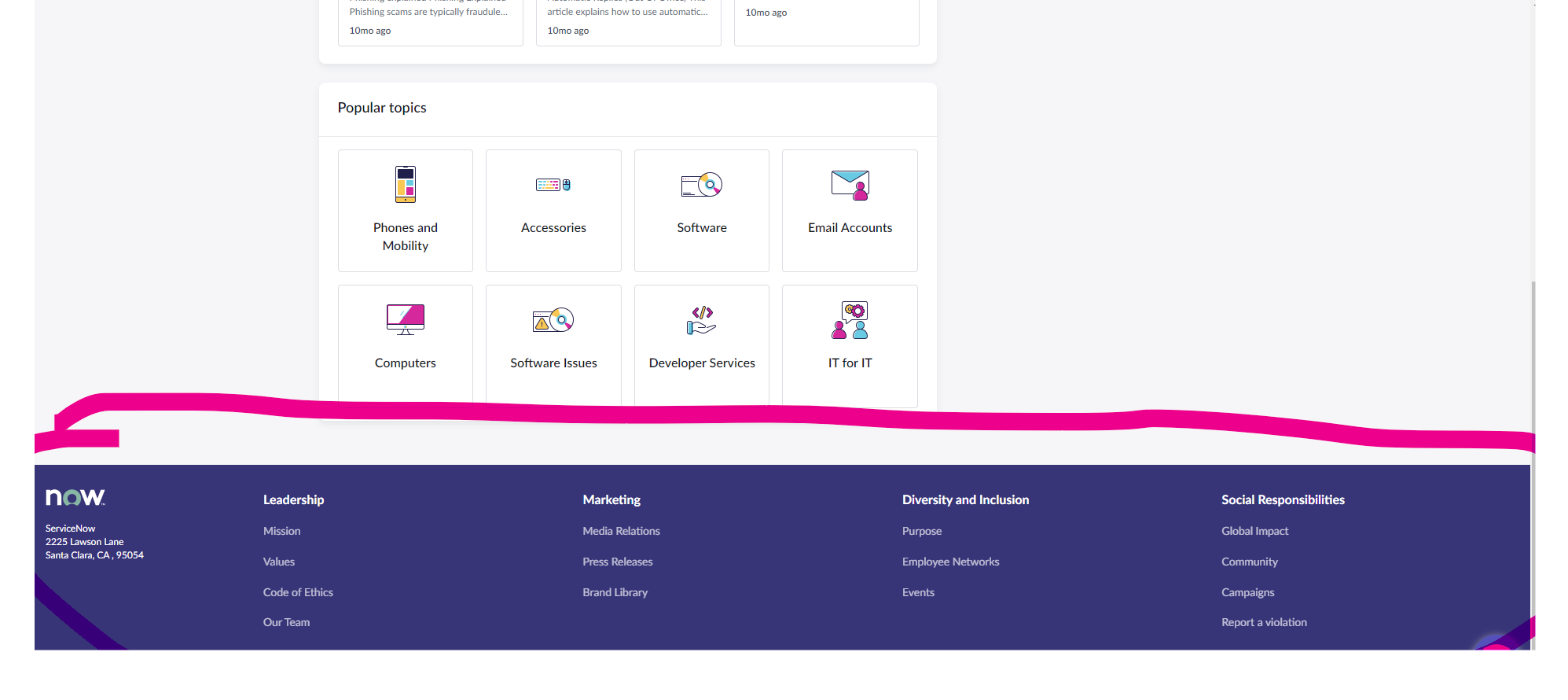
I am trying to change I checked all aspects -- EC Theme > CSS Include > Created new
piece of code I have written
.employee-center-footer .scrub-footer .sf-main {
    background: #0088ec !default;
}
but it doesn't work.
Solved! Go to Solution.
1 ACCEPTED SOLUTION
Options
- Mark as New
- Bookmark
- Subscribe
- Mute
- Subscribe to RSS Feed
- Permalink
- Report Inappropriate Content
02-21-2024 07:48 AM
Found the solution in we have add the CSS - EC Theme > CSS Include > create custom with stylesheet
.scrub-footer .sf-main {
background-color: blue !important;
}
2 REPLIES 2
Options
- Mark as New
- Bookmark
- Subscribe
- Mute
- Subscribe to RSS Feed
- Permalink
- Report Inappropriate Content
02-21-2024 05:35 AM
Options
- Mark as New
- Bookmark
- Subscribe
- Mute
- Subscribe to RSS Feed
- Permalink
- Report Inappropriate Content
02-21-2024 07:48 AM
Found the solution in we have add the CSS - EC Theme > CSS Include > create custom with stylesheet
.scrub-footer .sf-main {
background-color: blue !important;
}