- Mark as New
- Bookmark
- Subscribe
- Mute
- Subscribe to RSS Feed
- Permalink
- Report Inappropriate Content
12-10-2020 10:50 AM
Hey,
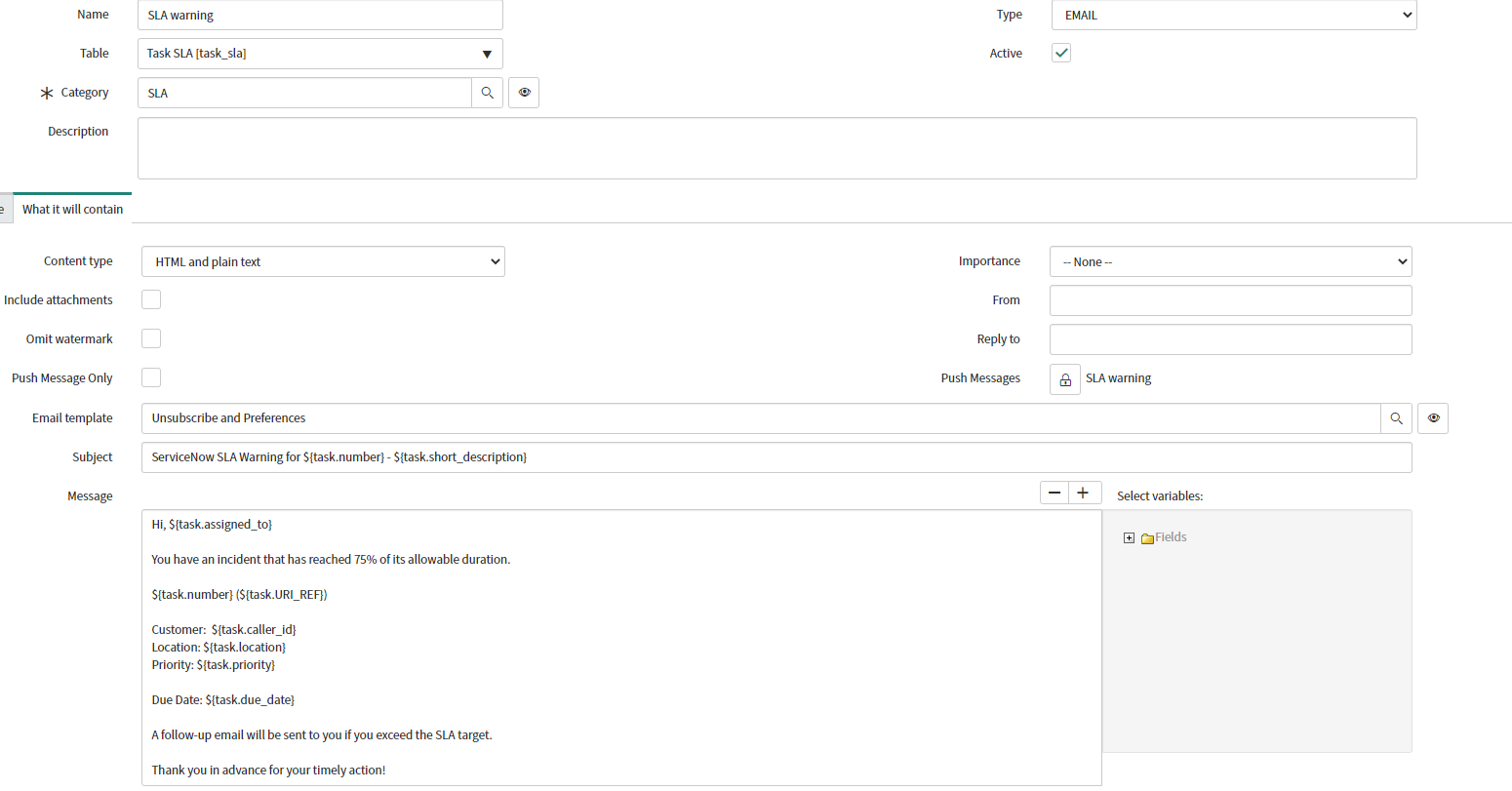
I've set up email notifications for our team to get an email when an incident has breached SLA.

Currently if I send the email it will display the incident short description instead of the number. I've tried changing the table to incident, and using incident.number.URI_REF/task.number.URI_REF but nothing. Also checked the TASK dictionary entry and switched override display from true to false but it made no difference.
It's only a small detail but I'm interested in learning how to change it. Would really appreciate any help 🙂
Solved! Go to Solution.
- Labels:
-
Integrations


- Mark as New
- Bookmark
- Subscribe
- Mute
- Subscribe to RSS Feed
- Permalink
- Report Inappropriate Content
12-10-2020 11:09 AM
Hi Stephen,
You need to create notification email script from System Notification >> Email >> Notifiation Mail script as below.
Name: gettasknumber
(function runMailScript(current, template, email, email_action, event) {

    template.print('<a href="https://' + gs.getProperty('instance_name') + '.service-now.com/nav_to.do?uri=task.do?sys_id=' + current.task.sys_id + ' ">' + current.task.number + '</a>');

})(current, template, email, email_action, event);
Call it in notification body in format
${mail_script:gettasknumber}
${URI_REF} will work for current table's display value. For Task SLA (task_sla) table display value is not number field.

- Mark as New
- Bookmark
- Subscribe
- Mute
- Subscribe to RSS Feed
- Permalink
- Report Inappropriate Content
12-10-2020 12:07 PM
Yes that make sense, Glad that you found the solution 🙂
- Mark as New
- Bookmark
- Subscribe
- Mute
- Subscribe to RSS Feed
- Permalink
- Report Inappropriate Content
12-10-2020 11:25 AM
I didn't have to change it with this script.

- Mark as New
- Bookmark
- Subscribe
- Mute
- Subscribe to RSS Feed
- Permalink
- Report Inappropriate Content
12-10-2020 11:07 AM

- Mark as New
- Bookmark
- Subscribe
- Mute
- Subscribe to RSS Feed
- Permalink
- Report Inappropriate Content
12-10-2020 11:18 AM
This is cool the way you embedded the gif/other format file, can you tell me how you created that file?
- Mark as New
- Bookmark
- Subscribe
- Mute
- Subscribe to RSS Feed
- Permalink
- Report Inappropriate Content
12-10-2020 11:43 AM
you can try with "GIF Screen Recorder" software