How do you Force a Specific Form View from a List View

- Mark as New
- Bookmark
- Subscribe
- Mute
- Subscribe to RSS Feed
- Permalink
- Report Inappropriate Content
08-10-2021 07:12 AM
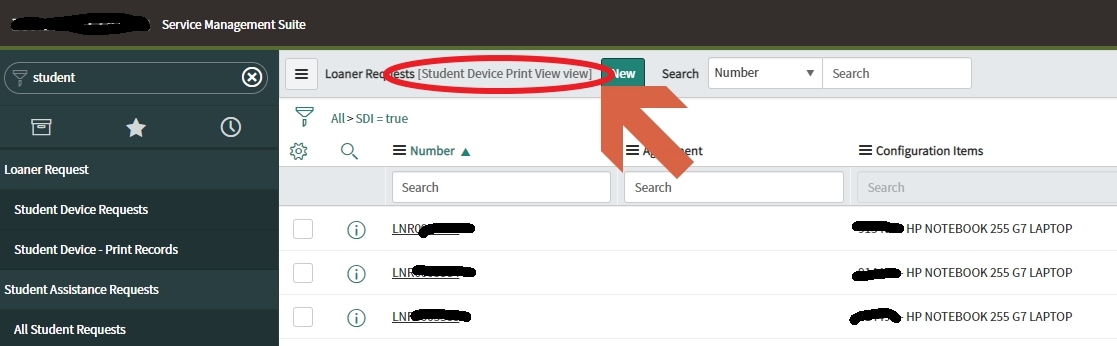
Our list view, triggered from application menu "Student Device - Print Records" is using a specific list view.
"Student Device Print View/"

When I drill into a record, I want to see the corresponding form layout view.

Depending on what the user last used, we get the incorrect view. User has to click on the hamburger, and switch back to "Student Device Print View."

Is there a way to force the list view to show a specific view rather than the user's last default view?
- Labels:
-
User Interface (UI)
- Mark as New
- Bookmark
- Subscribe
- Mute
- Subscribe to RSS Feed
- Permalink
- Report Inappropriate Content
08-10-2021 09:07 AM


- Mark as New
- Bookmark
- Subscribe
- Mute
- Subscribe to RSS Feed
- Permalink
- Report Inappropriate Content
08-10-2021 10:20 PM
Hi,
sysparm_view_forced this should work provided the view name is correct
did you try to logout and login and then check
Regards
Ankur
- Mark as New
- Bookmark
- Subscribe
- Mute
- Subscribe to RSS Feed
- Permalink
- Report Inappropriate Content
08-11-2021 06:15 AM
When you say to add this argument, are you referring to the module from the filter navigator that opens the list view?
Otherwise where do I add this argument?
- Mark as New
- Bookmark
- Subscribe
- Mute
- Subscribe to RSS Feed
- Permalink
- Report Inappropriate Content
08-11-2021 06:19 AM

- Mark as New
- Bookmark
- Subscribe
- Mute
- Subscribe to RSS Feed
- Permalink
- Report Inappropriate Content
08-11-2021 06:37 AM
Sorry please let me further clarify.
In the list view, I click on a ticket.

The form that opens will automatically open to a pre-determined form view.
So instead of opening this view...

It opens this one instead.



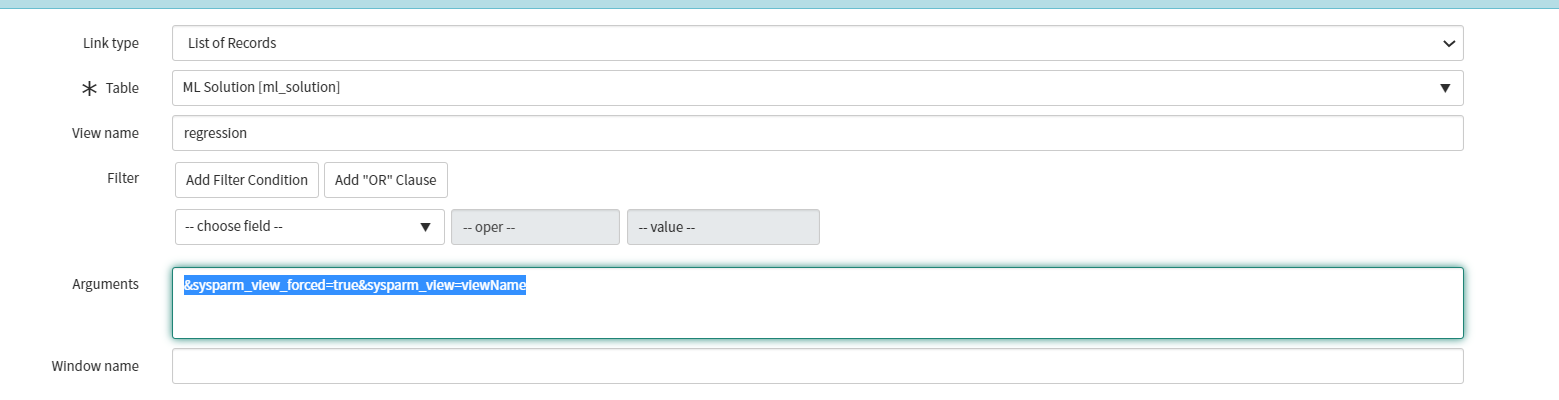
The arguments field of the link type tab of the module object only apply to the list view, not the form view. I can force the filter navigator to open a specific list view. But I cannot open a specific form view from the list view.


