How to Dot Walk in BR for Group Parent

- Mark as New
- Bookmark
- Subscribe
- Mute
- Subscribe to RSS Feed
- Permalink
- Report Inappropriate Content
01-28-2026 08:07 AM
Most of our Groups have Parents.
Our Parent Groups are named as per the Individual Group Owners Department Name
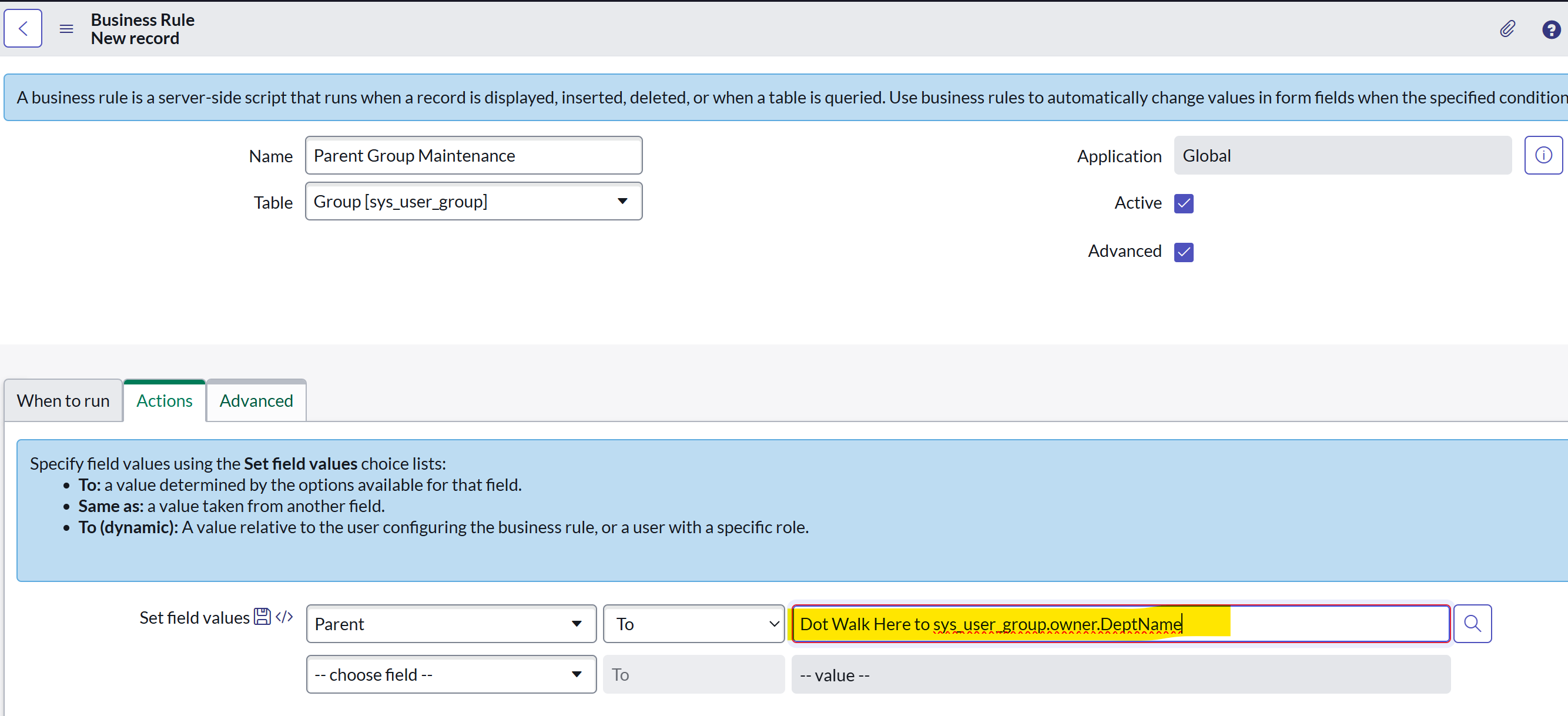
sys_user_group.parent should always be set to be sys_user_group.owner.Department.Name (or to the Parent Group that represents the relevant Department Name)
I think I need an After BR (on Update or Insert), such that when the Group Owner is changed, an After BR updates the Parent as per above.
However, I am unable to dot walk to retrieve that. (See attachment).
How can I best create the desired action/result?
Thanks to all
StacyLen

- Mark as New
- Bookmark
- Subscribe
- Mute
- Subscribe to RSS Feed
- Permalink
- Report Inappropriate Content
01-30-2026 01:22 PM
Hi StacyLen,
this will not work with the "Set field values" functionality, since for that, we need the sys_id for the group that matches the departments name.
To lookup that sys_id, you will need a script to archive this. Something like this will get you the group matching the departments name:
var deptName = current.manager.department.name;

var parentGR = new GlideRecord('sys_user_group');
parentGR.addQuery('name', deptName);
parentGR.setLimit(1);
parentGR.query();

if (parentGR.next()) {
current.parent = parentGR.sys_id;
}
If you make updates on fields on the record itself with a business rule, it should be done before insert/update most of the time. Also consider cases, where the owner has no department or the owners department changes.
Kind regragds,
Ian