- Mark as New
- Bookmark
- Subscribe
- Mute
- Subscribe to RSS Feed
- Permalink
- Report Inappropriate Content
08-08-2024 07:05 AM
Good afternoon everyone 🙂
Please assist me in getting the following done, I am on Washington release of SNow:
We need to integrate with SOAR. They want to automatically create a service request in ServiceNow and in that request they want a text box in which they can copy all the necessary information in.
I created a service account. I am just not sure what extra roles are needed.
I created a catalog item for them (SOAR).
I created a REST API with two records (create request and retrieve request).
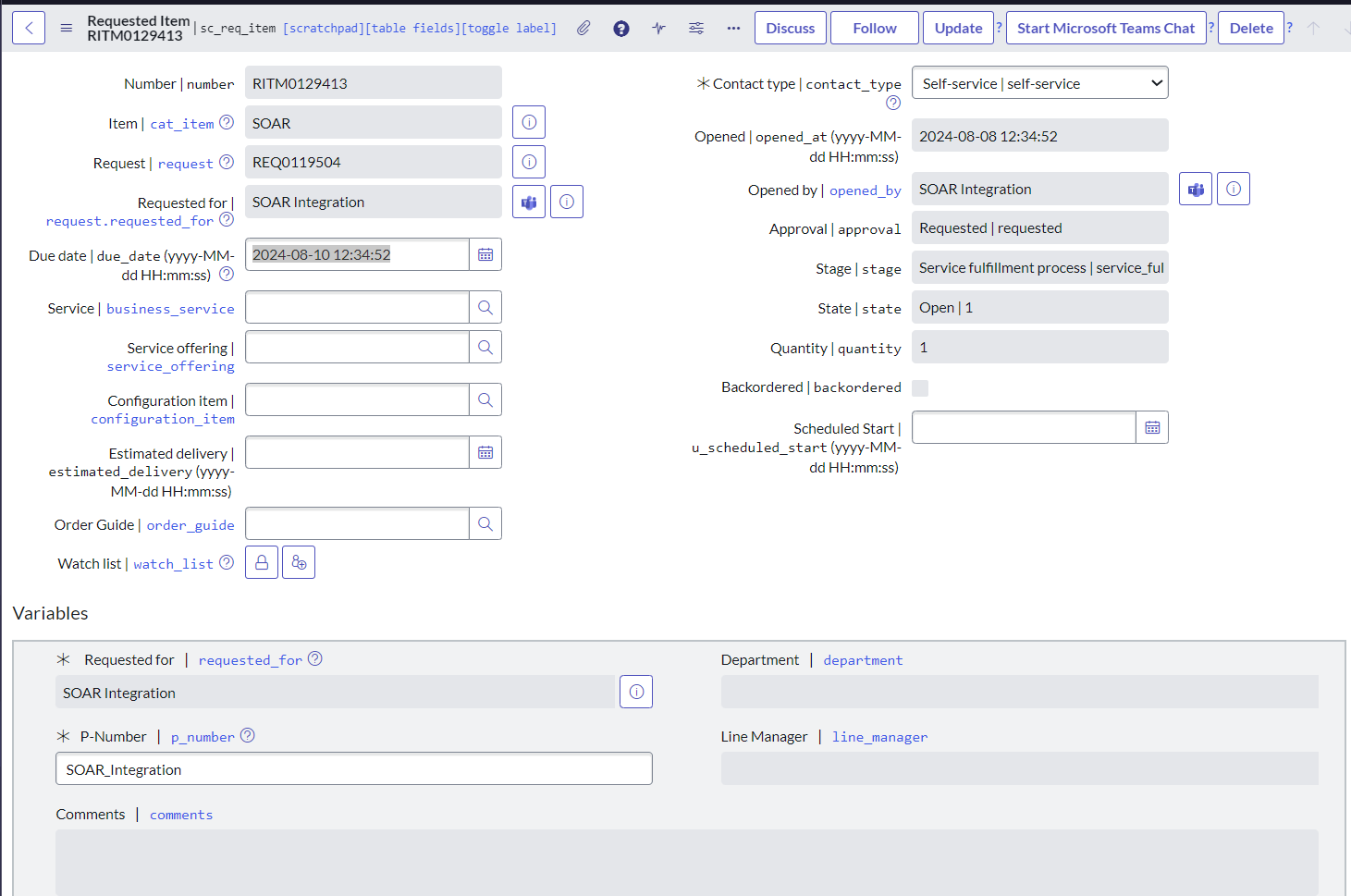
The request gets created successfully (REQ, RITM and SCTASK) but nothing is populated in the task. I want to use the description field as their string field so they can populate all the necessary information in there.
Or if there is a better way to do this, I would appreciate any assistance. I attach screenshots of everything I did.
Thanks for your assistance and for your patience with me every time 🙂
Regards
Thereza
Solved! Go to Solution.
- Mark as New
- Bookmark
- Subscribe
- Mute
- Subscribe to RSS Feed
- Permalink
- Report Inappropriate Content
08-13-2024 04:31 AM
Ok, will do the integration step by step. As per my understanding you need 'additional info' populate on RITM ticket.
- Have you created variable (field) on your catalog item? if not create one variable with type string.
- Add following script in your 'CreateRequest' API and do the needful changes, I have added the comments for your understanding.
(function process(/*RESTAPIRequest*/ request, /*RESTAPIResponse*/ response) {
    // Get the request body
    var requestBody = request.body.data;
    var additionalInfo = requestBody.additional_info || ''; // Retrieve additional information from request body

    // Create a new Service Catalog request
    var requestGR = new GlideRecord('sc_request');
    requestGR.initialize();
    requestGR.requested_for = gs.getUserID(); // Request for the current user
    requestGR.short_description = 'Automated Service Request'; // Short description for the request
    var requestSysID = requestGR.insert();

    if (!requestSysID) {
        response.setStatus(500);
        response.setBody({error: 'Failed to create service request'});
        return;
    }

    // Create a request item (sc_req_item)
    var itemGR = new GlideRecord('sc_req_item');
    itemGR.initialize();
    itemGR.request = requestSysID;
    itemGR.cat_item = 'sys_id_of_catalog_item'; // Replace with the sys_id of the catalog item you want to use
    itemGR.short_description = 'Automated Service Request Item';
    itemGR.insert();

    // Create a variable entry for additional information
    var varGR = new GlideRecord('sc_item_option');
    varGR.initialize();
    varGR.request_item = itemGR.sys_id;
    varGR.item_option_new = 'sys_id_of_additional_info_variable'; // Replace with the sys_id of the variable for additional info
    varGR.value = additionalInfo;
    varGR.insert();

    // Return the response
    response.setStatus(201);
    response.setBody({
        message: 'Service request created successfully',
        request_sys_id: requestSysID
    });

})(request, response);
Test this by creating few service request and validate text box in service requests capture and store correct information.
I hope my answer helps you to resolve your issue, if yes please mark my answer helpful and correct.
THANK YOU
rajesh
- Mark as New
- Bookmark
- Subscribe
- Mute
- Subscribe to RSS Feed
- Permalink
- Report Inappropriate Content
08-13-2024 06:04 AM
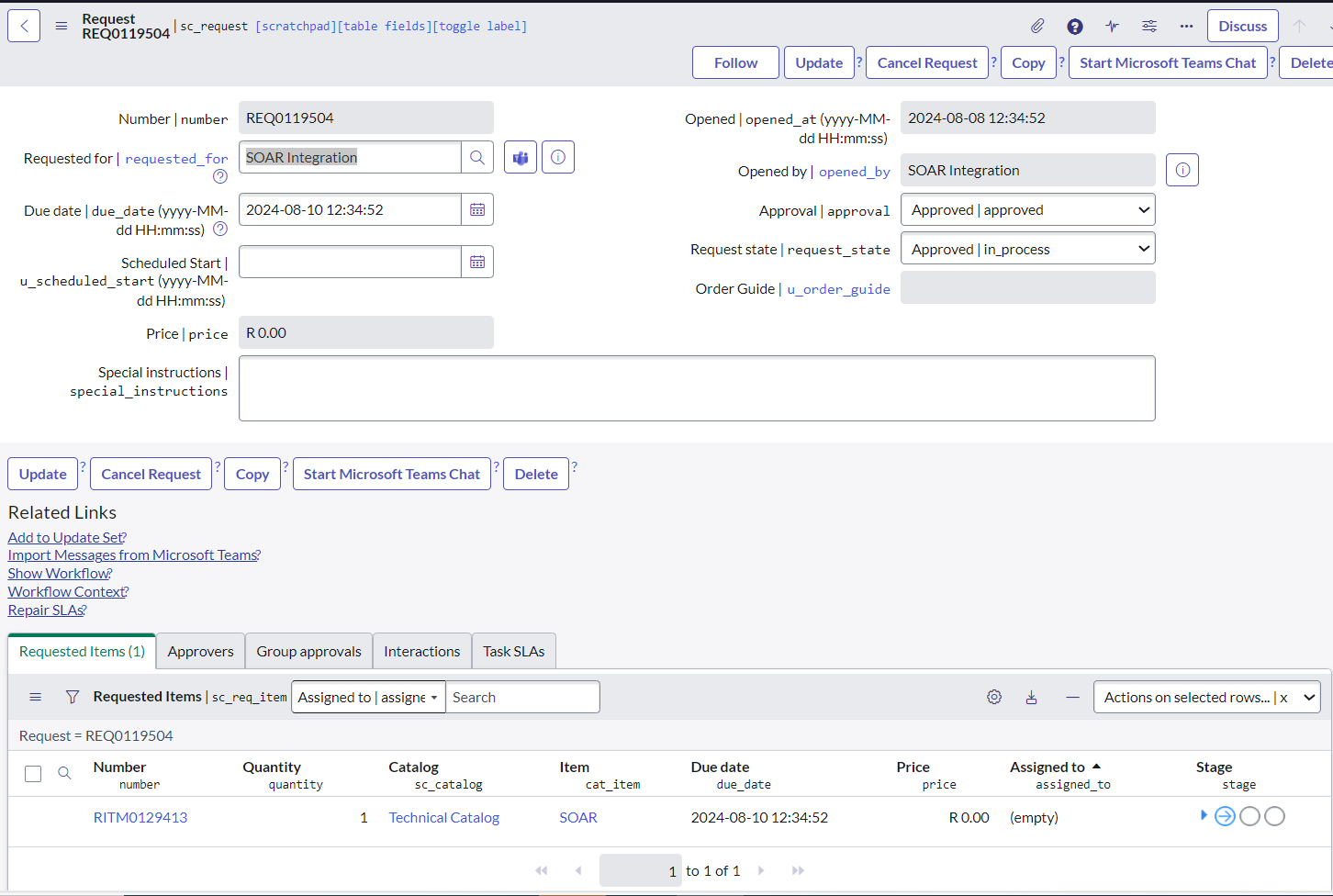
The bottom part of the picture is kind of what we need as results.

- Mark as New
- Bookmark
- Subscribe
- Mute
- Subscribe to RSS Feed
- Permalink
- Report Inappropriate Content
08-13-2024 06:48 AM

So it creates a request but I don't see where it brings back the request number or where the additional information is displayed.
- Mark as New
- Bookmark
- Subscribe
- Mute
- Subscribe to RSS Feed
- Permalink
- Report Inappropriate Content
08-13-2024 07:08 AM
add bellow lines after line no. 11
// Retrieve the ticket number after insertion
var ticketNumber = requestGR.number;
response.setBody({
        message: 'Service request created successfully',
        sys_id: requestSysID,
		number : ticketNumber,
		request_number : ticketNumber,
		request_id : requestSysID,
		table : 'sc_request'
    });
*additional information will displayed on your RITM variable.
I hope this clarifies.
thank you