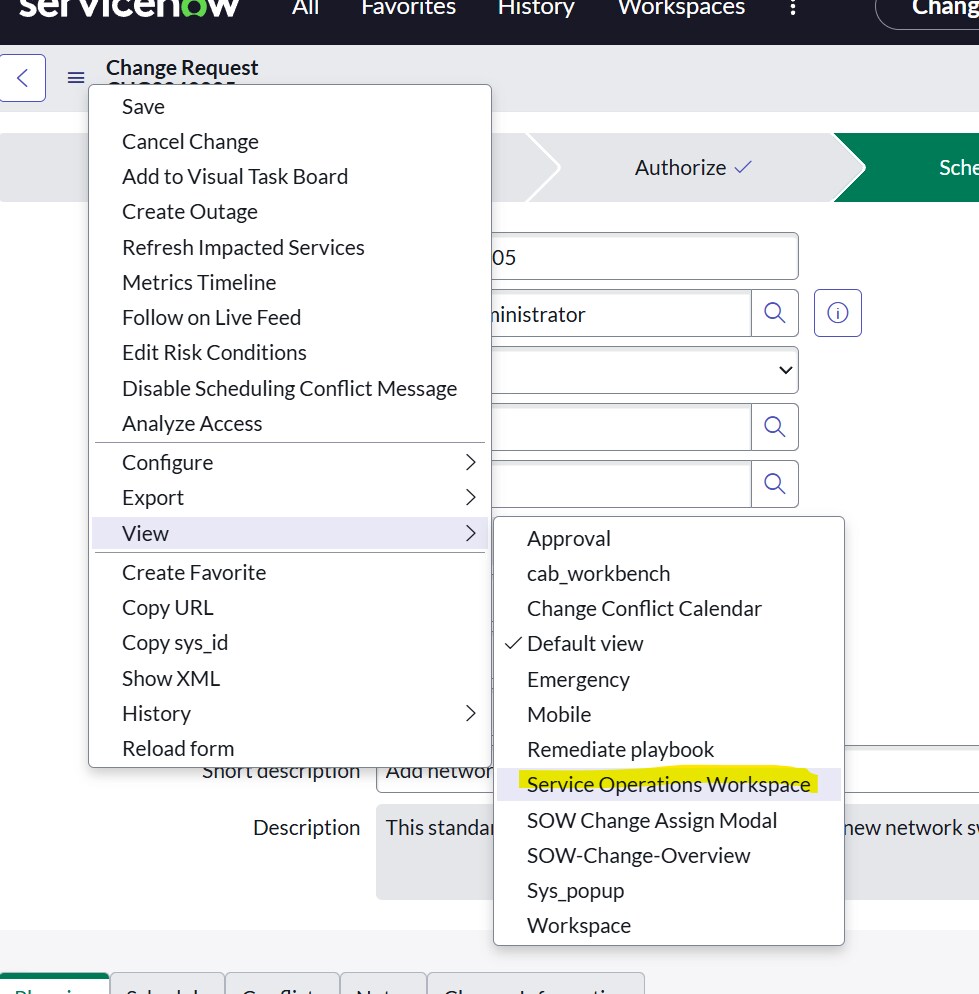
Remove the "Service Operations Workspace" view from Change Record

- Mark as New
- Bookmark
- Subscribe
- Mute
- Subscribe to RSS Feed
- Permalink
- Report Inappropriate Content
05-18-2025 11:31 PM

- Mark as New
- Bookmark
- Subscribe
- Mute
- Subscribe to RSS Feed
- Permalink
- Report Inappropriate Content
05-19-2025 01:48 AM
Hi @Arijit Saikia ,
1.Go to the sys_workspace_view Table
In the Application Navigator, type:
- sys_workspace_view.list
2.Look for an entry where:
- Table = change_request
- View name = Service Operations Workspace or similar (check column Workspace view)
2.Delete or Deactivate the Entry
- Option A: Delete the record entirely if it’s only used for Change Request.
- Option B (safer): Add a condition to prevent it from applying to change_request, if used in multiple places via custom logic (e.g., a script include or extension).
3.Clear Cache (if needed)
- After deleting or modifying the record:
- Run in your browser URL bar:
- <your-instance>.service-now.com/cache.do?sysparm_clear_cache=true
If my response helped, please hit the 👍Thumb Icon and accept the solution so that it benefits future readers.
Regards,
Pratik

- Mark as New
- Bookmark
- Subscribe
- Mute
- Subscribe to RSS Feed
- Permalink
- Report Inappropriate Content
05-19-2025 06:22 AM
hi @Arijit Saikia ,
You can control which views are available for which tables using the sys_view table and UI Policies / ACLs / Module configuration depending on your exact use case. Here's the easiest and cleanest method:
Navigate to:
🔍 System UI > ViewsSearch for:
Service Operations Workspace (The view name is usually spw)You’ll see entries with table names.
Find the one where:
Table = Change Request [change_request]
View = spwDelete this specific record (or deactivate it if it's a customization from your side).