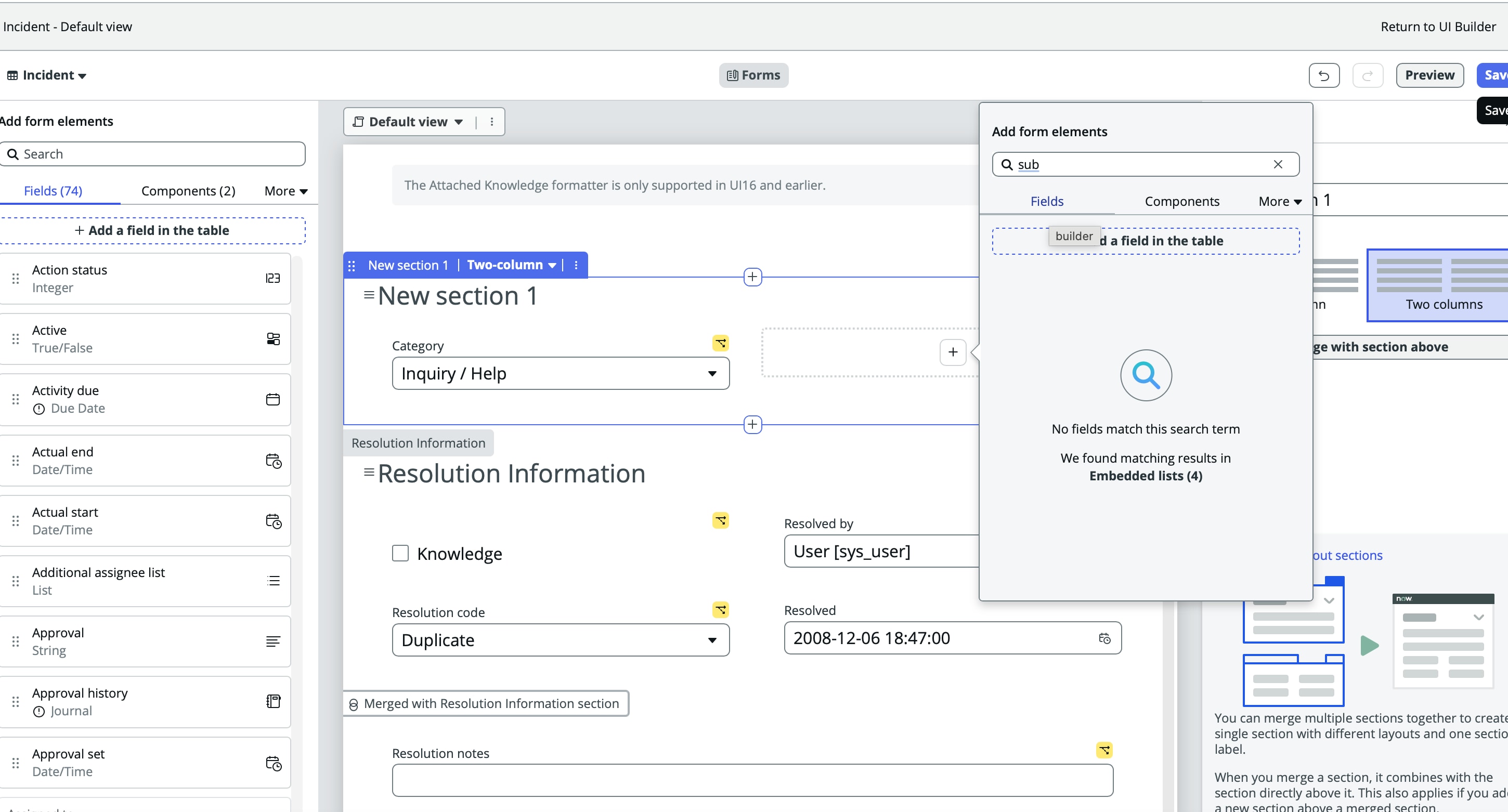
Unable to add fields into record section from UI builder

- Mark as New
- Bookmark
- Subscribe
- Mute
- Subscribe to RSS Feed
- Permalink
- Report Inappropriate Content
02-22-2026 10:37 AM - edited 02-22-2026 10:39 AM

- Mark as New
- Bookmark
- Subscribe
- Mute
- Subscribe to RSS Feed
- Permalink
- Report Inappropriate Content
02-22-2026 10:43 AM
Hi,
This usually happens due to one of the below reasons. Please check the following:
Verify the Data Resource
Make sure your Record Section in UI Builder is using the correct table in the Data Resource. If the section is pointing to a different table, fields like Subcategory will not appear.Check if the Field Exists on the Table
Go to System Definition → Tables → [Your Table] → Columns and confirm that Subcategory is present and active.Validate the Form View
Record Sections follow the Form View configuration.Open the form in the platform UI
Right-click header → Configure → Form Layout
Ensure Subcategory is added to the correct view (e.g., Workspace view)
Dependent Field Check
If Subcategory is dependent on Category, it may not appear unless the parent field is available in the section.Clear Cache
Try clearing cache using:cache.do
Then reload UI Builder.
- Mark as New
- Bookmark
- Subscribe
- Mute
- Subscribe to RSS Feed
- Permalink
- Report Inappropriate Content
02-22-2026 11:20 AM
Hi @ayushraj7012933
Thanks for your reply,
I did this part :
- Clear Cache
Try clearing cache using:
cache.do
Then reload UI Builder. - Yes I have already added Category field first into section .
Dependent Field Check - If Subcategory is dependent on Category, it may not appear unless the parent field is available in the section.
Remaining other options also I tried , but still not able to see 'subcategory' field in list to add into Section