
- Mark as New
- Bookmark
- Subscribe
- Mute
- Subscribe to RSS Feed
- Permalink
- Report Inappropriate Content
02-05-2024 01:53 PM
Hello ServiceNow community.
I hope you're doing well.
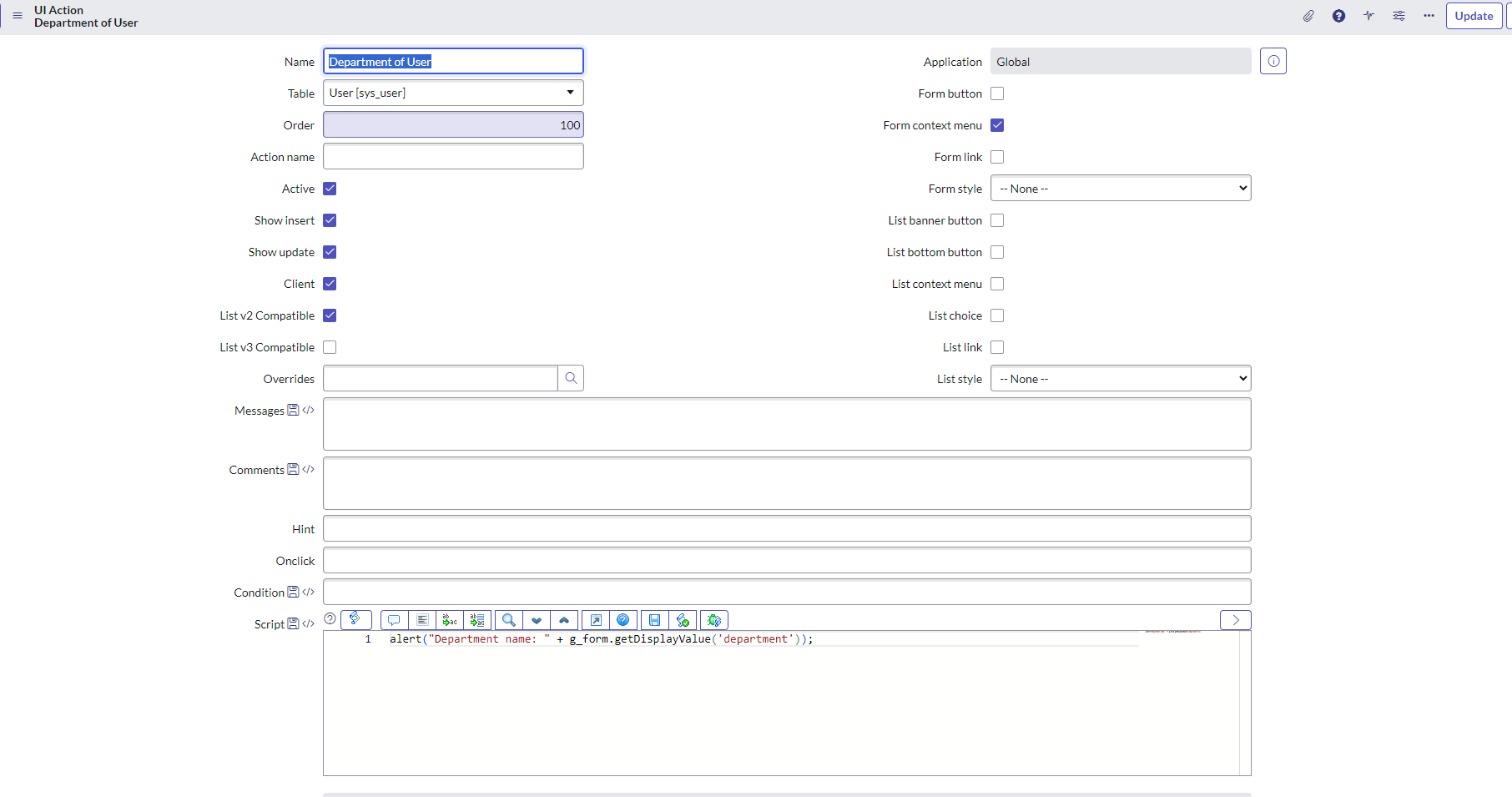
I'm currently attempting to create a pop-up message showing a user's department in ServiceNow once their profile record is selected on the sys_user table.
I attached my solution below which I thought would give me the user's department, but is instead giving me their name.
If you have any insights on how to fix this, it would be most appreciated.

Solved! Go to Solution.


- Mark as New
- Bookmark
- Subscribe
- Mute
- Subscribe to RSS Feed
- Permalink
- Report Inappropriate Content
02-05-2024 03:14 PM
Hi @Philip Conforzi ,
Department is reference type field on User form, so its not giving the value via g_form.getValue('department');
Use the below code.

function showDept(){
var dept = g_form.getReference("department", displayDept);

function displayDept(dept){
alert("Department->"+dept.name);
}

}
-Thanks,
AshishKM
- Mark as New
- Bookmark
- Subscribe
- Mute
- Subscribe to RSS Feed
- Permalink
- Report Inappropriate Content
02-07-2024 06:16 AM - edited 02-07-2024 06:16 AM
add one more alert statement after first line, need to check if code is triggering or not. same code is working on my PDI.
also make sure you are checking on the user where department value is filled.
- Mark as New
- Bookmark
- Subscribe
- Mute
- Subscribe to RSS Feed
- Permalink
- Report Inappropriate Content
02-07-2024 12:43 PM
Hey,
Made sure to check on user with a department field that was populated. I can't seem to get a basic alert statement to run on the record from the UI Action.
Since this is a new PDI, do you think it has something to do with the OOB configuration?
- Mark as New
- Bookmark
- Subscribe
- Mute
- Subscribe to RSS Feed
- Permalink
- Report Inappropriate Content
02-07-2024 12:44 PM
Never mind I got it to work!
- Mark as New
- Bookmark
- Subscribe
- Mute
- Subscribe to RSS Feed
- Permalink
- Report Inappropriate Content
02-07-2024 01:35 PM
Thanks for accepting the solution.
Please share 'why it was not working at first place'.

- Mark as New
- Bookmark
- Subscribe
- Mute
- Subscribe to RSS Feed
- Permalink
- Report Inappropriate Content
02-05-2024 05:52 PM
Hi @Philip Conforzi you can use the below code
