How to configure the document header for Control Attestations

- Mark as New
- Bookmark
- Subscribe
- Mute
- Subscribe to RSS Feed
- Permalink
- Report Inappropriate Content
06-06-2022 12:20 PM
For Control attestations, there is a default header that displays Entity and Control names.

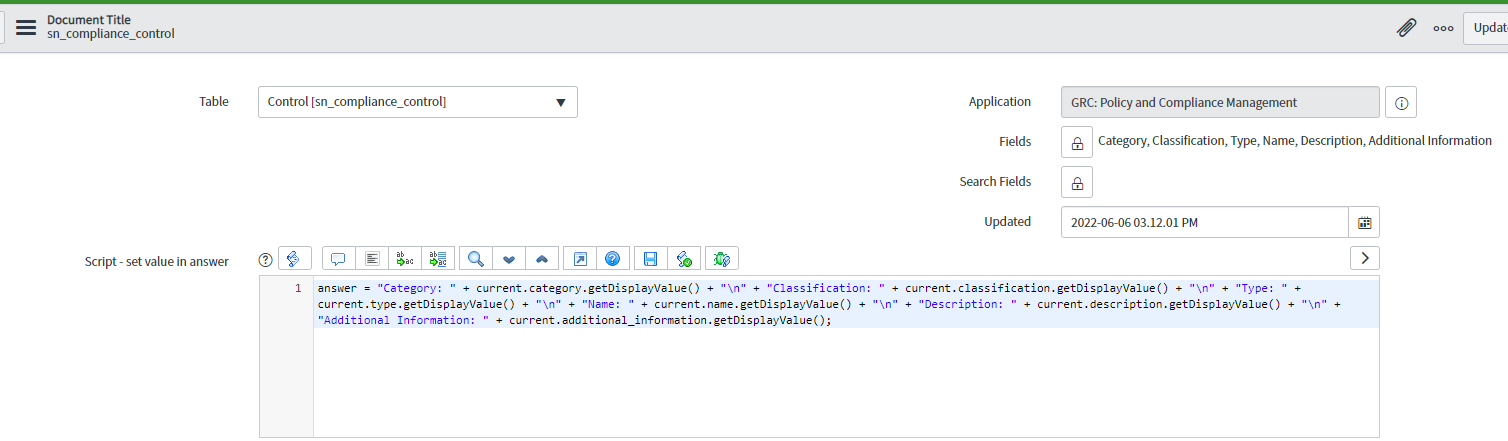
I'm aware of changing the additional description fields like Category, Classification, etc using the Document Title (screenshot below). I want to change the control name to the header's control description. Greatly appreciate your help.

- Labels:
-
Policy and Compliance Management

- Mark as New
- Bookmark
- Subscribe
- Mute
- Subscribe to RSS Feed
- Permalink
- Report Inappropriate Content
06-09-2022 06:41 AM
Hi Krishna,
if I got this right, you would like to replace the name with a description? if yes then add current.description.getDisplayValue() instead of current.name.getDisplayValue()
- Mark as New
- Bookmark
- Subscribe
- Mute
- Subscribe to RSS Feed
- Permalink
- Report Inappropriate Content
06-09-2022 07:54 AM
Hello Ahmed,
I want to change the header info where it shows the entity and Control Name (first 2 lines in bold).
That cannot be changed through the script.
Regards,
Krishna
- Mark as New
- Bookmark
- Subscribe
- Mute
- Subscribe to RSS Feed
- Permalink
- Report Inappropriate Content
07-08-2022 07:54 AM
Hi! Is there a solution to this? Having the same issue in locating where to modify the bold fields within the attestation survey (Entity and Control).
- Mark as New
- Bookmark
- Subscribe
- Mute
- Subscribe to RSS Feed
- Permalink
- Report Inappropriate Content
11-27-2023 06:54 PM
Hi,
I have made changes in the document title as mentioned above. However the take assessment page still shows
Entity
Control name
I checked in workspace view as well classic view. Doesnt seem to work.