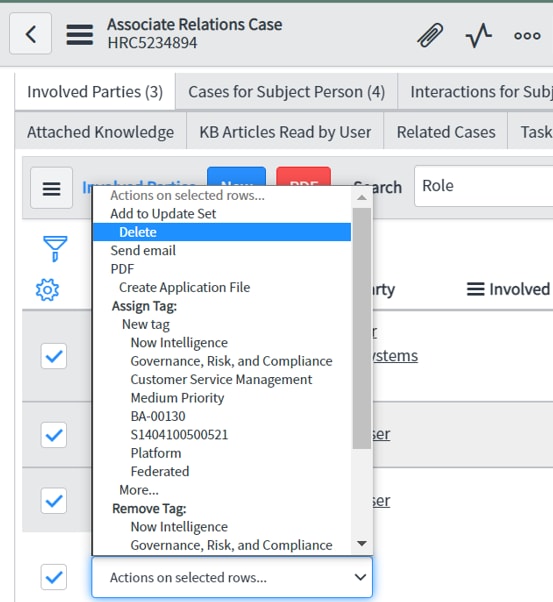
Is it possible to delete the records in the related list in agent workspace

- Mark as New
- Bookmark
- Subscribe
- Mute
- Subscribe to RSS Feed
- Permalink
- Report Inappropriate Content
05-07-2022 09:38 PM


- Mark as New
- Bookmark
- Subscribe
- Mute
- Subscribe to RSS Feed
- Permalink
- Report Inappropriate Content
05-07-2022 10:00 PM
You can add the "Delete" button on HR list view by following this post -
Delete List button on Agent workspace
If my reply is Helpful/Correct, please mark the answer as Helpful/Correct.
- Mark as New
- Bookmark
- Subscribe
- Mute
- Subscribe to RSS Feed
- Permalink
- Report Inappropriate Content
05-07-2022 10:12 PM
Hi John,
Thanks for your response. I have tried these steps and found that it is for the List view and not the Related list.

- Mark as New
- Bookmark
- Subscribe
- Mute
- Subscribe to RSS Feed
- Permalink
- Report Inappropriate Content
05-08-2022 05:38 AM
Hi Sam,
You need to create a new 'Action Assignment' to remove the added records.
Follow these steps:
- From the application-navigator, navigate to -- Workspace Experience > Actions & Components > Related List Actions
- Create 'New'
- Populate the below fields (ensure to be in "Global" application for this operation) >>
- Action label = Remove ({{count}}) //'count' is optional
- Action name = remove
- Implemented as = Server Script (important)
- Button type = Secondary
- Table = target table (if 'Global' table is selected, the action will be available in all the related-lists )
- View = optional (may select 'workspace') - Click on the related-link = 'Advanced View'
- Populate these fields >
- Record Selection Required = true
- Server Script tab > Server Script = current.deleteRecord();
- Confirmation Settings tab > Confirmation Required = optional - Press save/update
Now open the record in Agent Workspace, you should notice the 'Remove' button is disabled in the related-list view, and selecting the records to unlink will enable the button.

You can also learn more such actions here too :https://community.servicenow.com/community?id=community_article&sys_id=d56878d5db2de810a08a1ea668961...
Mark my answer correct & Helpful, if Applicable.
Thanks,
Sandeep