- Mark as New
- Bookmark
- Subscribe
- Mute
- Subscribe to RSS Feed
- Permalink
- Report Inappropriate Content
12-08-2020 08:13 AM
- Mark as New
- Bookmark
- Subscribe
- Mute
- Subscribe to RSS Feed
- Permalink
- Report Inappropriate Content
12-08-2020 09:34 AM
hi,
I tried and created this simple Scripted API. It is working for me.
You can add fields as per your requirement.
(function process( /*RESTAPIRequest*/ request, /*RESTAPIResponse*/ response) {
var responseBody = {};
var event = request.body.data;
var inc = new GlideRecord('incident');
inc.initialize();
inc.caller_id = event.caller;
inc.short_description = event.Summary;
inc.insert();
responseBody.message = "Incident created.";
responseBody.incidentnumber = inc.number;
response.setBody(responseBody);
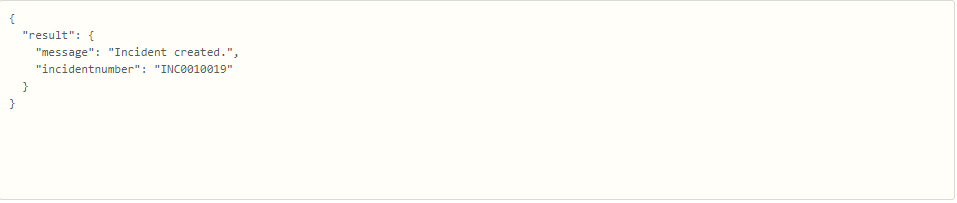
Output:

Incident created :


- Mark as New
- Bookmark
- Subscribe
- Mute
- Subscribe to RSS Feed
- Permalink
- Report Inappropriate Content
12-08-2020 08:24 AM
This Scripted REST API training on the developer site will walk you through creating a SRAPI to interact with a custom app table. I would run through this training and then apply what you've learned to creating an incident.
- Mark as New
- Bookmark
- Subscribe
- Mute
- Subscribe to RSS Feed
- Permalink
- Report Inappropriate Content
12-08-2020 09:34 AM
Hi Brad,
Thanks for your inputs.
Regards,
Sarabjeet
- Mark as New
- Bookmark
- Subscribe
- Mute
- Subscribe to RSS Feed
- Permalink
- Report Inappropriate Content
12-08-2020 09:34 AM
hi,
I tried and created this simple Scripted API. It is working for me.
You can add fields as per your requirement.
(function process( /*RESTAPIRequest*/ request, /*RESTAPIResponse*/ response) {
var responseBody = {};
var event = request.body.data;
var inc = new GlideRecord('incident');
inc.initialize();
inc.caller_id = event.caller;
inc.short_description = event.Summary;
inc.insert();
responseBody.message = "Incident created.";
responseBody.incidentnumber = inc.number;
response.setBody(responseBody);
Output:
Incident created :