How to configure sc_request stage which is auto approving.

- Mark as New
- Bookmark
- Subscribe
- Mute
- Subscribe to RSS Feed
- Permalink
- Report Inappropriate Content
01-26-2022 06:37 AM

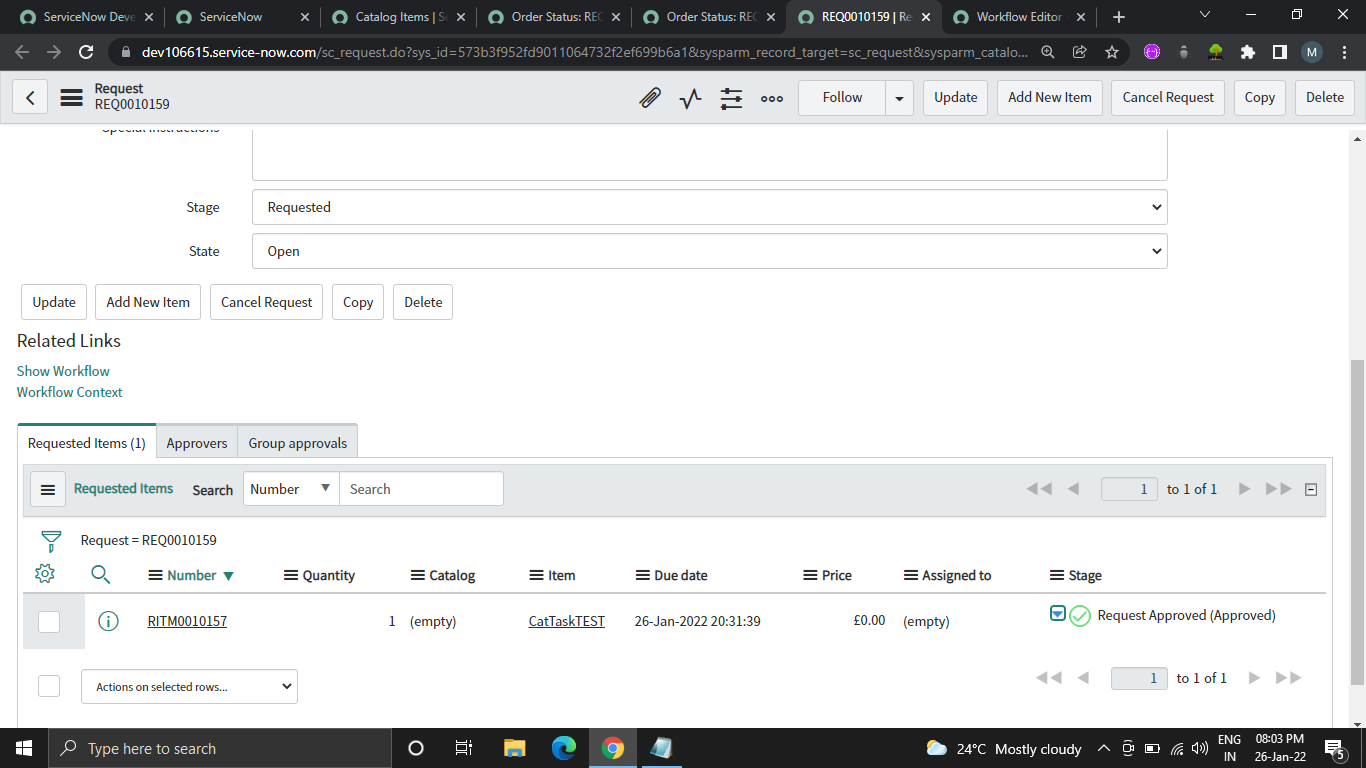
You can see at the bottom right, the stage is Request Approved (Approved ) .. which is actually auto approving ...How can I stop that. Please guide.
- Labels:
-
Service Catalog

- Mark as New
- Bookmark
- Subscribe
- Mute
- Subscribe to RSS Feed
- Permalink
- Report Inappropriate Content
01-26-2022 07:00 AM
Check the workflow on your REQ. It's possible it is set to auto-approve the request itself.

- Mark as New
- Bookmark
- Subscribe
- Mute
- Subscribe to RSS Feed
- Permalink
- Report Inappropriate Content
01-26-2022 08:21 AM
Hello MH
as this your PDI,
Steps To Reproduce this:-
1) Order Catalog Item.
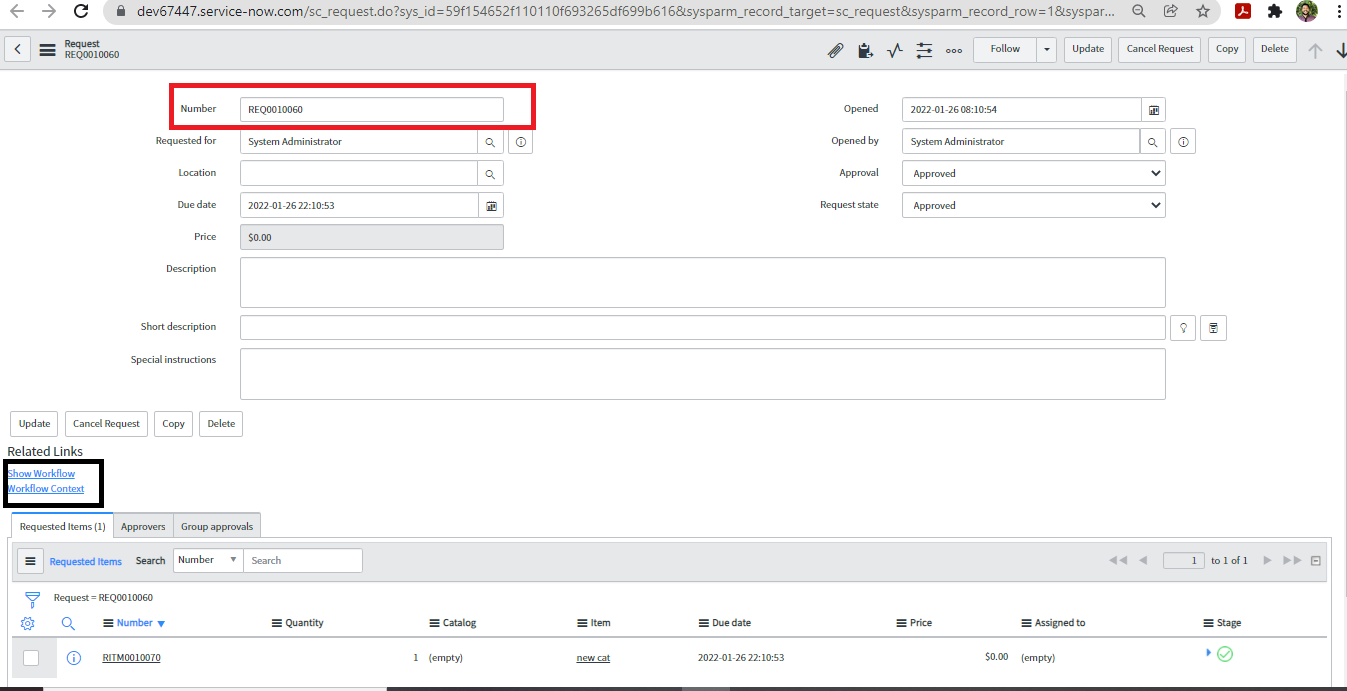
2) Open that request in sc_request Table.
3) You will find the OOB "Service Catalog Request" which is approving your request automatically.

Click Show Workflow :-

There is OOB Workflow for this:-
Application Navigator >workflow editor>Service Catalog Request
Now, as this is Your PDI only, you can check out this workflow and make change or you can create new workflow.(do not forget to de-activate this workflow in that case)
Note:- Just try out this as you seems to be learning, and revert the changes once done. 🙂
Mark my Response as Correct or Helpful, if you find it Appropriate.
Gaurav Shirsat
https://www.linkedin.com/in/gauravshirsat/