ITSM mobile agent

- Mark as New
- Bookmark
- Subscribe
- Mute
- Subscribe to RSS Feed
- Permalink
- Report Inappropriate Content
07-13-2026 02:49 AM
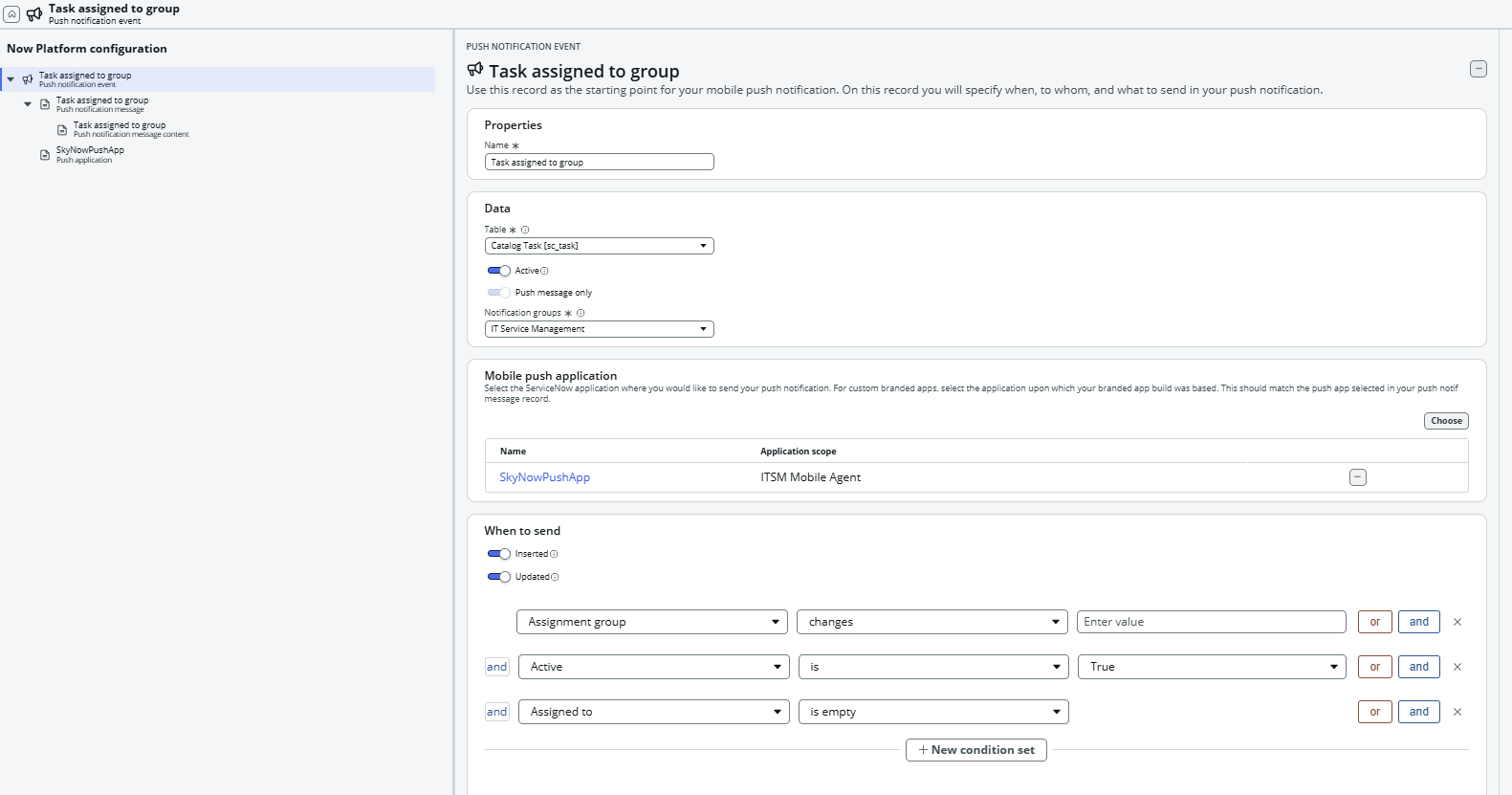
We are working on push notifications for ITSM mobile agent app .
We want to send push notification for assignment group user of sc_task , when task is assigned to group.
We have created Notification, Push notification & Push Notification Message Content .
But push notifications are working sometimes & sometime is not sending to assignment group in sub prod instance.
and in production instance it is not working at all.
Please provide suggestion for this.
- Mark as New
- Bookmark
- Subscribe
- Mute
- Subscribe to RSS Feed
- Permalink
- Report Inappropriate Content
07-13-2026 09:49 AM
Hello @Apurva127,
I'm assuming your event and message config is fine, the table (sc_task), conditions, and SkyNowPushApp mapping in the screenshot all look right, so the gap is almost certainly on the delivery side, not the record itself. That "works sometimes in sub-prod, never in prod" pattern usually comes down to one of these:
- Each assignment group member needs an active row in sys_push_notif_app_install for that push application, tied to that specific instance URL, not just the app installed on their phone
- Push is opt-in per user inside the app's notification settings, under whatever category "IT Service Management" maps to; anyone who never toggled it on stays silent even with a registered device
- Check the APNs/FCM credentials on the SkyNowPushApp Push Application record in production specifically, an expired or missing cert there will drop every push, while sub-prod (usually re-registered more recently) still gets a few through
Thank you,
Vikram Karety
Octigo Solutions INC

- Mark as New
- Bookmark
- Subscribe
- Mute
- Subscribe to RSS Feed
- Permalink
- Report Inappropriate Content
07-13-2026 10:09 AM
Hey @Apurva127
Just to check as you've not specified, have the users actually logged into the same instance that you're testing the Agent app? If they haven't, they won't get notifications.
Check that the notification is added to the Push Default Registrations table (All > System Notification > Push > Push Application). Registering them here ensures they are listed and automatically enabled in notification settings for mobile app users, otherwise they may not have the notification enabled. More info here
Hopefully that helps! If not, please reply and we can look some more 🙂
- Mark as New
- Bookmark
- Subscribe
- Mute
- Subscribe to RSS Feed
- Permalink
- Report Inappropriate Content
07-13-2026 10:31 AM
Hi @Apurva127,
Refer below:
Solved: Now Mobile Push Notification Not Working - ServiceNow Community
Solved: Push notifications on Service Now Mobile not worki... - ServiceNow Community