
- Mark as New
- Bookmark
- Subscribe
- Mute
- Subscribe to RSS Feed
- Permalink
- Report Inappropriate Content
02-08-2021 09:59 PM


- Mark as New
- Bookmark
- Subscribe
- Mute
- Subscribe to RSS Feed
- Permalink
- Report Inappropriate Content
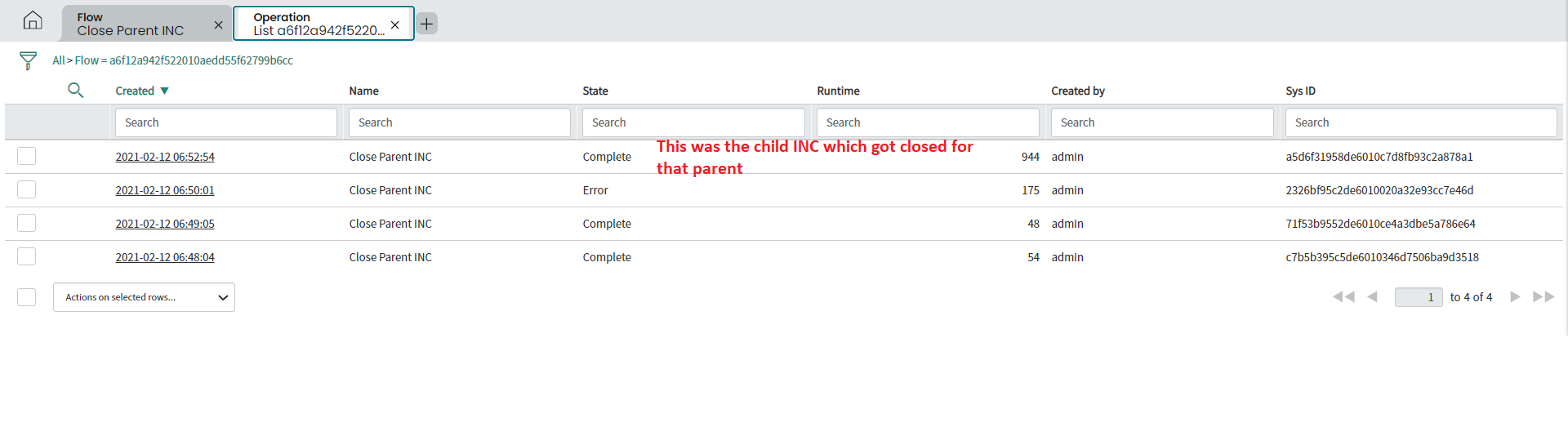
02-12-2021 06:55 AM
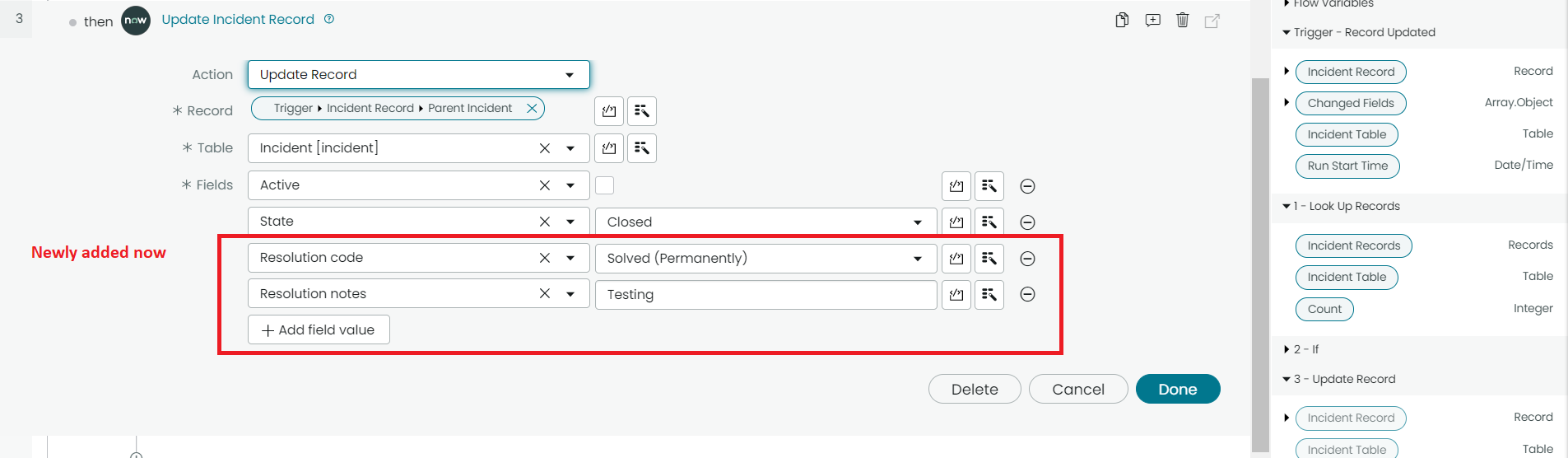
I just tested and you should be filling the below 2 fields during marking the Incident as Inactive
It worked fine for me
Updated Flow for update


Regards
Ankur
- Mark as New
- Bookmark
- Subscribe
- Mute
- Subscribe to RSS Feed
- Permalink
- Report Inappropriate Content
02-08-2021 10:05 PM
Steps
1) Have flow trigger on incident closure
2) then use Lookup record action to search for the Parent
3) Then use Update Action to close the parent
Regards
Ankur
- Mark as New
- Bookmark
- Subscribe
- Mute
- Subscribe to RSS Feed
- Permalink
- Report Inappropriate Content
02-08-2021 10:21 PM
Hi,
Screenshots
Remember to Save and Activate the Flow
Assumption: Parent incident is stored in parent_incident field
1) Flow trigger

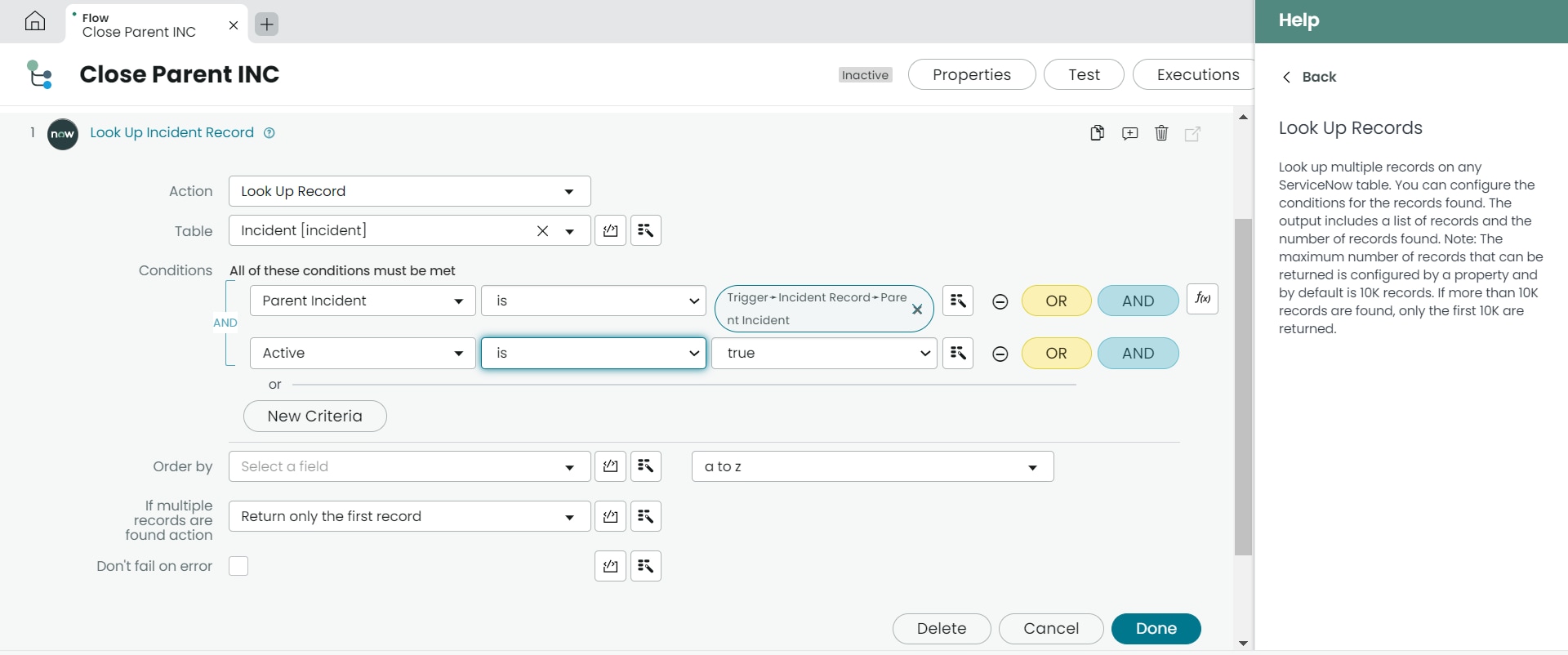
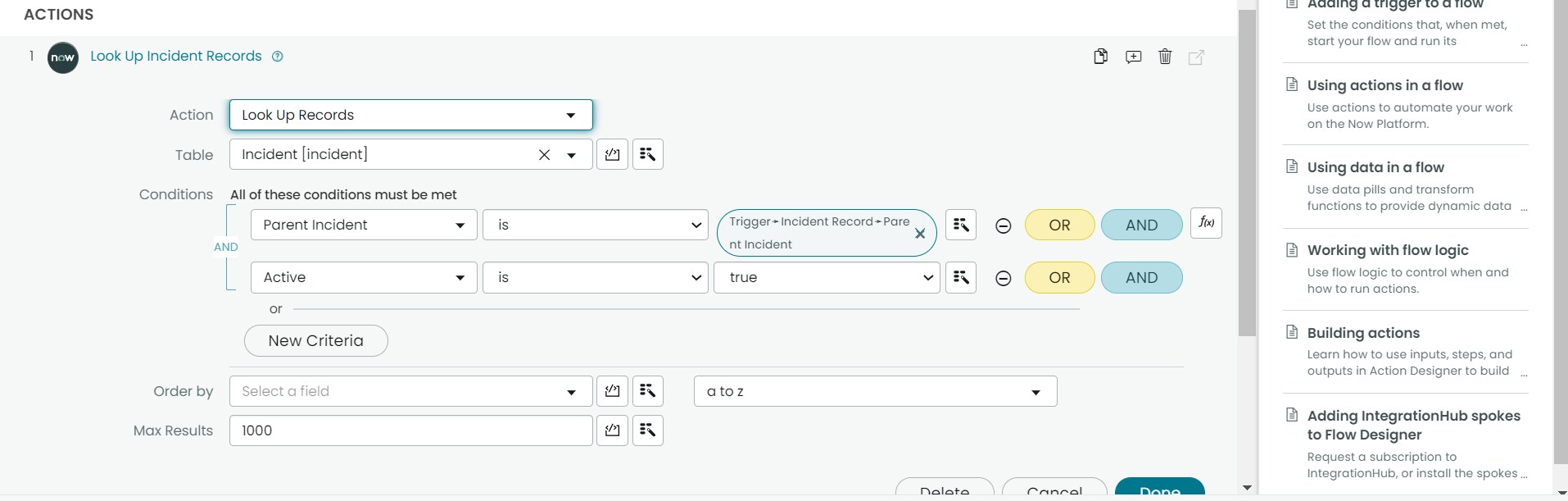
2) Look Up Incident Records check this
a) Find incident with same parent and Active is True
-> Found -> then don't update the Parent
-> Not found -> means all child incidents for this Parent are closed

3) Use if to check the count
If the Count is 0 then update the Parent Incident



Regards
Ankur




- Mark as New
- Bookmark
- Subscribe
- Mute
- Subscribe to RSS Feed
- Permalink
- Report Inappropriate Content
02-08-2021 11:09 PM
Hi, Ankur
Can you please explain if condition what condition should i use there?
- Mark as New
- Bookmark
- Subscribe
- Mute
- Subscribe to RSS Feed
- Permalink
- Report Inappropriate Content
02-08-2021 11:31 PM
Hi,
forgot the if condition screenshot.
Edited it in the above post
Regards
Ankur
