- Mark as New
- Bookmark
- Subscribe
- Mute
- Subscribe to RSS Feed
- Permalink
- Report Inappropriate Content
01-31-2017 04:53 PM
Hello community,
i have an issue with the calendar view.
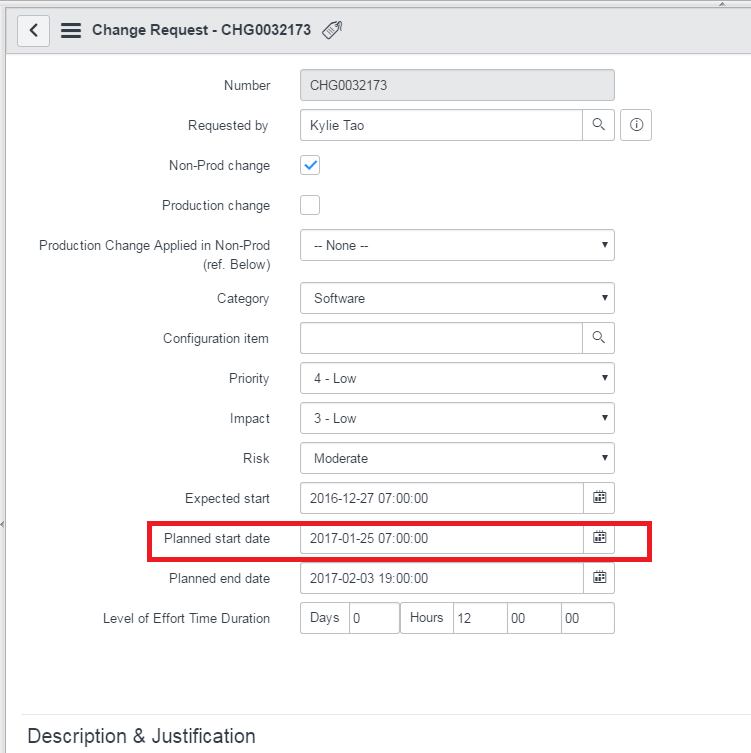
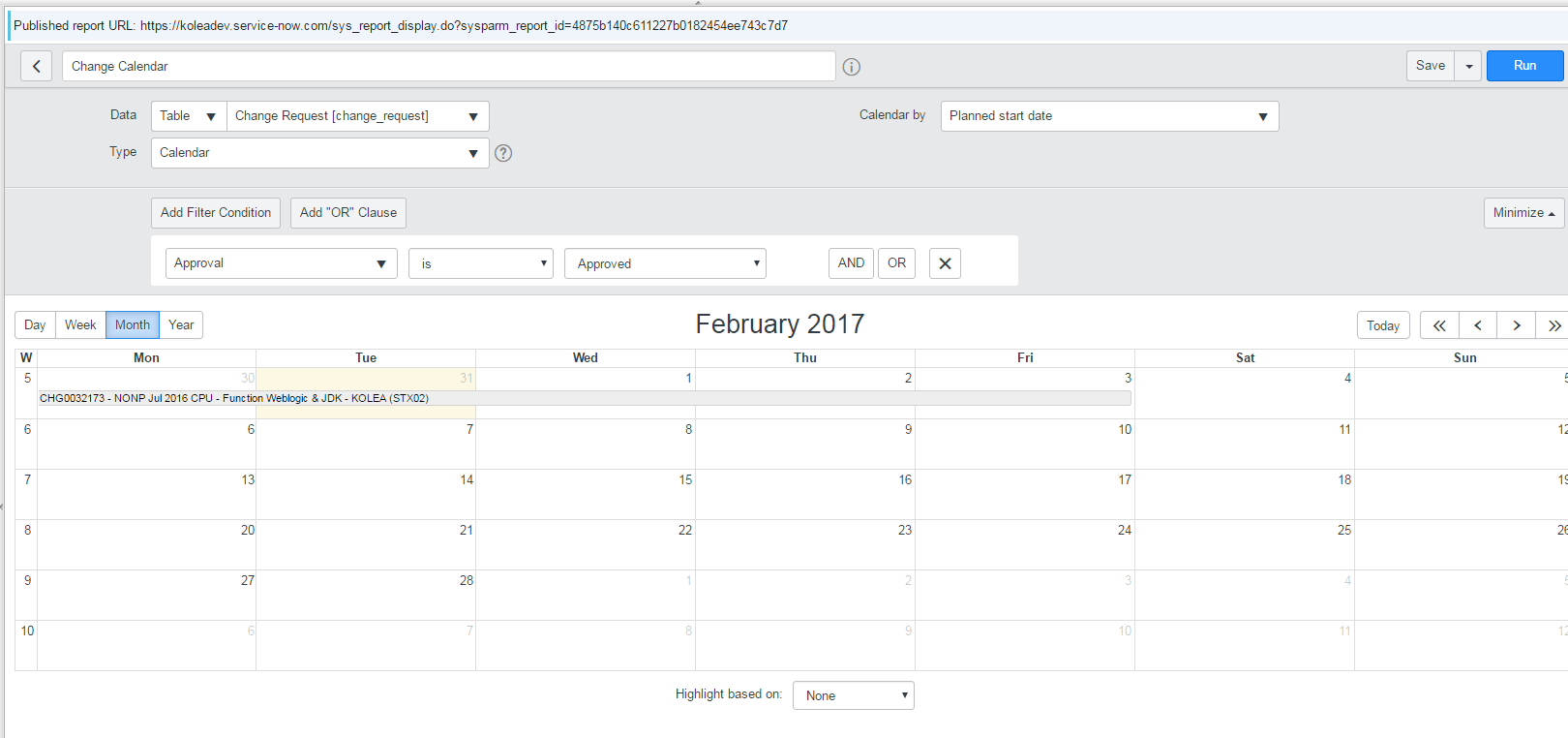
I am running a calendar report based on the planned start date of a change request, when the planned start and end dates are longer than a year, it eventually disappears from the calendar report.


If I change the filter to report based on planned end date it shows up.

If I shorten the dates it shows up normally.


Please help!
Thank you.
Solved! Go to Solution.
- Labels:
-
Performance Analytics
-
Reporting

- Mark as New
- Bookmark
- Subscribe
- Mute
- Subscribe to RSS Feed
- Permalink
- Report Inappropriate Content
02-01-2017 03:20 AM
Hi,
this behavior is actually the expected behavior. If the (new, Helsinki) calendar report is opened in a month view, it goes back a maximum of 30 (sometimes it looks like 31 days because of timezone) days to fetch records to be shown on the calendar report. In your example, when you show February, Jan 30 is still shown on the report. Now it goes back 30 days, so changes with a planned start date on Dec 30 or later are shown. So in your screenshot the change has a planned start date of Dec 29, so not show when you view February.
If you switch to the year view, the change is shown.
The '30 days back' is actually controlled by a property (that you might have to set: Add a property ) called 'glide.report.calendar.max_days_back'. You can change the value from 30 to something else. The higher the number, the longer it takes to fetch the records and render the report.
Hope this helps.
Cheers, Pieter
- Mark as New
- Bookmark
- Subscribe
- Mute
- Subscribe to RSS Feed
- Permalink
- Report Inappropriate Content
02-01-2017 03:20 AM
Hi,
this behavior is actually the expected behavior. If the (new, Helsinki) calendar report is opened in a month view, it goes back a maximum of 30 (sometimes it looks like 31 days because of timezone) days to fetch records to be shown on the calendar report. In your example, when you show February, Jan 30 is still shown on the report. Now it goes back 30 days, so changes with a planned start date on Dec 30 or later are shown. So in your screenshot the change has a planned start date of Dec 29, so not show when you view February.
If you switch to the year view, the change is shown.
The '30 days back' is actually controlled by a property (that you might have to set: Add a property ) called 'glide.report.calendar.max_days_back'. You can change the value from 30 to something else. The higher the number, the longer it takes to fetch the records and render the report.
Hope this helps.
Cheers, Pieter
- Mark as New
- Bookmark
- Subscribe
- Mute
- Subscribe to RSS Feed
- Permalink
- Report Inappropriate Content
02-01-2017 11:19 AM
Hello Pieter,
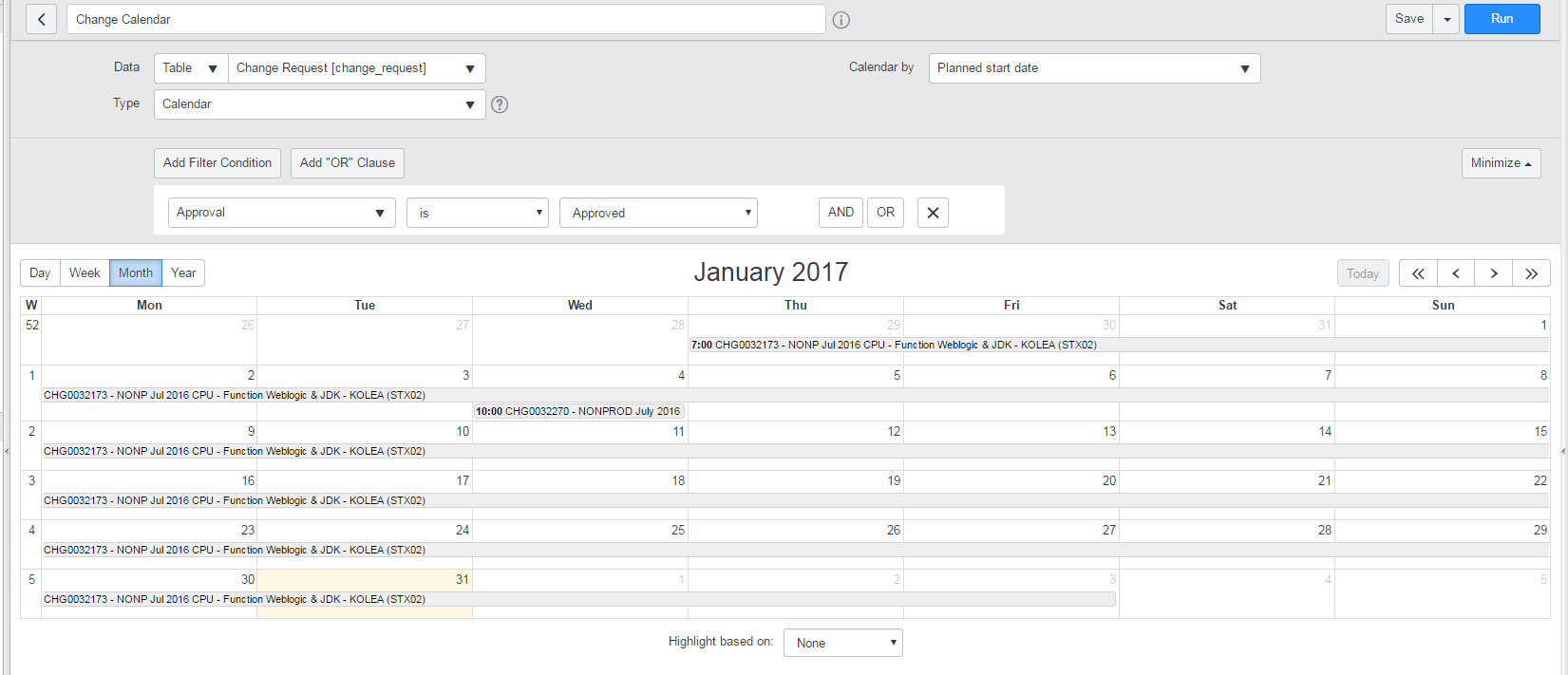
I wanted to show you some additional information that I uncovered. It looks like the details are actually set for "Within a year". Here is some screen shoots that reflect that:
date range

calendar year view shows days longer than 30 days, actually spans the whole year:


Here is a configuration I found for the duration of reports that may be linked to this:

However, I did what you recommended and low and behold, it works.
I went to sys_properties.list and added the property named glide.report.calendar.max_days_back and extended the threshold to 2 years approx.~ knowing the risk of lag.


and now it works.