- Mark as New
- Bookmark
- Subscribe
- Mute
- Subscribe to RSS Feed
- Permalink
- Report Inappropriate Content
06-21-2024 12:48 AM - edited 06-21-2024 12:49 AM
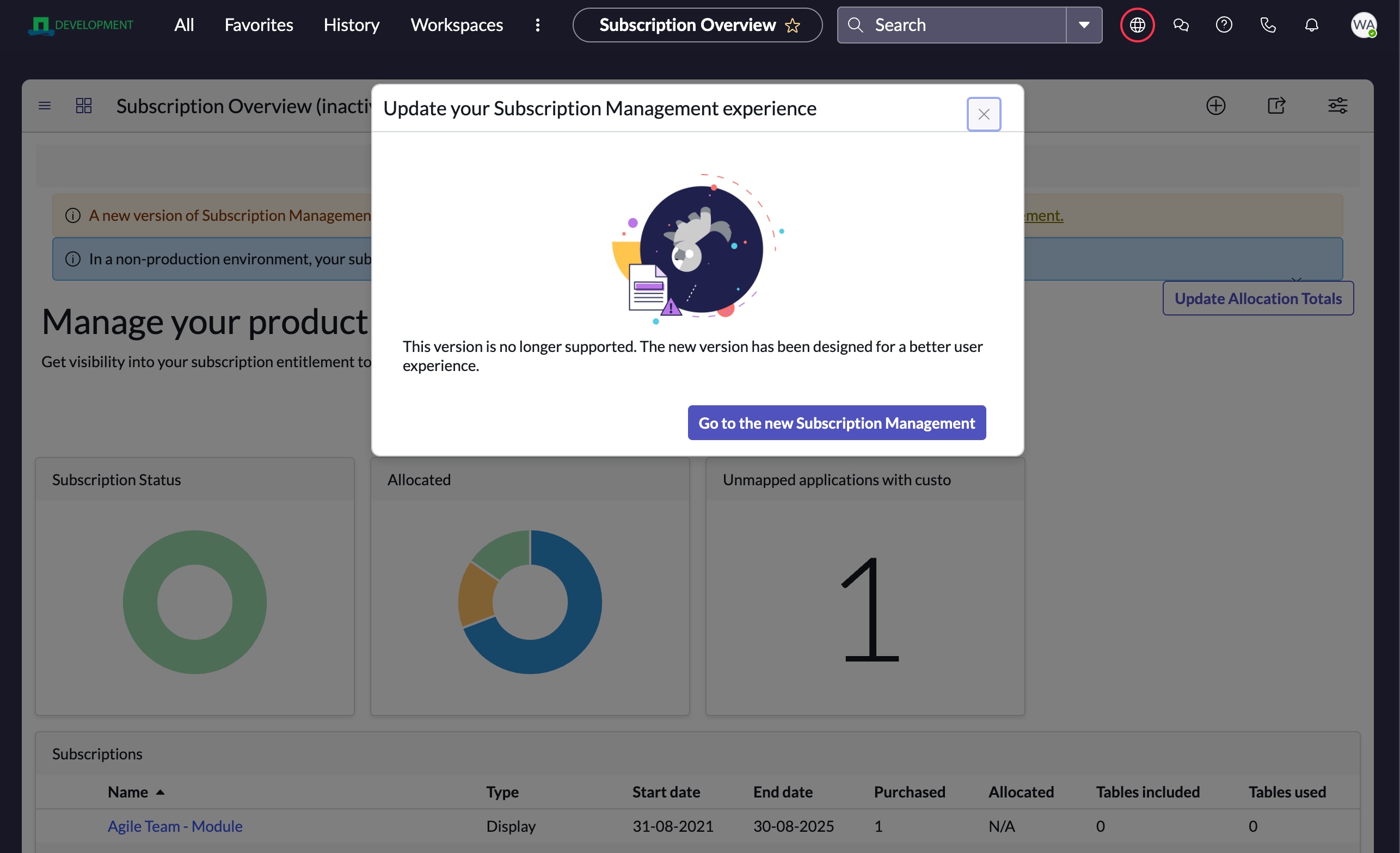
We have subscription V2 installed , but is there away to remove the old dashboard within so that we as admin cant open the old one and the message that is in the screenshot to be removed. Are the any suggestions for us?
Solved! Go to Solution.

- Mark as New
- Bookmark
- Subscribe
- Mute
- Subscribe to RSS Feed
- Permalink
- Report Inappropriate Content
06-21-2024 05:23 AM
That's the easy one: go to the modules list (sys_app_module) and find the one that is leading you to the wrong dashboard. Or even faster: hoover over the module and click the 'edit' option. There you can inactivate.
You run the risk of others having it as favorite, but that's there problem 😉
Please mark any helpful or correct solutions as such. That helps others find their solutions.
Mark
- Mark as New
- Bookmark
- Subscribe
- Mute
- Subscribe to RSS Feed
- Permalink
- Report Inappropriate Content
06-21-2024 03:37 AM
Look for the dashboard and inactivate it and if there is a module still pointing to this one, inactivate it as well.
Please mark any helpful or correct solutions as such. That helps others find their solutions.
Mark
- Mark as New
- Bookmark
- Subscribe
- Mute
- Subscribe to RSS Feed
- Permalink
- Report Inappropriate Content
06-21-2024 04:04 AM
I have deactivated the dashboard but how do i set a module inactive? Havent done it in a while
- Mark as New
- Bookmark
- Subscribe
- Mute
- Subscribe to RSS Feed
- Permalink
- Report Inappropriate Content
06-21-2024 05:23 AM
That's the easy one: go to the modules list (sys_app_module) and find the one that is leading you to the wrong dashboard. Or even faster: hoover over the module and click the 'edit' option. There you can inactivate.
You run the risk of others having it as favorite, but that's there problem 😉
Please mark any helpful or correct solutions as such. That helps others find their solutions.
Mark