SAM Pro Entitlement Import - Ignore Status

- Mark as New
- Bookmark
- Subscribe
- Mute
- Subscribe to RSS Feed
- Permalink
- Report Inappropriate Content
03-03-2026 06:08 PM
Hi Community,
I’m trying to understand how the “Ignored” status is set within SAM Pro, specifically in the Entitlement Import process. I regularly see entitlements marked as “Needs Review,” but I’m unclear on how or when an entitlement is assigned the “Ignored” status.
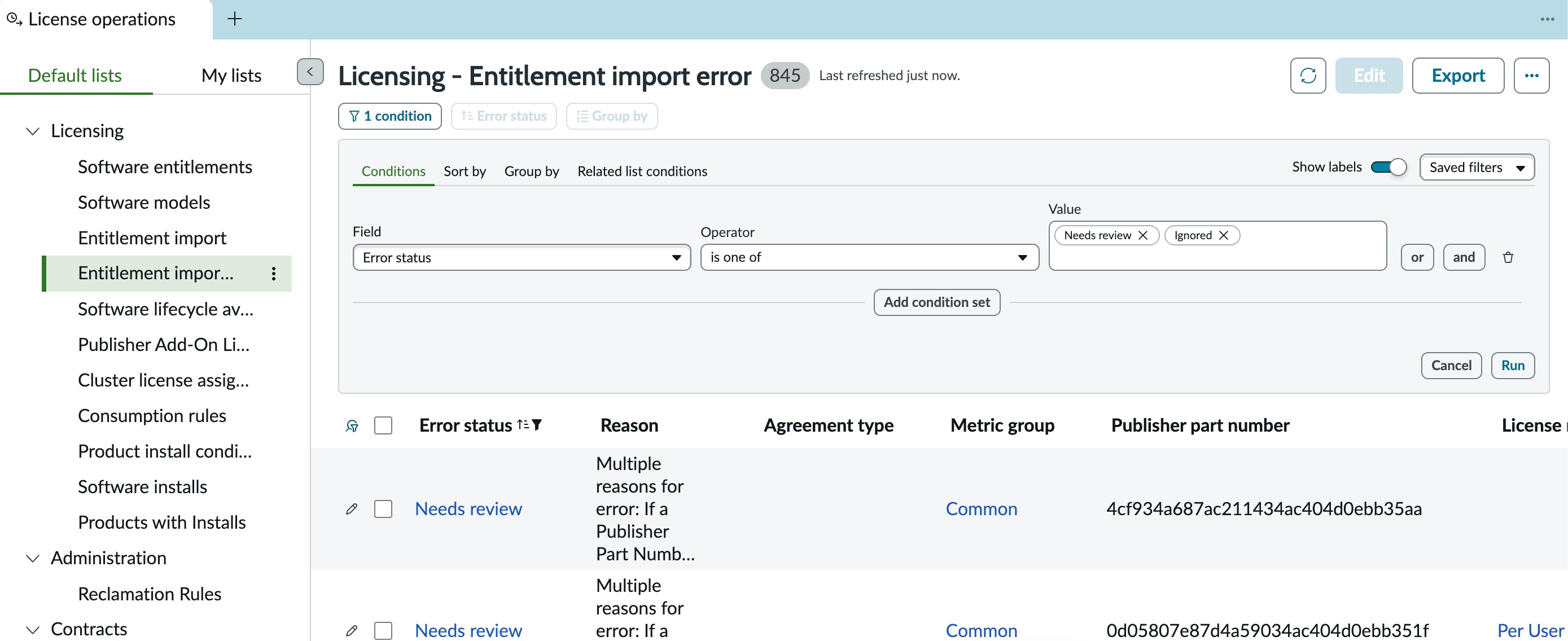
In the Workspace, the filter is already configured to display records with this status, so we know the system recognizes it. However, we potentially like to manually set some entitlements to Ignored, and we’re not seeing any UI action or option that allows us to do so.
How is the Ignored status set OOTB?
Can it be set manually?
Is additional configuration needed to set the status?
Appreciate any thoughts/guidance.
- Labels:
-
entitlement import
-
Entitlements
-
import
-
SAM Pro

- Mark as New
- Bookmark
- Subscribe
- Mute
- Subscribe to RSS Feed
- Permalink
- Report Inappropriate Content
03-03-2026 07:34 PM
Hi @Zach Allen1
Check this post if it hekps
Regards
Tanushree Maiti
ServiceNow Technical Architect
LinkedIn: https://www.linkedin.com/in/tanushreemaiti
- Mark as New
- Bookmark
- Subscribe
- Mute
- Subscribe to RSS Feed
- Permalink
- Report Inappropriate Content
03-04-2026 06:21 AM
Thanks for the reply @Tanushree Maiti,.
However, I don't think that is stating how Entitlements within the Import process are getting set to Ignored. Somehow it appears that 'Ignored' can be an error status on an Entitlement when imported, but unclear how that occurs.