
- Mark as New
- Bookmark
- Subscribe
- Mute
- Subscribe to RSS Feed
- Permalink
- Report Inappropriate Content
06-23-2026 04:49 AM
Hi everyone,
I am working on a Flow for a Catalog Item.
The Catalog Item contains a date variable.
My requirement is:
-if the Date variable is empty, create catalog task
-if the Date variable contains a value, create catalog task only if the specified date is reached
Can someone help me?
Thank you
Solved! Go to Solution.
- Labels:
-
Flow Designer

- Mark as New
- Bookmark
- Subscribe
- Mute
- Subscribe to RSS Feed
- Permalink
- Report Inappropriate Content
06-23-2026 05:56 AM
Hi @Emine
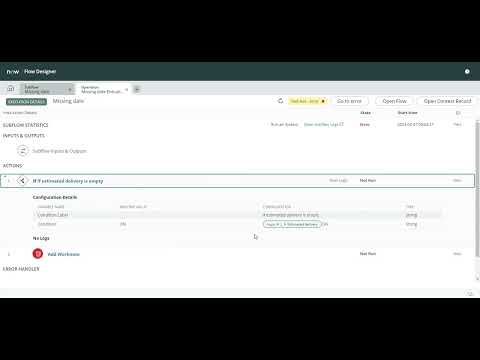
Refer:
https://www.youtube.com/watch?v=jKO_VkLIZ6Q
Regards
Tanushree Maiti
ServiceNow Technical Architect
LinkedIn: https://www.linkedin.com/in/tanushreemaiti
- Mark as New
- Bookmark
- Subscribe
- Mute
- Subscribe to RSS Feed
- Permalink
- Report Inappropriate Content
06-23-2026 06:14 AM
Hi @Emine
use the 'Wait for a Duration' action set to a relative date to pause the flow until the exact planned start date. Refer to the image below for the configuration:
Solved: How to Compare Dates and Use "Wait for Condition" ... - ServiceNow Community
- Mark as New
- Bookmark
- Subscribe
- Mute
- Subscribe to RSS Feed
- Permalink
- Report Inappropriate Content
06-23-2026 05:16 AM
Hi @Emine ,
A possible approach would be:
- Trigger the flow when the Requested Item is created.
- Add an If condition to check if the date variable is empty.
- If the date variable is empty, create the Catalog Task immediately.
- If the date variable contains a value, add a Wait Until action and configure it to wait until the specified date is reached.
- After the wait step, create the Catalog Task.
The flow logic would be:
- Date variable is empty >>> Create Catalog Task
- Date variable has a value>>> Wait until the specified date>>> Create Catalog Task
Also, consider adding an additional check in case the entered date is already in the past. In that scenario, you may want to create the Catalog Task immediately instead of waiting.
If you found this response useful, please mark it as Helpful and accept it as the Solution to help others with similar questions.
Best regards,
Mariam Ahmed.
ServiceNow Developer | Here to Learn, Here to Share
- Mark as New
- Bookmark
- Subscribe
- Mute
- Subscribe to RSS Feed
- Permalink
- Report Inappropriate Content
06-23-2026 05:56 AM
Hi @Emine
Refer:
https://www.youtube.com/watch?v=jKO_VkLIZ6Q
Regards
Tanushree Maiti
ServiceNow Technical Architect
LinkedIn: https://www.linkedin.com/in/tanushreemaiti
- Mark as New
- Bookmark
- Subscribe
- Mute
- Subscribe to RSS Feed
- Permalink
- Report Inappropriate Content
06-23-2026 06:14 AM
Hi @Emine
use the 'Wait for a Duration' action set to a relative date to pause the flow until the exact planned start date. Refer to the image below for the configuration:
Solved: How to Compare Dates and Use "Wait for Condition" ... - ServiceNow Community

