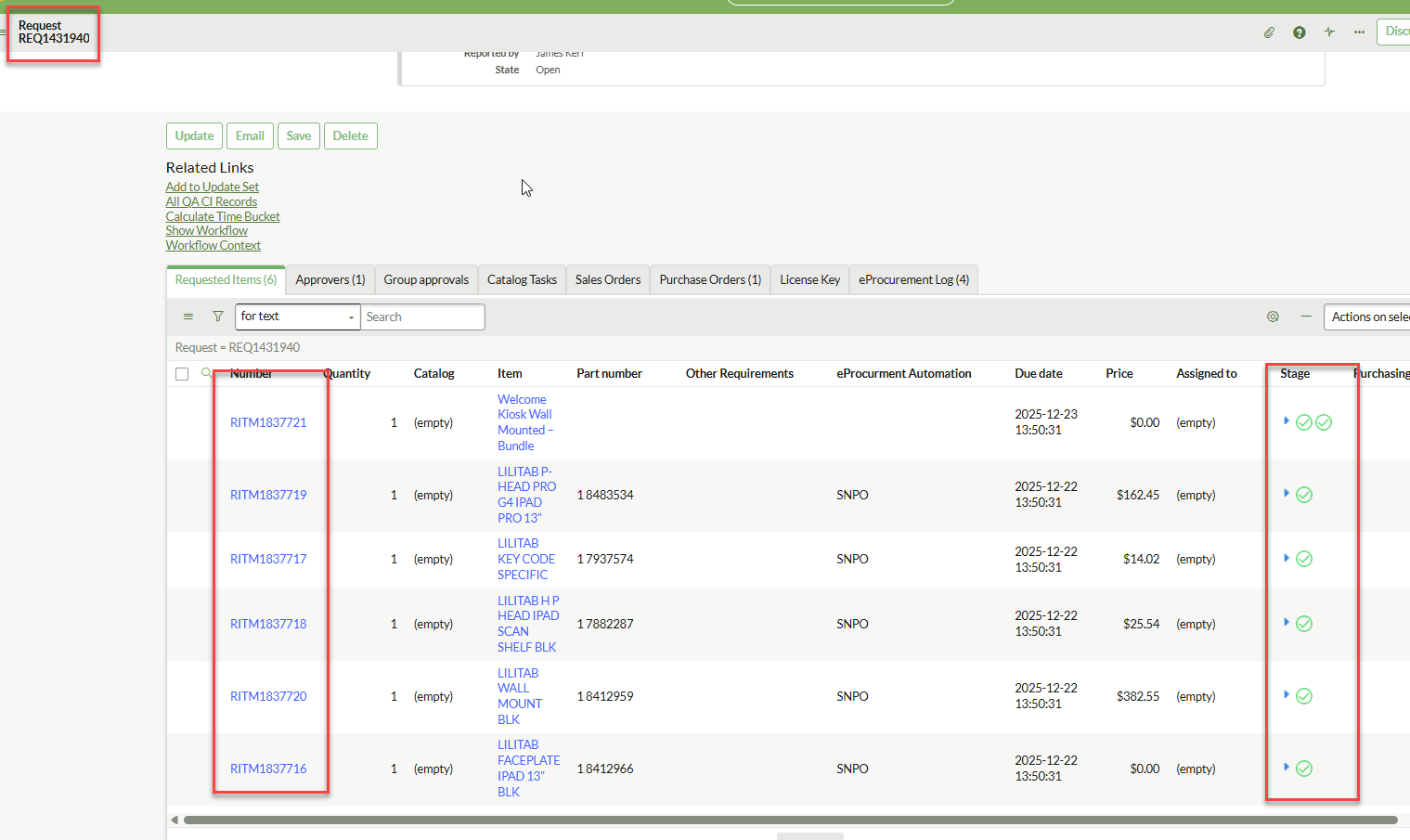
How to close multiple RITMs create by one Order Guide?

- Mark as New
- Bookmark
- Subscribe
- Mute
- Subscribe to RSS Feed
- Permalink
- Report Inappropriate Content
12-22-2025 11:12 AM
Flow Designer:
I have tried looking for this in the community but not finding what I'm referring to or don't understand it if it's correct.
Scenario: We have an order guide that order bundles. like if someone orders a computer the mouse and keyboard are part of the bundle. When creating an Order Guide it creates multiple RITMs for that Request. One for the computer and two more for each of the bundle items. All the TASKs for fulfillment are on the Computer RITM. When that closes the other two RITMs are still open.
Is there a way to get the addition RITMs to closed from the Flow as they are part of the REQ?

- Mark as New
- Bookmark
- Subscribe
- Mute
- Subscribe to RSS Feed
- Permalink
- Report Inappropriate Content
01-07-2026 09:45 PM
Hi @kerr_jamese ,
Please check the solution below.
When an Order Guide creates multiple RITMs but fulfillment occurs on only one of them, the others remain open unless manually or programmatically closed. To automate this in Flow Designer , you should add logic to the end of the "Main" RITM's flow (e.g., the Computer RITM) to find and close its siblings under the same Request (REQ).
- Open the Main Flow: Navigate to Flow Designer and open the flow associated with your main catalog item (e.g., the Computer RITM).
- Locate the Closure Point: Find the point in your flow after all Catalog Tasks are completed and just before the flow ends.
- Add Action: Look Up Records
- Table: Select Requested Item [sc_req_item].
- Conditions:
- Request is (Trigger Record > Request) (This targets all items in the same REQ).
- Sys ID is not (Trigger Record > Sys ID) (Prevents the flow from trying to update itself while it is closing).
- Active is True.
- Add Flow Logic: For Each
- Items: Select the Requested Item Records list generated by the "Look Up Records" action in the previous step.
- Inside the For Each Loop, Add Action: Update Record
- Record: Select the Requested Item Record from the "For Each" data pill.
- Fields:
- State = Closed Complete (or your preferred closed state).
- Stage = Completed.
- Save and Activate: Save the flow and click Activate.
If yoy find this solution helpful for you please mark it as helpful,
Regards,
Sagnic