Service Operation Workspace configurations

- Mark as New
- Bookmark
- Subscribe
- Mute
- Subscribe to RSS Feed
- Permalink
- Report Inappropriate Content
05-14-2026 05:48 AM
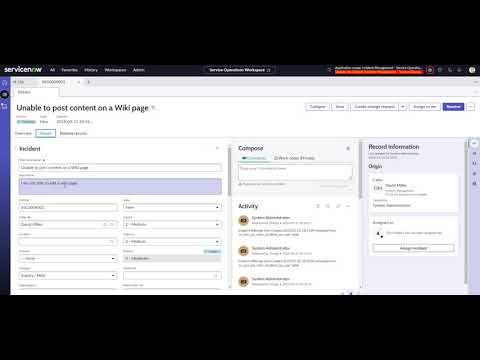
In Service Operation Workspace view, we need to add a one of the existing UI action & its functionality under the "Assigned to" section, which will show up when you click on the Right side panel list- Record Information as shown in below screenshot.
If anyone has idea on this how to configure this functionality in Right side panel list- Record Information in SOW, Kindly advise.
Thank you!


- Mark as New
- Bookmark
- Subscribe
- Mute
- Subscribe to RSS Feed
- Permalink
- Report Inappropriate Content
05-15-2026 04:46 AM
to add new card you will have to duplicate the Record variant and then add a new one
Ankur
✨ Certified Technical Architect || ✨ 10x ServiceNow MVP || ✨ ServiceNow Community Leader
- Mark as New
- Bookmark
- Subscribe
- Mute
- Subscribe to RSS Feed
- Permalink
- Report Inappropriate Content
05-15-2026 05:16 AM
How to find the Record variant? could you kindly give me the detailed steps that would be helpful for us. Thank you!
- Mark as New
- Bookmark
- Subscribe
- Mute
- Subscribe to RSS Feed
- Permalink
- Report Inappropriate Content
05-15-2026 05:18 AM
@Ankur Bawiskar , How to find the Record variant? could you kindly give me the detailed steps that would be helpful for us. Thank you!

- Mark as New
- Bookmark
- Subscribe
- Mute
- Subscribe to RSS Feed
- Permalink
- Report Inappropriate Content
05-16-2026 03:04 AM
Hi @Ranganath3
Refer this :
How to use UI Actions in Workspaces
https://www.youtube.com/watch?v=7TOdfHdpLUg&t=2s
Regards
Tanushree Maiti
ServiceNow Technical Architect
LinkedIn: https://www.linkedin.com/in/tanushreemaiti