SOW My Lists How to restrict available fields and move Personalize button to toolbar

- Mark as New
- Bookmark
- Subscribe
- Mute
- Subscribe to RSS Feed
- Permalink
- Report Inappropriate Content
09-21-2026 04:49 AM
Hi Community,
We are working on Service Operations Workspace (SOW) My Lists → Tasks and have two requirements:
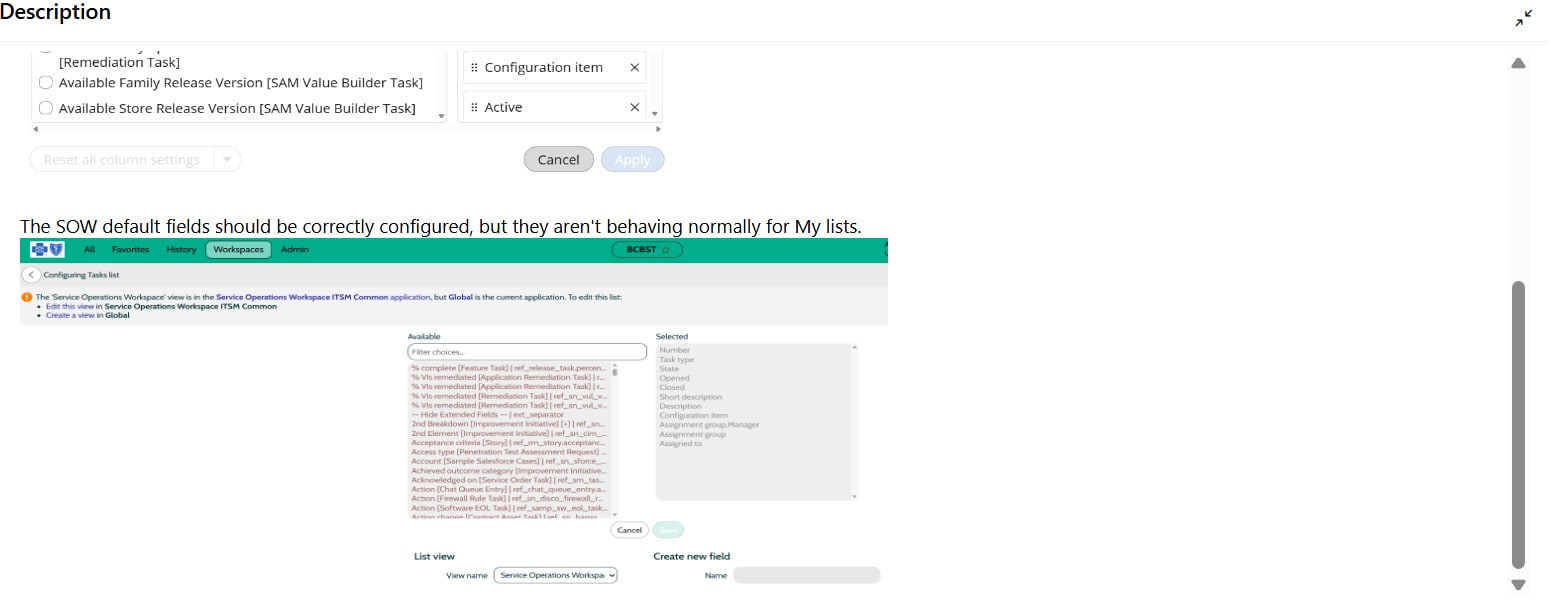
- When opening Personalize Fields, it shows 1449+ available fields from the extended Task table. We need to restrict this to show only scoped ITSM fields. We have a sys_ui_list record configured with 11 correct fields for the SOW view but My Lists is not respecting this. How can we scope the available fields?
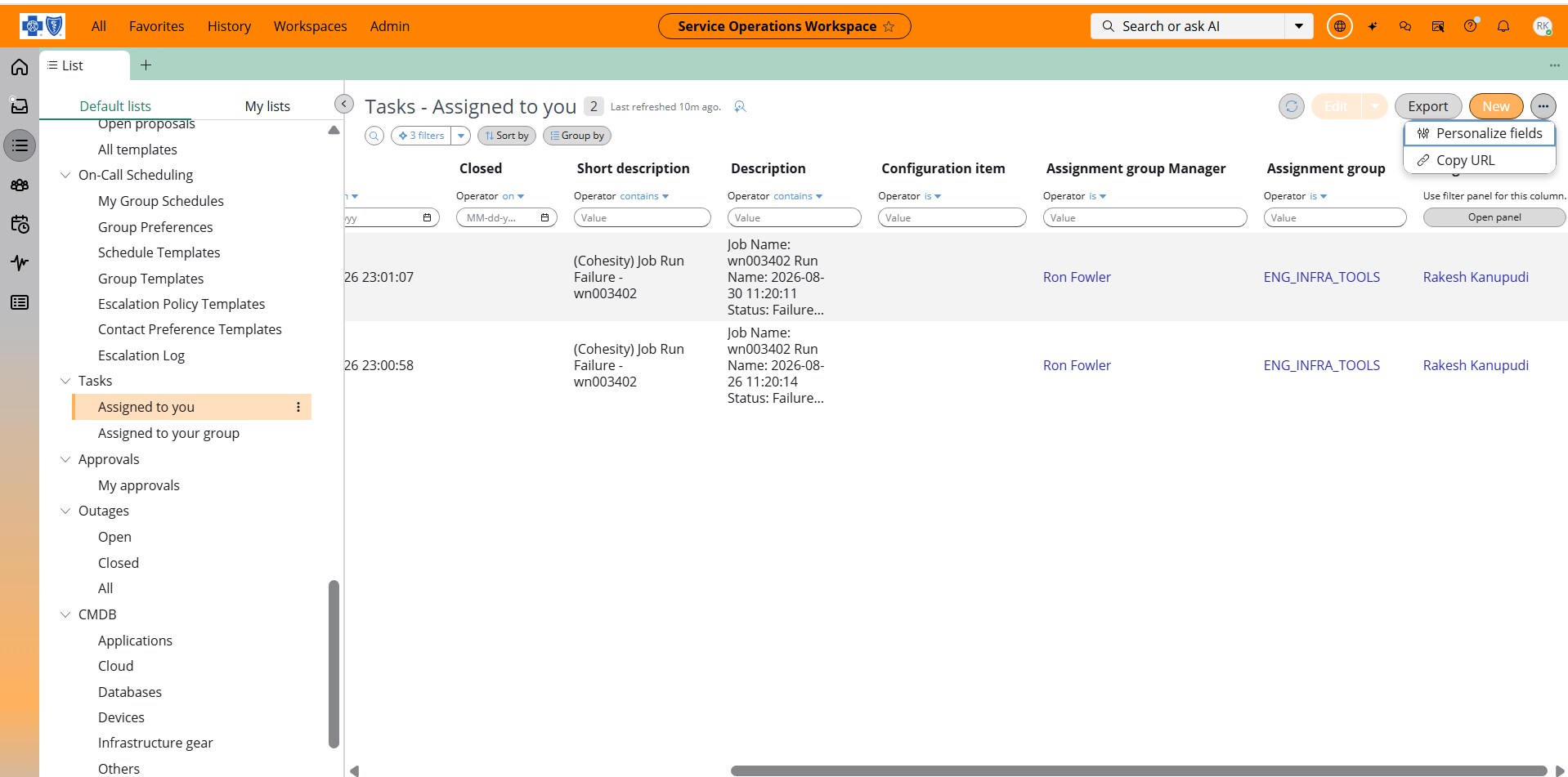
- The Personalize Fields button is hidden inside the "..." overflow menu. We need it to be directly visible in the toolbar. UI Builder investigation shows List Bundle SNC variant is read-only. What is the correct approach to move this button to the toolbar?
Any guidance would be appreciated.
Thanks


- Mark as New
- Bookmark
- Subscribe
- Mute
- Subscribe to RSS Feed
- Permalink
- Report Inappropriate Content
09-21-2026 05:05 AM
looks like you shared screenshots of the story but not the actual page where you are checking this
Ankur
✨ Certified Technical Architect || ✨ 10x ServiceNow MVP || ✨ ServiceNow Community Leader
- Mark as New
- Bookmark
- Subscribe
- Mute
- Subscribe to RSS Feed
- Permalink
- Report Inappropriate Content
09-21-2026 05:27 AM
Hey @Ankur Bawiskar ,
Thank you for your response. Please find the screenshots of the actual SOW page below:
1. The Personalize fields dialog showing 1449+ available fields instead of scoped ITSM fields only.
2. The Personalize Fields button hidden inside the "..." overflow menu instead of being directly visible in the toolbar.
Would appreciate your guidance on how to fix both issues.
- Mark as New
- Bookmark
- Subscribe
- Mute
- Subscribe to RSS Feed
- Permalink
- Report Inappropriate Content
09-21-2026 05:55 AM
Responses inline
1. The Personalize fields dialog showing 1449+ available fields instead of scoped ITSM fields only -> you can't control that in SOW
2. The Personalize Fields button hidden inside the "..." overflow menu instead of being directly visible in the toolbar -> that's OOTB behavior, you can't bring it outside
💡 If my response helped, please mark it as correct ✅ and close the thread 🔒— this helps future readers find the solution faster! 🙏
Ankur
✨ Certified Technical Architect || ✨ 10x ServiceNow MVP || ✨ ServiceNow Community Leader
- Mark as New
- Bookmark
- Subscribe
- Mute
- Subscribe to RSS Feed
- Permalink
- Report Inappropriate Content
09-22-2026 09:01 AM
Hi Ankur, thank you for the clarification. Is there any alternative approach to achieve these requirements in SOW? Our business requirement is to restrict the available fields to only ITSM scoped fields and make the Personalize button directly visible in the toolbar. Any guidance on an alternative approach would be greatly appreciated.