Disabling MFA

- Mark as New
- Bookmark
- Subscribe
- Mute
- Subscribe to RSS Feed
- Permalink
- Report Inappropriate Content
06-15-2022 10:30 AM
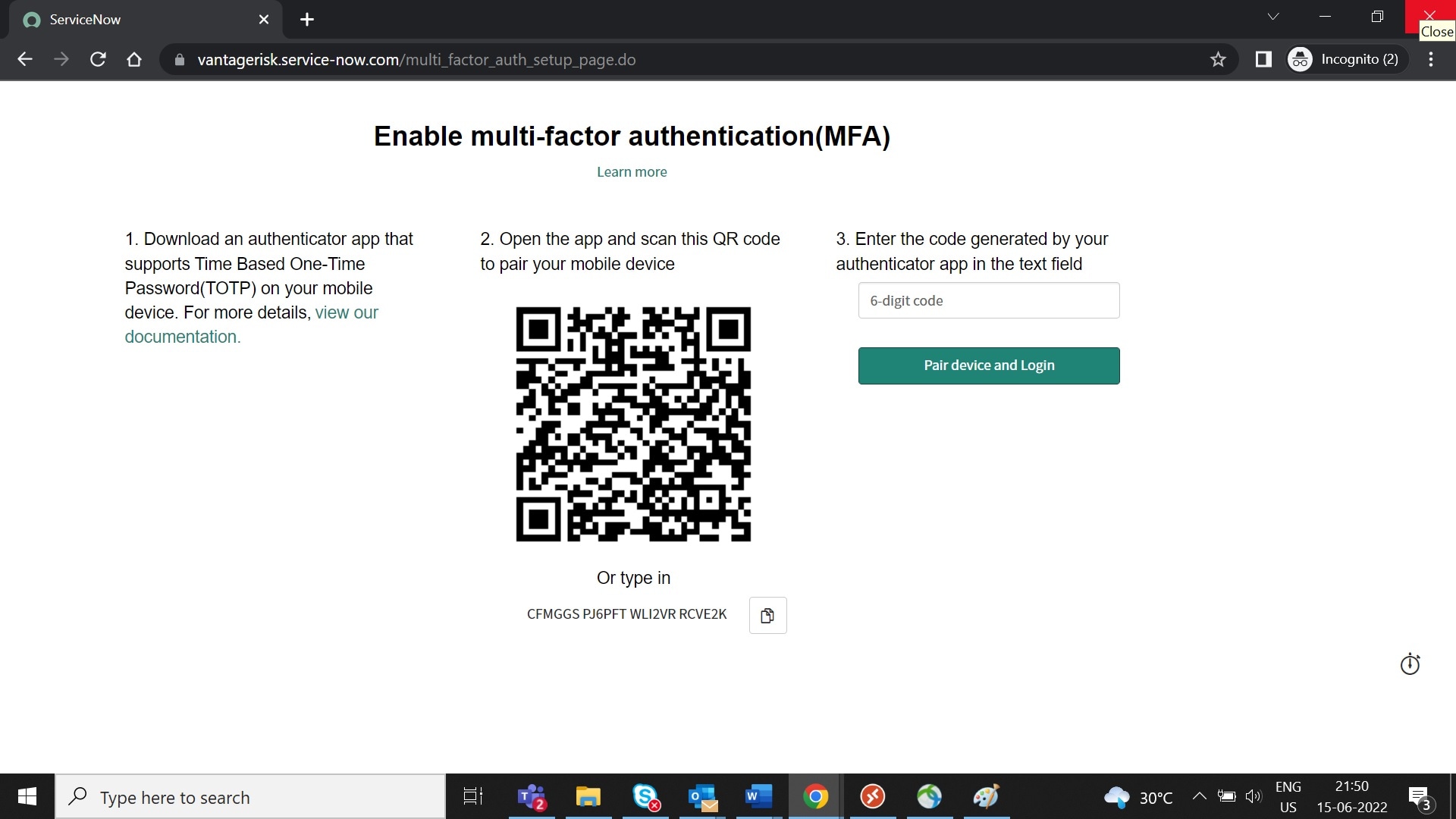
I Have configured OKTA as identity provider for SSO and done AD Integration for User Provisioning. on Prod instance. My configurations are working for Pre-prod and Dev instance but failing on Prod as on Prod MFA is configured and it is conflicting with My SSO configurations.
I want to disable MFA on the Prod instance and keep OKTA as single provider for SSO. Please suggest on how to disable MFA for the instance.
- Labels:
-
Subscription Management

- Mark as New
- Bookmark
- Subscribe
- Mute
- Subscribe to RSS Feed
- Permalink
- Report Inappropriate Content
06-15-2022 11:28 AM


- Mark as New
- Bookmark
- Subscribe
- Mute
- Subscribe to RSS Feed
- Permalink
- Report Inappropriate Content
06-15-2022 11:44 PM
Hi
since San Diego it is possible to combine SSO with MFA. Maybe that is a better solution than disabling MFA: https://docs.servicenow.com/en-US/bundle/sandiego-platform-administration/page/integrate/authenticat...
Kind regards
Maik

- Mark as New
- Bookmark
- Subscribe
- Mute
- Subscribe to RSS Feed
- Permalink
- Report Inappropriate Content
08-26-2025 10:10 AM
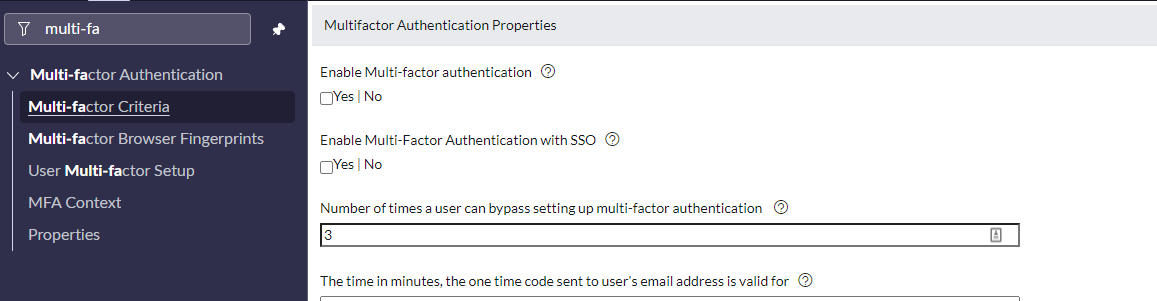
You can disable the options not required from "Multifactor Authentication Properties".
1. Type multi-factor in left nav.
2. go to properties and disable the options not required.