- Mark as New
- Bookmark
- Subscribe
- Mute
- Subscribe to RSS Feed
- Permalink
- Report Inappropriate Content
03-24-2018 06:30 AM
I have a text field of string type. I am trying to increase its width to 300px using onLoad client script. But, its not working. I tried it in field style option as well but didn't work either.
g_form.getControl('email_address').style.width = '300px';
However, other properties in the same script works fine .
g_form.getControl('email_address').style.backgroundColor = 'yellow';
g_form.getControl('email_address').style.color = 'blue';
Solved! Go to Solution.
- Labels:
-
Workflow
- Mark as New
- Bookmark
- Subscribe
- Mute
- Subscribe to RSS Feed
- Permalink
- Report Inappropriate Content
03-24-2018 08:38 PM
Hi Wirasat,
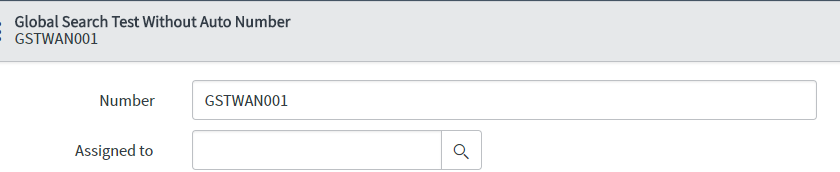
You can try with field style; its working for me. See the screenshot below
For this you need to configure style against this field in field style
Type Field style in application navigator; configure against your table-field. Let me know if it still does not work and if it works mark this as helpful.
e.g. like this.



- Mark as New
- Bookmark
- Subscribe
- Mute
- Subscribe to RSS Feed
- Permalink
- Report Inappropriate Content
03-24-2018 06:46 AM
Hi, Can you please try the below script once.
function onLoad() {
//Set styles for the 'email_address' variable
var myVar = $('sys_display.' + g_form.getControl('email_address').id);
myVar.style.width = '350px';
myVar.style.backgroundColor = 'yellow';
myVar.style.color = 'blue';
myVar.style.fontStyle = 'italic';
myVar.style.fontWeight = 'bold';
}
Thanks.
- Mark as New
- Bookmark
- Subscribe
- Mute
- Subscribe to RSS Feed
- Permalink
- Report Inappropriate Content
03-24-2018 07:02 AM
Did not work.
- Mark as New
- Bookmark
- Subscribe
- Mute
- Subscribe to RSS Feed
- Permalink
- Report Inappropriate Content
03-24-2018 07:05 AM
Wirasat,
Can you please provide your code.
Thanks.
- Mark as New
- Bookmark
- Subscribe
- Mute
- Subscribe to RSS Feed
- Permalink
- Report Inappropriate Content
03-24-2018 07:10 AM
Are you working on Catalog client script or its just a simple client script ??
Thanks.