SNPI Story 1 - Build a Scoped HHD Application

- Mark as New
- Bookmark
- Subscribe
- Mute
- Subscribe to RSS Feed
- Permalink
- Report Inappropriate Content
12-30-2025 04:03 PM
Dear Community,
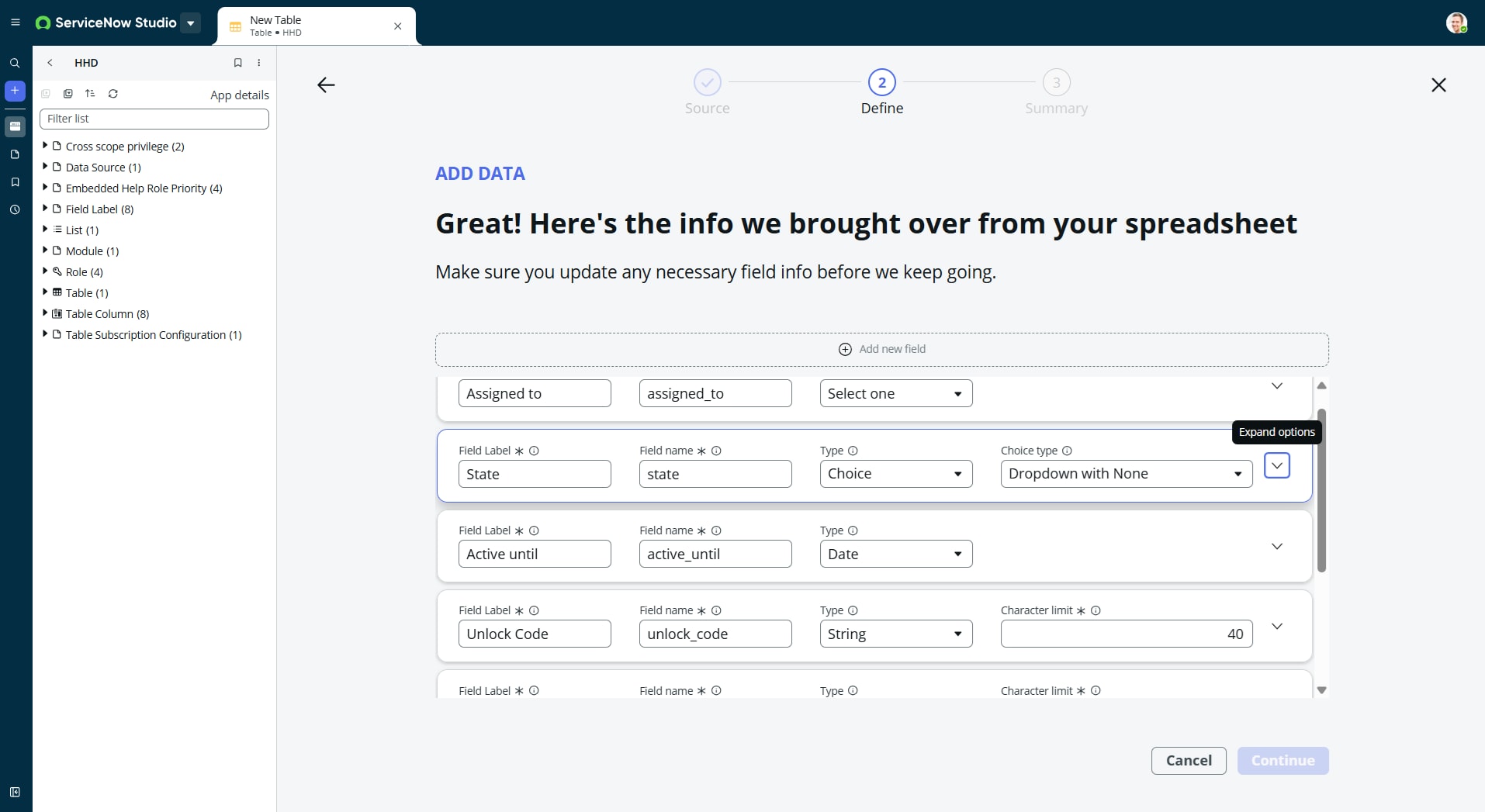
When attempting to work through lab SNPI Story 1 - Build a Scoped HHD Application in ServiceNow Studio, after importing OD - HHD.xlsx into a Data Table and adjusting the fields (State, Prototype Evangelist), the "Continue" button is still greyed out.
Appreciate any assistance.
Thanks, Ban

- Mark as New
- Bookmark
- Subscribe
- Mute
- Subscribe to RSS Feed
- Permalink
- Report Inappropriate Content
12-30-2025 06:20 PM
@BanL ,
check this: https://www.servicenow.com/community/training-and-certifications/snpi-story-1-build-a-scoped-hhd-app...
Steps are already mentioned here....
If you found my response helpful, please mark it as ‘Accept as Solution’ and ‘Helpful’. This helps other community members find the right answer more easily and supports the community.
Kaushal Kumar Jha - ServiceNow Technical Consultant/Developer
- Mark as New
- Bookmark
- Subscribe
- Mute
- Subscribe to RSS Feed
- Permalink
- Report Inappropriate Content
01-01-2026 11:55 AM
Hello @kaushal_snow
Unfortunately it does not provide any hints as to why when working through lab SNPI Story 1 - Build a Scoped HHD Application in ServiceNow Studio, after importing OD - HHD.xlsx into a Data Table and adjusting the fields (State, Prototype Evangelist), the "Continue" button is still greyed out.
Any ideas ?
- Mark as New
- Bookmark
- Subscribe
- Mute
- Subscribe to RSS Feed
- Permalink
- Report Inappropriate Content
01-01-2026 03:34 PM
Hello @kaushal_snow kaushal_snow,
Please ignore / close this query. I have worked around and completed.
Thanks, Ban

- Mark as New
- Bookmark
- Subscribe
- Mute
- Subscribe to RSS Feed
- Permalink
- Report Inappropriate Content
01-12-2026 02:01 PM