
- Mark as New
- Bookmark
- Subscribe
- Mute
- Subscribe to RSS Feed
- Permalink
- Report Inappropriate Content
03-29-2022 03:09 PM
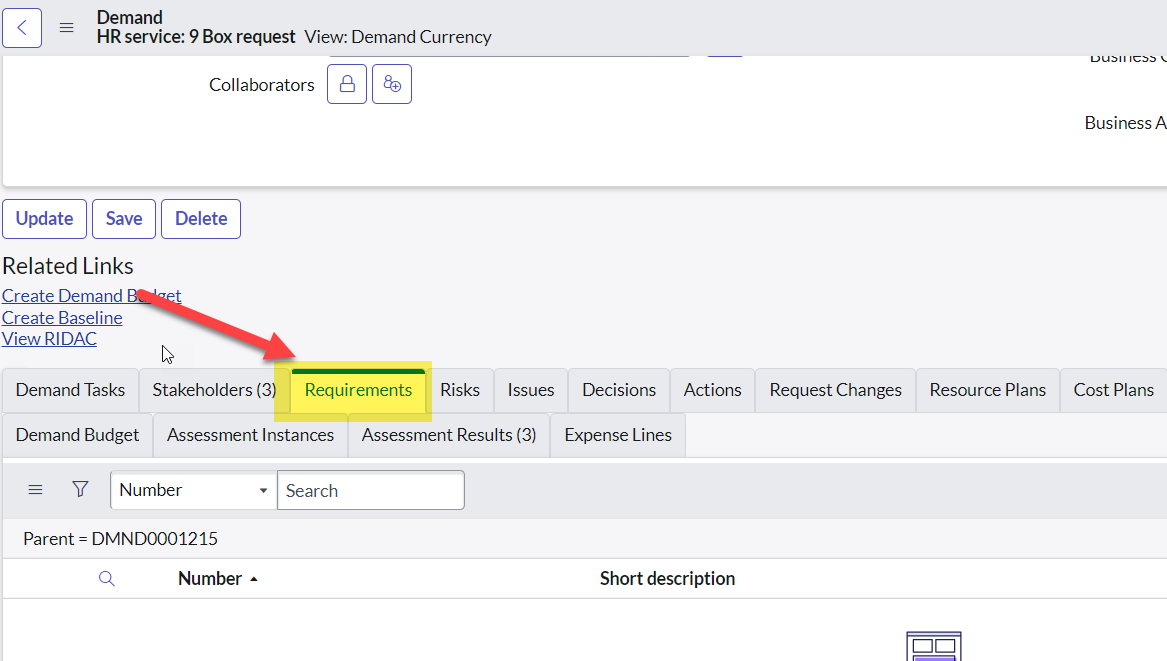
Hello all, please see image below. To start, the DREQs were not being closed after the PRJs were closed, and I was having trouble removing them from the queue. To fix this issue, I created a business rule that when the demand is closed, the demand requirements are set to inactive. Also, I added a new choice for state on the demand requirement, "Closed Complete." The issue I'm facing now is I am not seeing all of the demand requirements listed on the demand. How can I add it so all of the related demand requirements are shown in the demand? How can I also close out the demand requirements once the project is closed?

Solved! Go to Solution.
- Labels:
-
Demand Management

- Mark as New
- Bookmark
- Subscribe
- Mute
- Subscribe to RSS Feed
- Permalink
- Report Inappropriate Content
03-29-2022 10:15 PM
Hi Stanley,
You can configure related list and select "Requirements -> Parent" from the Available section.

Once this is saved you should see the requirements tab under the related list condition.

You can refer to the BR where a demand is closed once the project is closed and use a similar BR for closing the requirements.
What we have done is put a validation in place which will not allow the Project to be closed unless all associated Risks and Issues are closed. You might think of this approach as well.
Disclaimer I am Functional/Process expert and a coder.
Hope this helps.
- Mark as New
- Bookmark
- Subscribe
- Mute
- Subscribe to RSS Feed
- Permalink
- Report Inappropriate Content
03-29-2022 10:15 PM
Hi Stanley,
You can configure related list and select "Requirements -> Parent" from the Available section.
Once this is saved you should see the requirements tab under the related list condition.
You can refer to the BR where a demand is closed once the project is closed and use a similar BR for closing the requirements.
What we have done is put a validation in place which will not allow the Project to be closed unless all associated Risks and Issues are closed. You might think of this approach as well.
Disclaimer I am Functional/Process expert and a coder.
Hope this helps.
- Mark as New
- Bookmark
- Subscribe
- Mute
- Subscribe to RSS Feed
- Permalink
- Report Inappropriate Content
03-30-2022 12:44 PM
Hi! Thanks so much as this really helped. The problem here is as well is that the demand doesn't close when the project is closed. I'm assuming it's been altered in some way from OOB. Do you mind sharing the script used to that business rule? As well as a script I can use for closing the requirements.
- Mark as New
- Bookmark
- Subscribe
- Mute
- Subscribe to RSS Feed
- Permalink
- Report Inappropriate Content
03-30-2022 09:37 PM
Hi Stanley,
Glad my response helped you answer your query.
You need to set the preference on the Demand form Preference tab to close the demand either on creation or project closure. This applies for newly created Demands only. To set the preference for in-flight Demands you may have to run a background script and you can take help from your ServiceNow development team.

Also you can refer to the BR - Close Demand when Project is closed on Project table to get the script or code that might help you.
- Mark as New
- Bookmark
- Subscribe
- Mute
- Subscribe to RSS Feed
- Permalink
- Report Inappropriate Content
07-10-2023 01:05 AM





.png)