- Mark as New
- Bookmark
- Subscribe
- Mute
- Subscribe to RSS Feed
- Permalink
- Report Inappropriate Content
03-05-2020 02:13 PM
Hello All,
I am setting up a Rate Model for various Resource Plans.
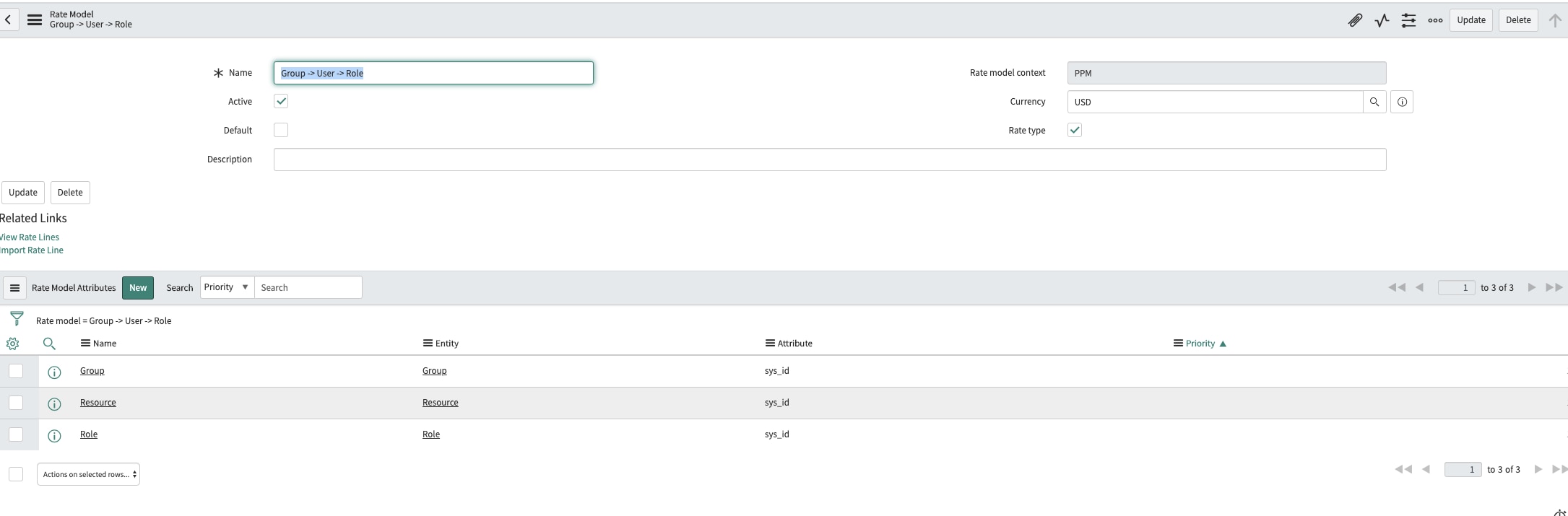
Rate Model :
Role-> User

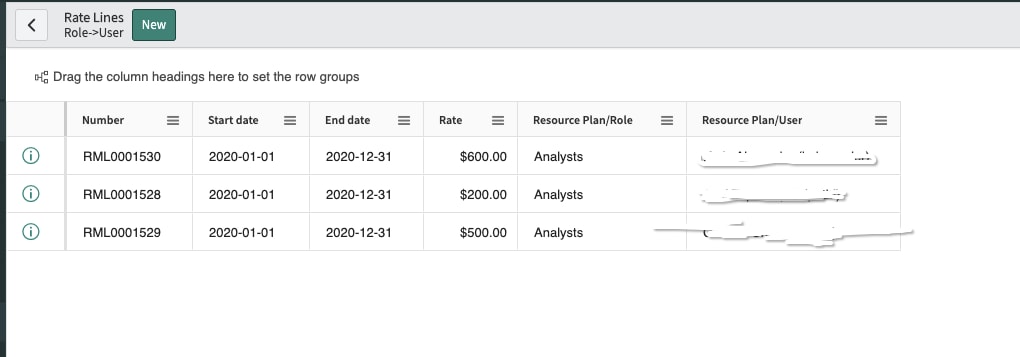
Then I have set up the Rate Lines, where for various Users, I have given different Rates.

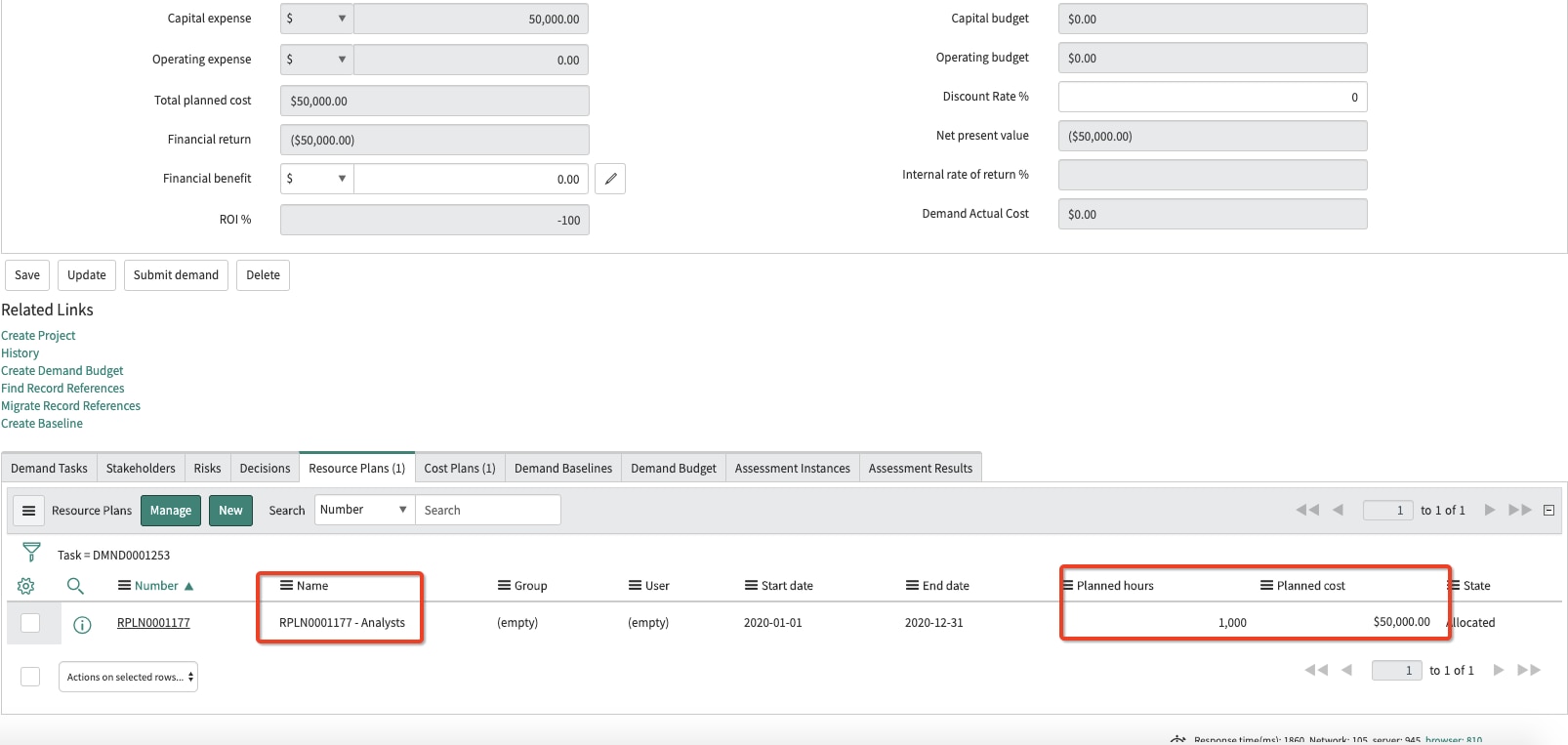
Once done, I created a Demand and under it, I created a Role-based Resource Plan and I am expecting to see the Planned Cost to be calculated based on the Rate Model that is attached to the Demand. Unfortunately, it is multiplying the Planned hours with $50( not sure where it is coming from) , checked all the related setups.
My requirement is that the Planned cost should be calculated based on the Rate Line associated with the Rate Model applied on the Demand.
Please help me.
Aditi

Solved! Go to Solution.
- Labels:
-
Cost Management
-
Financial Management


- Mark as New
- Bookmark
- Subscribe
- Mute
- Subscribe to RSS Feed
- Permalink
- Report Inappropriate Content
03-05-2020 07:31 PM
It looks like your rate model is not working here. It's not finding any resources and it defaults to the $50 rate.
You need to change the Rate Model attribute entity from "resource plan" to "role" and "resource" and the leave the attribute field to "none". Please note if another resource has those rate lines you cant save it to that rate model. they should look like this


Also, make sure that the "rate line" are well populated and is correctly assigned. The resources plan pull from that list of resources when it does its calculation
I have a rate model with group -> role-> resource and it works just fine. I created your rate model and it would default to the $50 rate.

Here is a video on the rate model to help you understand how it works. I also added an attachment on Rate Model. I hope that helps you out!
- Mark as New
- Bookmark
- Subscribe
- Mute
- Subscribe to RSS Feed
- Permalink
- Report Inappropriate Content
11-18-2021 01:32 PM
The issue is that the resource plan form doesn't show all 3 fields at the same time. So if I select Resource Type = Group, I only see the Group field
select Resource Type = User, I only see the Group and User fields
select Resource Type = Role, I only see the Group and Role fields
So having a rate line in the model with all 3 values will never work. And there is no "All Other (*)" value in the list of roles.
- Mark as New
- Bookmark
- Subscribe
- Mute
- Subscribe to RSS Feed
- Permalink
- Report Inappropriate Content
09-24-2026 03:16 AM
HI @krishna301 / @Vinicius have found any fix for this?