- Mark as New
- Bookmark
- Subscribe
- Mute
- Subscribe to RSS Feed
- Permalink
- Report Inappropriate Content
06-16-2024 05:42 AM
Welcome to ServiceNow (Course) Forms Task (Content)
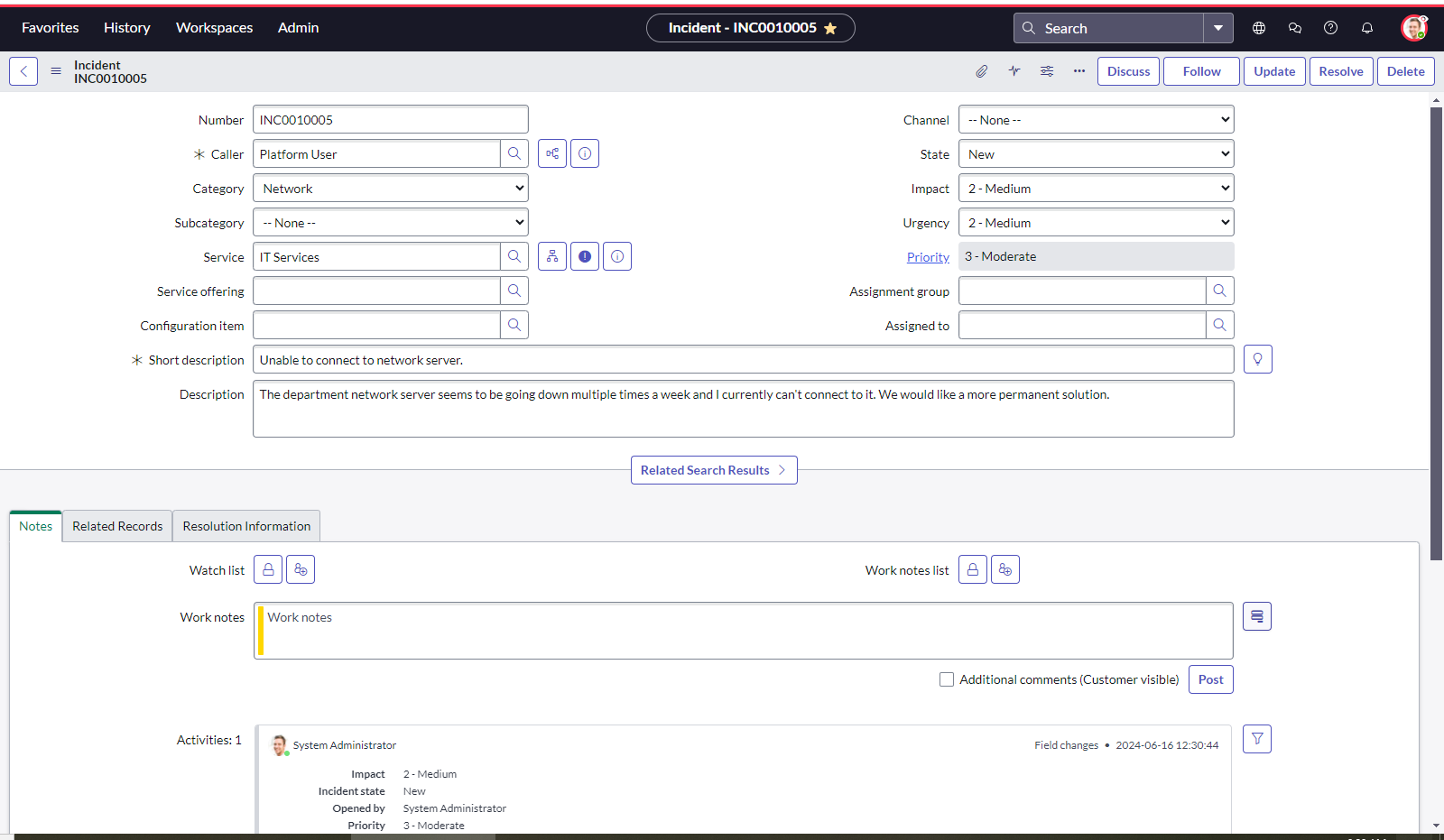
I've tried completing the task to create an incident as the Platform User and as System Admin.
The instructions do not provide a caller name, which is required field. It seems as though the validation is counting that against me, as all of the fields are complete and I made a favorite and customized it.
When I try to save it without a caller name, it errors out as it should that the caller field is a required field.
I don't know what to do to get around this.
Task Result: Failed
Task Description: Submit a Problem about the network server going down multiple times a week.
Task Instructions:
| 1. | Navigate to All > Problem > Create New. |
| 2. | Fill out the form:
Notice when you set the value of Urgency to Medium, the Priority automatically changes to “3-Moderate”.
|
| 3. | Select the Form Context Menu to Save the record. |
| 4. | Select the Form Context Menu and select Create Favorite. |
| 5. | Select More to choose any icon and any color. |
| 6. | Select Save edits. |
| 7. | Select Go to Activity Stream to navigate to the section of the form where you can keep track of any Work Notes on the problem. |
Solved! Go to Solution.


- Mark as New
- Bookmark
- Subscribe
- Mute
- Subscribe to RSS Feed
- Permalink
- Report Inappropriate Content
06-16-2024 11:01 PM
The screenshot said, that you are creating an Incident but instructions said you need to create a problem record. Please create a problem record with platform user with given values and then save and create favorite as well.
Regards
Dr Atul G. - Learn N Grow Together ServiceNow Techno - Functional Trainer
LinkedIn: https://www.linkedin.com/in/dratulgrover
YouTube: https://www.youtube.com/@LearnNGrowTogetherwithAtulG
******************************************************************************************
- Mark as New
- Bookmark
- Subscribe
- Mute
- Subscribe to RSS Feed
- Permalink
- Report Inappropriate Content
06-19-2024 08:43 AM
So now .. is all clear or still have some open questions? Happy to help.
Regards
Dr Atul G. - Learn N Grow Together ServiceNow Techno - Functional Trainer
LinkedIn: https://www.linkedin.com/in/dratulgrover
YouTube: https://www.youtube.com/@LearnNGrowTogetherwithAtulG
******************************************************************************************
- Mark as New
- Bookmark
- Subscribe
- Mute
- Subscribe to RSS Feed
- Permalink
- Report Inappropriate Content
06-24-2025 08:37 AM
When I first did this I missed making sure I was impersonating a platform user, if you do it as an administrator you will fail the task 🙂
- Mark as New
- Bookmark
- Subscribe
- Mute
- Subscribe to RSS Feed
- Permalink
- Report Inappropriate Content
02-09-2026 07:52 AM
I am having the same issue. I am logged in as platform user. I am creating a problem and have followed the steps repeatedly. I also terminated instance and requested new and still got the same failure. Notes: I noticed that the Priority does not update when I change the impact and urgency fields. The instance is also EXTREMELY slow and laggy and certain actions like clicking the search icon next to certain fields causes the web page to break/go unresponsive.