- Mark as New
- Bookmark
- Subscribe
- Mute
- Subscribe to RSS Feed
- Permalink
- Report Inappropriate Content
06-05-2026 06:20 AM
Hello Community,
I am hoping someone else can help confirm the same issue I am facing in two separate instances of ServiceNow Australia, both Patch 1 and 2 in both Edge and Chrome.
Plugins Required - Operational Technology Manager (Contains required dependency for Service Graph Connector for Excel)
Confirm Permissions - Service Graph Connector for Microsoft Excel • Australia Operational Technology Management • Docs | S...
Steps to reproduce issue - If permissions were granted remember to log out and log back in.
-Navigate to Workspaces > Industrial Workspace > List View > OT Excel - SGC Import Task > All
-Click the New Button
???Do you have a Save button???
There use to be a Navigation Menu item for sg-ot excel stagging table but that was removed long ago so you have to access the table via the .list command, you can still get to the sg-ot-excel imports in the Navigation Menu
I can confirm access using ot_excel_staging.list to perform a test upload into the staging table (once the below date formatting is corrected)
I can confirm the OOTB OT Excel SGC Templates have formatting errors that did not previously exists with the Date Columns due to initial attempt errors
I can complete the Import to see the Validation State of Pending Validation but the buttons are missing to Perform Validations prior to Scheduling the Import. (Same issue in Default View and Workspace View) This was also removed as ServiceNow wants you to use the Import Task in the Industrial Workspace but wanted to include this for additional information.
After recreating the issue and testing in my own PDI, I released my Australia build to get an older version for testing and after seeing the waiting list have been attempting to get a new instance through the waiting list or requesting a new Australia build which does not state has a waiting list but is failing to generate as the older releases are not currently/readily available.
Is anyone else able to confirm the same issue on Australia Patch 1 and 2 and/or confirm on a non-Australia patch that it is still working as intended.
I did not find any relevant changes in release notes that would impact this functionality.
Solved! Go to Solution.
- Mark as New
- Bookmark
- Subscribe
- Mute
- Subscribe to RSS Feed
- Permalink
- Report Inappropriate Content
08-12-2026 07:46 AM
Problem PRB2005251 Created
ServiceNow engineers investigated and identified PRB2005251, which is due to a missing reference on the sys_ux_form_action_layout_item table
After importing the missing reference record the Save Button shows up and the Import Process can be completed
If you need help manually creating the reference item or capturing xml details for import contact your Support Team for further help
Sample XML to import into the sys_ux_form_action_layout_item table
<?xml version="1.0" encoding="UTF-8"?>
<unload unload_date="2026-08-11 21:56:13">
<sys_ux_form_action_layout_item action="INSERT_OR_UPDATE">
<action display_value="Insert">SYSID1HERE</action>
<active>true</active>
<animate_icon>false</animate_icon>
<color>secondary</color>
<description/>
<icon display_value=""/>
<item_type>action</item_type>
<label>Save</label>
<layout_group display_value=""/>
<name>Save</name>
<order>-100</order>
<overflow>false</overflow>
<sys_class_name>sys_ux_form_action_layout_item</sys_class_name>
<sys_created_by>admin</sys_created_by>
<sys_created_on>2024-01-31 16:32:55</sys_created_on>
<sys_id>SYSID2HERE</sys_id>
<sys_mod_count>0</sys_mod_count>
<sys_name>Save</sys_name>
<sys_package display_value="Problem Management for Service Operations Workspace" source="sn_sow_problem">PACKAGEIDHERE</sys_package>
<sys_policy/>
<sys_scope display_value="Problem Management for Service Operations Workspace">PACKAGEIDHERE</sys_scope>
<sys_update_name>sys_ux_form_action_layout_item_SYSID2HERE</sys_update_name>
<sys_updated_by>admin</sys_updated_by>
<sys_updated_on>2024-01-31 16:32:55</sys_updated_on>
<table>global</table>
</sys_ux_form_action_layout_item>
</unload>
Solution Rejected for the moment due to work being deleted by support through a background processing job however the solution for the missing save button tested successfully
- Mark as New
- Bookmark
- Subscribe
- Mute
- Subscribe to RSS Feed
- Permalink
- Report Inappropriate Content
06-05-2026 01:12 PM
Was finally able to get a Zurich Release and have confirmed the OT Excel SGC - Import Task - Has the Save Button as expected and previously used.
Now I have the same release/request instance issue again 🙂
Released Zurich to request Australia for retesting and the retry error is getting me again, or the join waitlist (for Zurich/Yokohama)
I will keep trying and retest Australia when able to request a new PDI
- Mark as New
- Bookmark
- Subscribe
- Mute
- Subscribe to RSS Feed
- Permalink
- Report Inappropriate Content
06-08-2026 05:55 AM
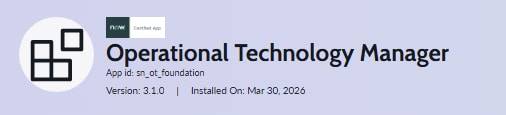
Looks like the issue is with OTM version 3.1.0, not Australia Patch 1 or Patch 2.
Installing OTM in the above test PDI on Zurich was version 3.0.0
Attached screen shot for test instances and confirming the OT Excel SGC Import Task in the Industrial Workspace process works as expected.
I was unable to get a new PDI Instance over the weekend due to the retry error but was able to install the older OTM Version (3.0.0) in a non-prod instance to test the version difference vs the release difference.
I will reach out to our ServiceNow Account Managers to get a HI Ticket Created for this issue
- Mark as New
- Bookmark
- Subscribe
- Mute
- Subscribe to RSS Feed
- Permalink
- Report Inappropriate Content
06-18-2026 11:07 AM
Just wanted to provide an update for anyone else experiencing this issue
HI Ticket created but have not received any updates on possible issue at this time
I have continued to test in my PDI and non-prod instances and have learned that it appears to be an issue with the OTM Plugins, not Australia Patches/Hotfixes like I was leaning towards in previous testing
I can install OTM 3.0.0 or 3.1.0 in Australia and see the Save Button on the OT Excel SGC Import Task Form
However, as soon as the OT Incident Management 3.1.0 Plugin is installed the Save Button on the OT Excel SGC Import Task Form is no longer accessible
Due to this I am thinking there may be an issue/discrepancy within the Dependencies associated to the OT Incident Management Plugin (i.e., Industrial Workspace Common, Industrial Process Manager, and/or others...)
- Mark as New
- Bookmark
- Subscribe
- Mute
- Subscribe to RSS Feed
- Permalink
- Report Inappropriate Content
06-23-2026 11:26 AM
Still waiting to on feedback from the HI Ticket but wanted to post an update
I have confirmed the same issue with OT Incident Management 3.0.0 on Australia so it doesn't matter if OTM and/or OT Incident Management is both 3.0.0 or 3.1.0
Releasing instance again and going back to Zurich to retest, I am on the wait list but hoping to get a new instance quickly 🙂