- Subscribe to RSS Feed
- Mark as New
- Mark as Read
- Bookmark
- Subscribe
- Printer Friendly Page
- Report Inappropriate Content
Traditionally, post-sales support—and the costs associated with it—have been an accepted part of running a business. It’s no surprise, then, that the concept of a virtual agent that works 24/7, can scale with demand, and never takes a lunch break would be of great interest to help centers everywhere.
Indeed, there’s been an explosion in virtual agent usage in the past few years, with Gartner predicting that “70% of customer interactions will involve emerging technologies such as mac... The benefits of a virtual agent are clear: they automate high volume support tickets, cut down on the amount of busy work agents manage, and can help customers get to a solution faster.
But take it from me, someone who’s spent the last eight years working with virtual agents and chatbots: the most critical step is the first one. Before you add automation to your current customer support strategy, ask yourself these three key questions:
Which channel should we automate?
You’d be amazed how many different ways your customers speak to your brand. And to quote Gartner again, customers “expect a seamless experience as they switch from channel to channel.” It’s important to understand how and why customers use those channels so you can design a virtual agent experience that fits in seamlessly.
You talk to customers via social media, email, your service desk, direct sales—the list goes on. Any channel where business communications take place can be automated, but not every channel should be automated. Identify channels with the heaviest traffic and consider automating where your customers communicate most.
If you’re able to pull transcripts from those channels, do so and determine the quantity of Tier 1 support questions being fulfilled for any given time frame. The ideal type of case is anything that’s highly repeatable and requires minimal back-and-forth. FAQs, requests for status, or other tasks where an agent is doing a lookup are perfect.

What are the simplest topics to automate?
Now that you’ve decided on a channel and identified key areas to automate, it’s time to decide which topics will give you the biggest bang for your buck. It’s critical to keep expectations realistic for the first version of your virtual agent, so:
- Start with the simple tasks and gradually get move advanced. Your bread and butter should be password resets, providing statuses, and conveying administrative information. Think read-only, not write.
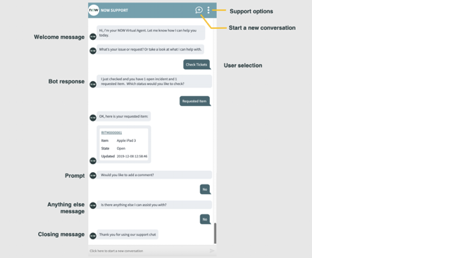
- Manage user expectations. When a user interacts with a virtual agent for the first time, they don’t know what’s possible, so they’ll gravitate towards complexity. In your welcome message, be sure to explain that your virtual agent is here to help with simple things. A common mistake I see is overpromising from the start. This will only hurt your brand and lose your customers’ trust (it can also hurt your CSAT score and destroy the original business case for your Virtual Agent).
- Know that users will tell you want they want next. By starting simple and keeping expectations modest, users are likely to return and leave feeling delighted. Most importantly, you’ll notice that users will ask your virtual agent to do additional tasks. This is the data that should drive your roadmap for what’s next. Group these utterances into topics and quantify what the automation opportunity is, use ROI to prioritize.

What excites your stakeholders?
Virtual agents don’t build themselves, and you’ll need the help from stakeholders to get a project going. When finding budget for anything in ITSM, it all comes down to ROI. Building a business case for a virtual agent is simple: determine the time an agent spends on each ticket and what percentage of those tickets are classified as Tier 1.
With this figure in hand you can easily quantify the ROI opportunity. But keep in mind that ROI isn’t the only benefit. A virtual agent provides 24/7 support and can improve your CSAT score. But perhaps what’s most important is what you’ll learn about your customers.
A virtual agent can be a fantastic ambassador for your brand and can not only solve customer problems, but solicit feedback, ask survey questions, promote upcoming events and product launches.
ROI combined with these ancillary benefits are what sets a virtual agent apart and why we highly recommend incorporating one into your service and support planning.
For more information see:
- Learn more about launching a virtual agent.
- Also check out this great post on our VA enhancements from Quebec release.
Hope you enjoyed this first of three blogs about how to succeed designing and deploying a Virtual Agent using ServiceNow!
- 5,010 Views
You must be a registered user to add a comment. If you've already registered, sign in. Otherwise, register and sign in.