Enable specific roles to access the update set picker.
시작하기 전에
Role required: admin
이 태스크 정보
The update set picker appears when selecting the globe icon. The picker enables you to choose an update set for making and tracking customizations. By default, only administrators can use the update set
picker. You can grant access to additional users.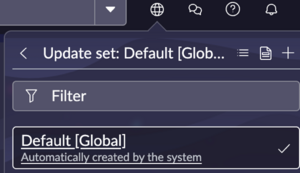
프로시저
-
Grant the user role read access to the sys_update_set table.
-
Enable access to the update set picker when selecting the globe icon.
-
Add glide.ui.update_set_picker.role to the System Properties table.
-
Set the value of glide.ui.update_set_picker.role to the role that you want to grant access to.