Change the default settings for the automated archiving feature for process contexts.
프로시저
-
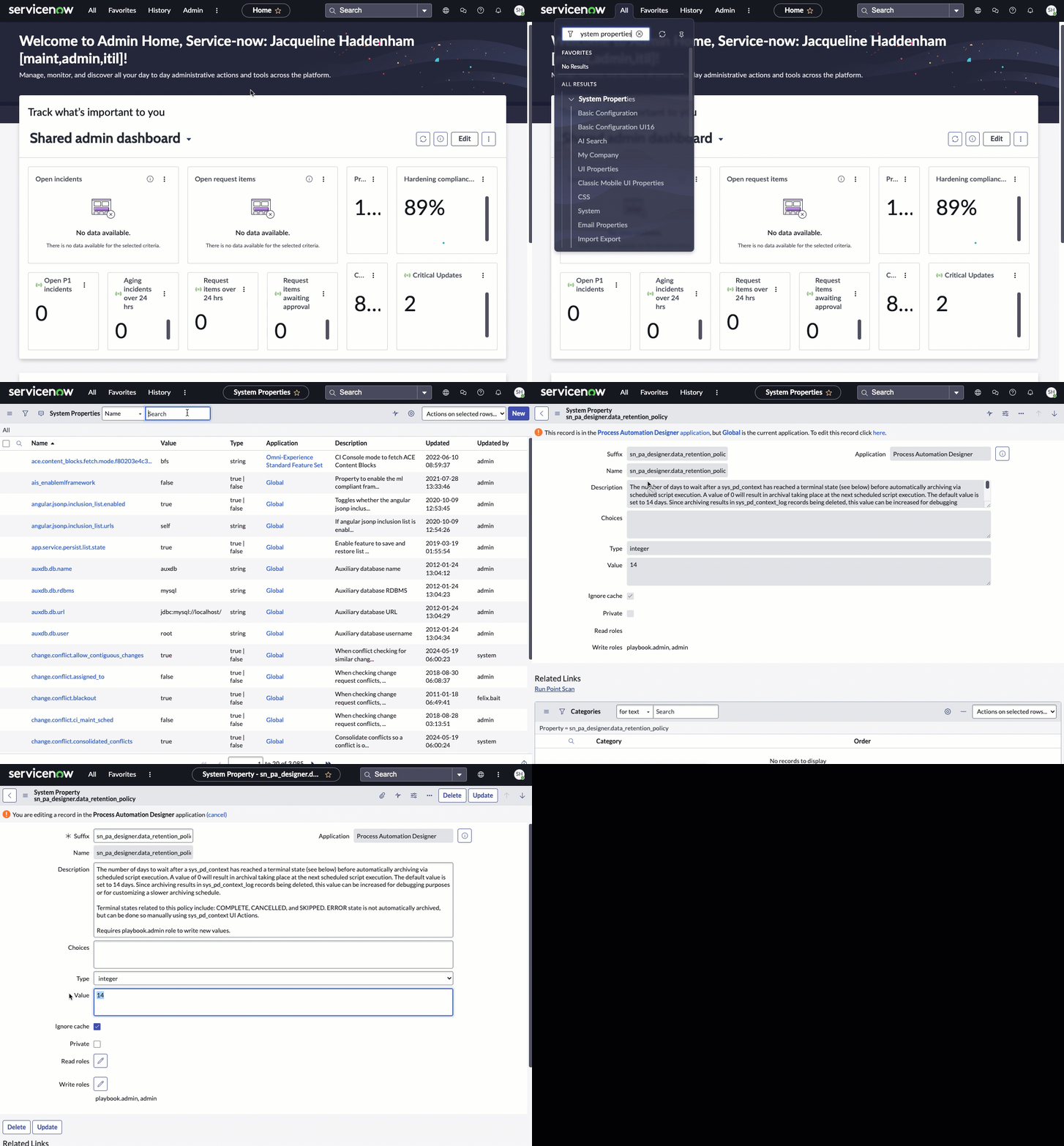
Navigate to .
-
Search for and open the sn_pa_designer.data_retention_policy property.
-
Select the here link in the warning message to edit the record.
-
Change the Value to the number of days a complete or cancelled playbook must be unedited before the context records for it can be archived.
The default value is 14. If you want context records for executions to be archived as soon as a playbook is complete or cancelled, you can set the value to O. If you want to wait longer before context records can be
archived, enter a greater number.
경고: Changing other fields in this record could potentially break automated archiving.
-
Select Update.
Your change is saved.
Change the wait period to 30 days