- Mark as New
- Bookmark
- Subscribe
- Mute
- Subscribe to RSS Feed
- Permalink
- Report Inappropriate Content
05-06-2022 05:12 AM
Hi Everyone,
I am currently trying in Service Now to automatically route tickets coming in via email based off short Description.
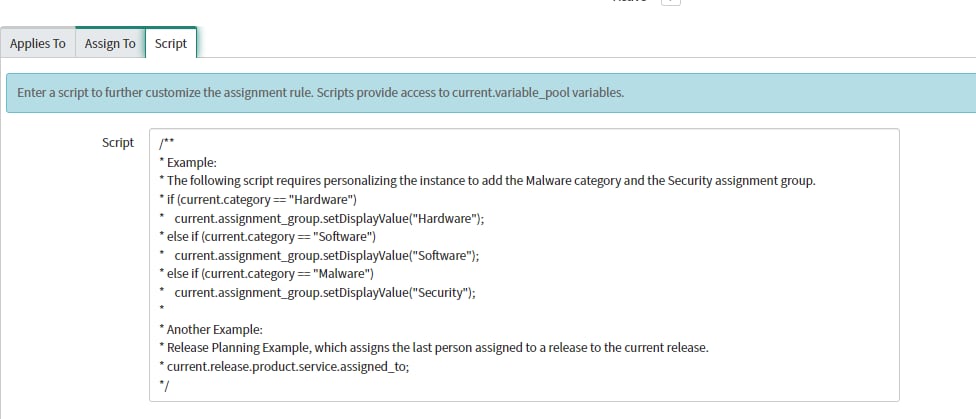
I Learned about the Rules -> Assignment Tab -> Set Preconfigured fields for this tab to accept short description.
An example would be:
Table: Incident
Conditions:
Short Description -> Starts with -> Computer Crashing
Then under the assign to tab the only options are for User and Group which is where my problem lies. I would ideally like to have the option to automatically assign priority, sub category, etc which I believe can be done in the script field.
I do not know any JavaScript unfortunately and was wondering if someone would be able to help me with an example script for instance Subcategory set to x . Hoping with this I would be able to change the variables and get it where I can automate all these fields.
Thank you for your help!


Solved! Go to Solution.
- Labels:
-
Personal Developer Instance


- Mark as New
- Bookmark
- Subscribe
- Mute
- Subscribe to RSS Feed
- Permalink
- Report Inappropriate Content
05-06-2022 05:31 AM
Hi,
In the script tab you can write as below
current.priority = '3';
current.sub_category = 'abcd';
- Mark as New
- Bookmark
- Subscribe
- Mute
- Subscribe to RSS Feed
- Permalink
- Report Inappropriate Content
05-06-2022 05:31 AM
Hi,
In the script tab you can write as below
current.priority = '3';
current.sub_category = 'abcd';
- Mark as New
- Bookmark
- Subscribe
- Mute
- Subscribe to RSS Feed
- Permalink
- Report Inappropriate Content
05-06-2022 05:34 AM
Thanks a lot Really appreciate it!
- Mark as New
- Bookmark
- Subscribe
- Mute
- Subscribe to RSS Feed
- Permalink
- Report Inappropriate Content
05-06-2022 06:08 AM
Mark as correct and helpful so that future visitors get benifited.
Regards,
Sumanth
- Mark as New
- Bookmark
- Subscribe
- Mute
- Subscribe to RSS Feed
- Permalink
- Report Inappropriate Content
05-06-2022 05:35 AM