- Mark as New
- Bookmark
- Subscribe
- Mute
- Subscribe to RSS Feed
- Permalink
- Report Inappropriate Content
07-29-2016 07:35 AM
Hi,
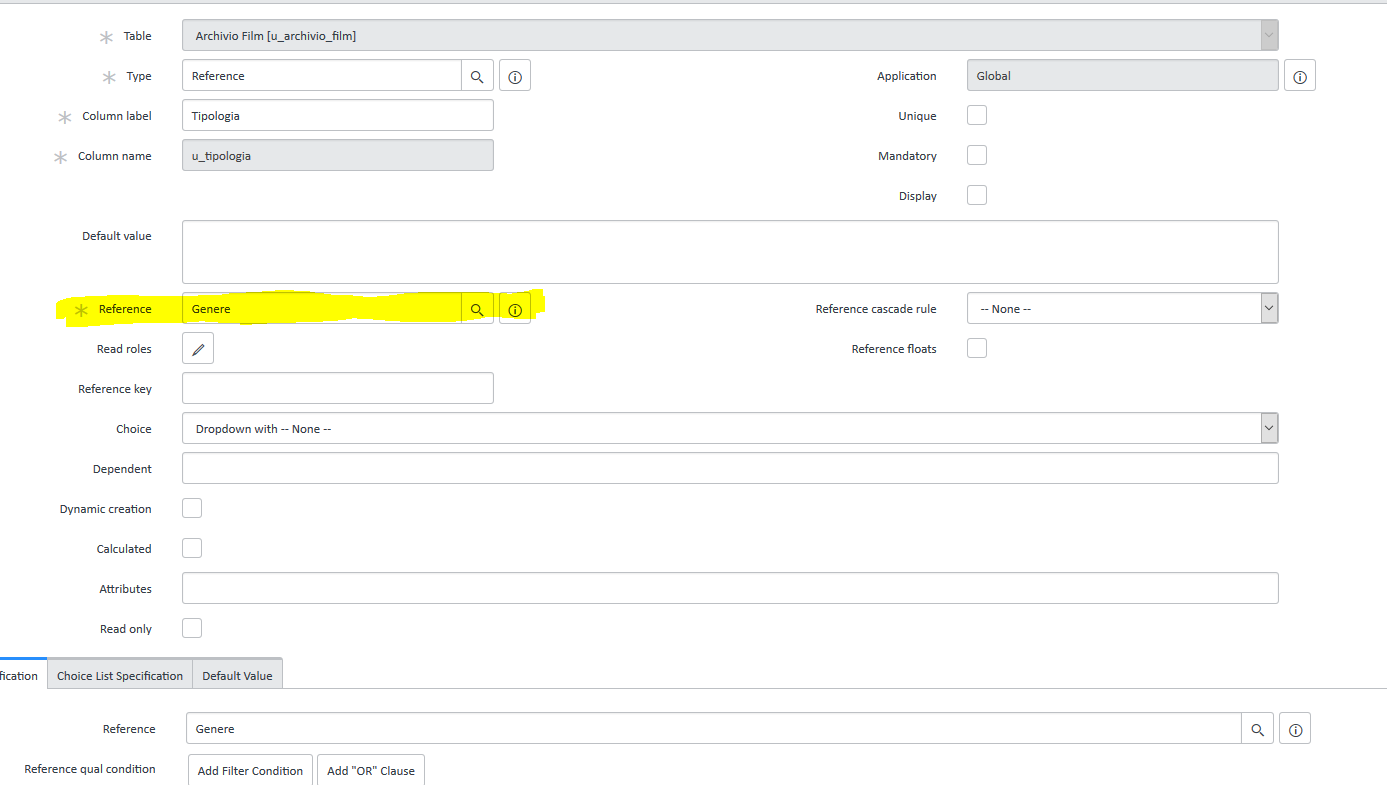
I have a problem with the definition of one column form reference filed.
I can't understand where I need to specify the column of the second table (that contain the data that i need).
Whit this configuration (see the screenshot) i see only the field "sys_id"


Can you help me ?
Solved! Go to Solution.


- Mark as New
- Bookmark
- Subscribe
- Mute
- Subscribe to RSS Feed
- Permalink
- Report Inappropriate Content
07-29-2016 07:49 AM
Hi,
You need to set display value of referenced table. You can only set one filed column as display value. Please refer section 3.1 for more info.
http://wiki.servicenow.com/?title=Reference_Fields#Selecting_the_Display_Value
However you can pull other columns in a drop down. Please refer below link for additional info.
http://wiki.servicenow.com/index.php?title=Auto-Complete_for_Reference_Fields
- Mark as New
- Bookmark
- Subscribe
- Mute
- Subscribe to RSS Feed
- Permalink
- Report Inappropriate Content
07-29-2016 10:19 AM
Hi Vincenzo,
You need to go to the "Tables" module from the left navigation pane --> Open the desired table --> in the "Table Columns" see the "Display" column --> Select the "Display" as "true" for the corresponding field you want to get selected in your form reference field.
Simple but a must know ! Keep exploring !
Please mark my information Helpful or Correct or Like if it is worthy of your attention...