How to create popup for specific record in list view in "Action Check Boxes"

- Mark as New
- Bookmark
- Subscribe
- Mute
- Subscribe to RSS Feed
- Permalink
- Report Inappropriate Content
12-29-2016 01:45 AM
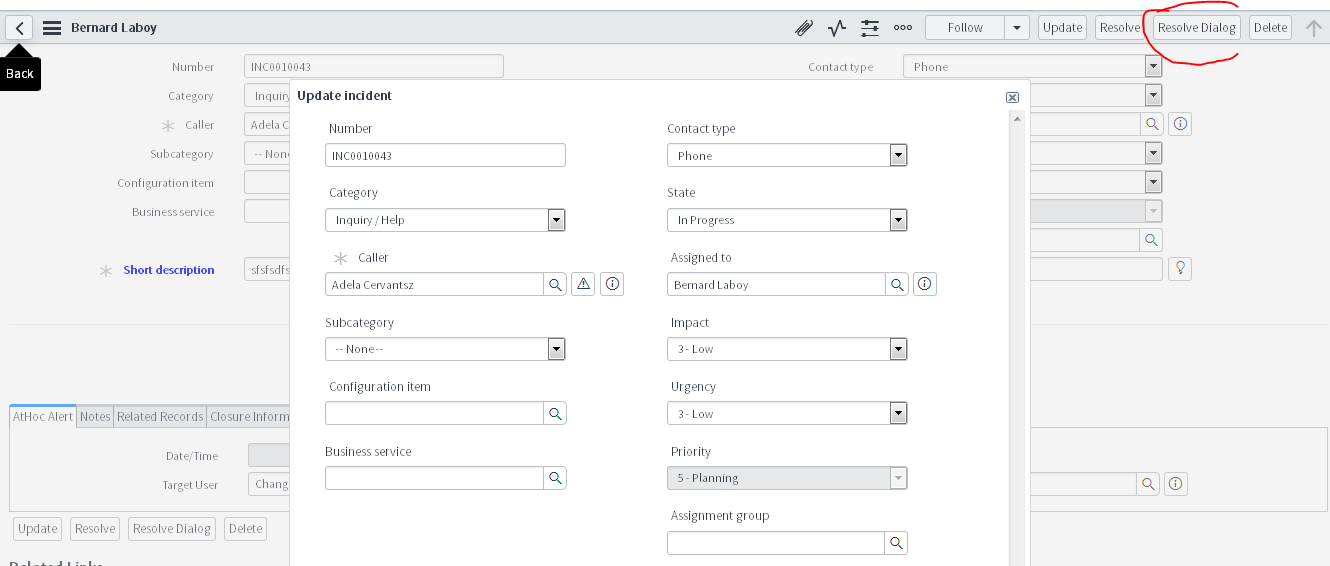
I can get the popup window for the specific data within the page through " g_form" object and "GlideDialogForm"
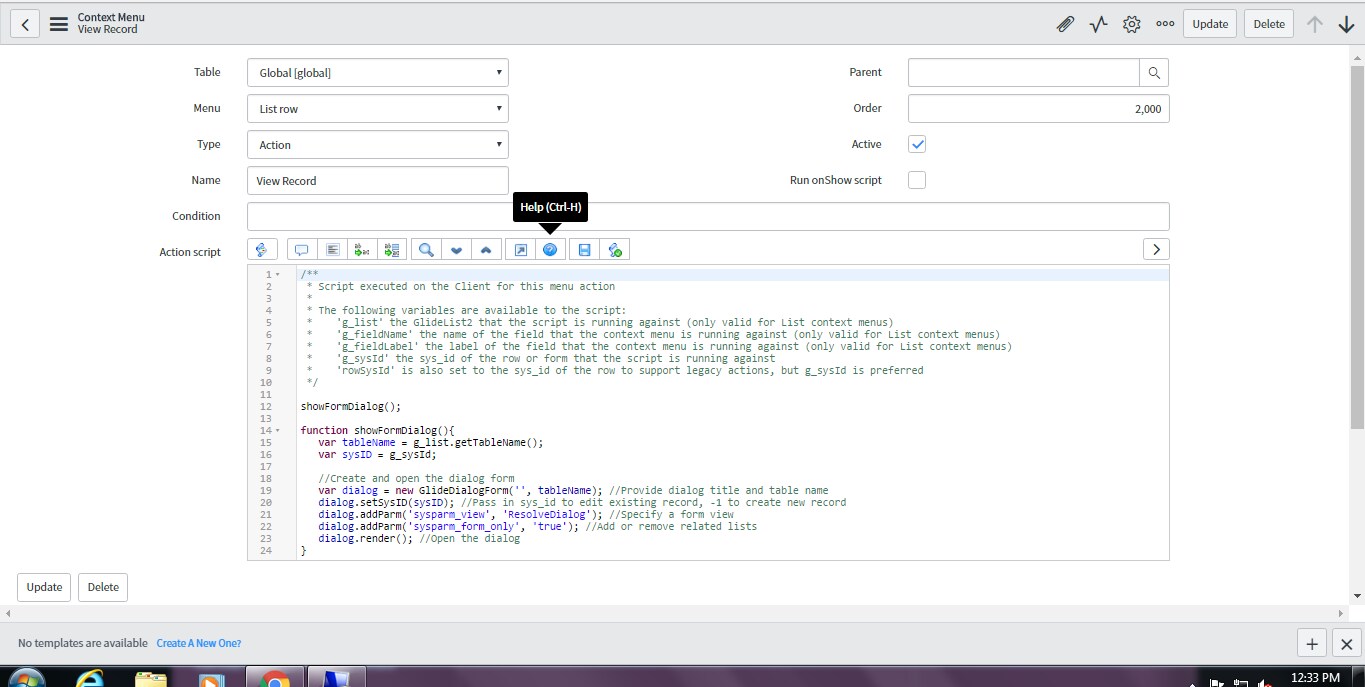
as like the snippet :

But I want to open the popup from the list view for the selected incident from the "Action Check Boxes",
problem is that I am unable to get the sys_id for the selected Incident in the list view, through "g_form" we can get the sys_id if we have open the incident page.
how to get the sys_id in this scenario, if I will get the sys_id in my UI Action Scripts then I think I will be able to show the incident data in popup window.


- Mark as New
- Bookmark
- Subscribe
- Mute
- Subscribe to RSS Feed
- Permalink
- Report Inappropriate Content
12-29-2016 10:08 PM
Use g_list and method getChecked() GlideList2 (g list) - ServiceNow Wiki
- Mark as New
- Bookmark
- Subscribe
- Mute
- Subscribe to RSS Feed
- Permalink
- Report Inappropriate Content
12-29-2016 11:07 PM
Thanks mvr, now I am able to get the sys_id for the checked one from the list.
But came across with strange behavior .
For popup i am using GlideDialogForm object as mentioned below:
var dialog = new GlideDialogForm('Update incident', tableName);
dialog.setSysID(sysID); //Pass in sys_id to edit existing record, -1 to create new record
dialog.addParm('sysparm_view', 'ResolveDialog'); //Specify a form view
dialog.addParm('sysparm_form_only', 'true'); //Add or remove related lists
dialog.render(); //Open the dialog
it's working only when I have open the particulate incident form, not working when I am in List view page and checked the incident with the Action Box option.
- Mark as New
- Bookmark
- Subscribe
- Mute
- Subscribe to RSS Feed
- Permalink
- Report Inappropriate Content
12-29-2016 11:04 PM

- Mark as New
- Bookmark
- Subscribe
- Mute
- Subscribe to RSS Feed
- Permalink
- Report Inappropriate Content
12-29-2016 11:33 PM