- Mark as New
- Bookmark
- Subscribe
- Mute
- Subscribe to RSS Feed
- Permalink
- Report Inappropriate Content
03-02-2021 02:51 PM
Hi there!
I'm not sure if this is a known bug or not, but wanted to flag in case anyone knew a config change that could fix it.
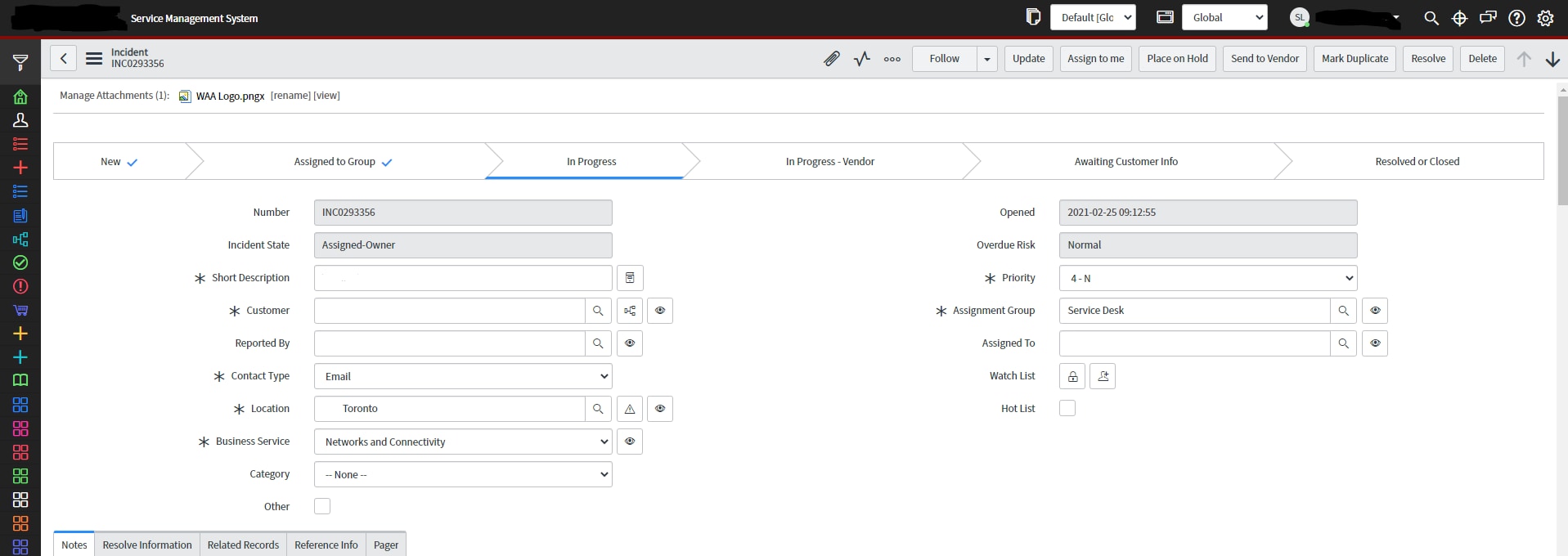
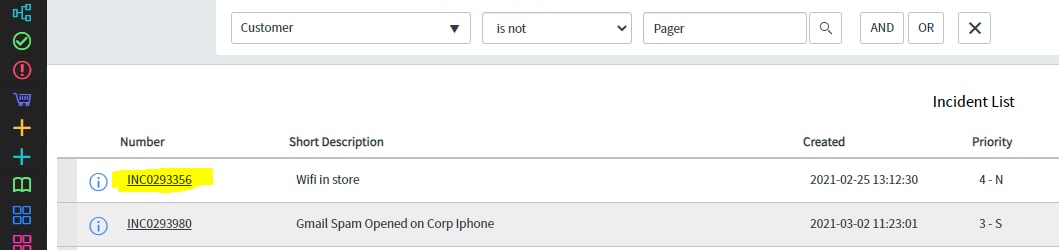
When ctrl-clicking(opening in a new tab) on a link in ServiceNow, the Nav bar always disappears completely. Basically have to reopen the instance on a difference page or change the url to get the correct UI showing.I'll include pictures here to explain a bit better.
Ctril+click the incident link below:
/incident.do?sys_id=016ac075db226410de87eeb35b9619b2&sysparm_record_target=incident&sysparm_record_row=1&sysparm_record_rows=107&sysparm_record_list=assignment_group%3Dcf8a8c450c9d7000945aba83678f3374%5Eincident_stateNOT+IN6%2C7%5Eshort_descriptionDOES+NOT+CONTAINMessage+notification%5Ecaller_id%21%3D54824a39db61c090b6c855384b96191d%5EORDERBYcategory

Where as just clicking it brings us here
nav_to.do?uri=%2Fincident.do%3Fsys_id%3D016ac075db226410de87eeb35b9619b2%26sysparm_record_target%3Dincident%26sysparm_record_row%3D1%26sysparm_record_rows%3D104%26sysparm_record_list%3Dassignment_group%3Dcf8a8c450c9d7000945aba83678f3374%5Eincident_stateNOT%2BIN6,7%5Eshort_descriptionDOES%2BNOT%2BCONTAINMessage%2Bnotification%5Ecaller_id!%3D54824a39db61c090b6c855384b96191d%5EORDERBYcategory

Solved! Go to Solution.
- Labels:
-
Instance Configuration
- 10,988 Views
- Mark as New
- Bookmark
- Subscribe
- Mute
- Subscribe to RSS Feed
- Permalink
- Report Inappropriate Content
04-07-2026 10:25 AM - edited 04-07-2026 10:26 AM

- Mark as New
- Bookmark
- Subscribe
- Mute
- Subscribe to RSS Feed
- Permalink
- Report Inappropriate Content
07-11-2022 06:48 AM
Brilliant, it's alot better than the Framerizer extension although I had to modify it a bit as the browser auto converts the above link.
This is the link I bookmarked:
Name: Add SN Frame
URL entered (how you should enter the URL when creating bookmark):
javascript:if(window.location.href.indexOf('/nav_to.do?uri=') === -1) {window.location.href = 'https://' + window.location.href.replace('https://','').replace('/','/nav_to.do?uri=/');}
URL converted by browser (don't enter the URL like this):
javascript:if(window.location.href.indexOf('/nav_to.do?uri=%27) === -1) {window.location.href = %27https://%27 + window.location.href.replace(%27https://%27,%27%27).replace(%27/%27,%27/nav_to.do?uri=/%27);}
- Mark as New
- Bookmark
- Subscribe
- Mute
- Subscribe to RSS Feed
- Permalink
- Report Inappropriate Content
01-23-2024 11:44 PM
Hi,
This is fixed in Next experience "Display-> Always show top navigation"
- Mark as New
- Bookmark
- Subscribe
- Mute
- Subscribe to RSS Feed
- Permalink
- Report Inappropriate Content
04-07-2026 06:57 AM
I've created an account JUST TO UPVOTE/LIKE this post. It's silly how it's STILL an issue and our company has just moved-to ServiceNow.
ServiceNow, if this has been fixed, please let me know. If it's not been fixed since 2022, there must be a reason why.
- Mark as New
- Bookmark
- Subscribe
- Mute
- Subscribe to RSS Feed
- Permalink
- Report Inappropriate Content
04-07-2026 10:25 AM - edited 04-07-2026 10:26 AM
- Mark as New
- Bookmark
- Subscribe
- Mute
- Subscribe to RSS Feed
- Permalink
- Report Inappropriate Content
04-13-2026 10:51 AM
Hi Stephen,
The most common cause for this issue is a user preference setting.
Could you please check the following in your PDI:
- Click your User Profile icon in the top-right corner
- Go to Preferences > Display
- Look for an option like "Always show top navigation" (or similar) and make sure it’s enabled
After that, refresh your browser and see if the top banner appears across all tabs.
I hope this helps.