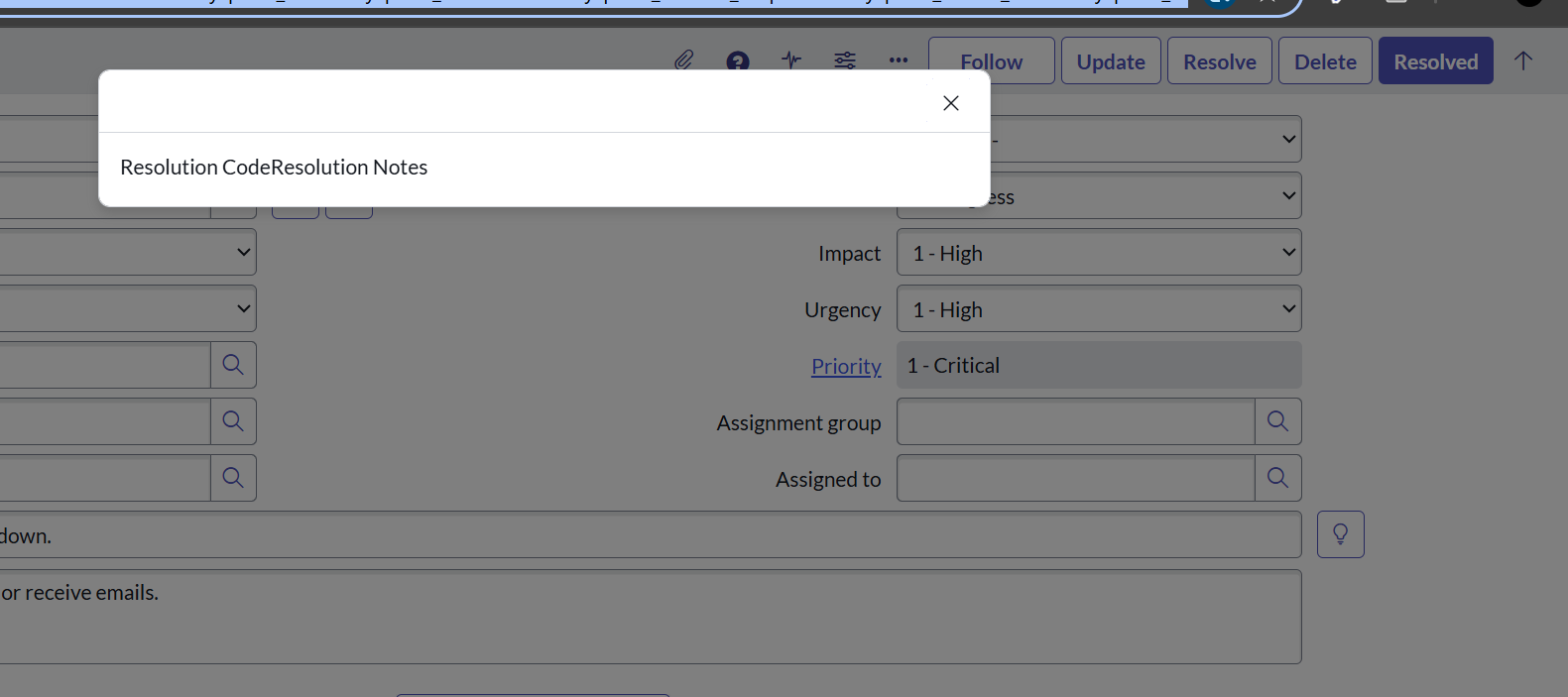
The UI page fields not visible

Options
- Mark as New
- Bookmark
- Subscribe
- Mute
- Subscribe to RSS Feed
- Permalink
- Report Inappropriate Content
05-15-2025 05:13 AM
The fields i created on the ui page when I click on try it button it is visible . But when I use that UI page the page is showing only the label names.
The fields like dropdown and textarea are not visible. The below is the code
<?xml version="1.0" encoding="utf-8" ?>
<j:jelly trim="false" xmlns:j="jelly:core" xmlns:g="glide" xmlns:j2="null" xmlns:g2="null">
<div id="dialog_form">
<label>Resolution Code</label><br />
<select id='rco'>
<option value=''>Duplicate</option>
<option value='Known error'>Known error</option>
<option value='No resolution provided'>No resolution provided</option>
<option value='Resolved by caller'>Resolved by caller</option>
<option value='Resolved by change'>Resolved by change</option>
<option value='Resolved by problem'>Resolved by problem</option>
<option value='Resolved by request'>Resolved by request</option>
<option value='Solution provided'>Solution provided</option>
<option value='Workaround provided'>Workaround provided</option>
<option value='User error'>User error</option>
</select><br />
<label>Resolution Notes</label><br />
<textarea id='rno'></textarea><br />
<g:dialog_buttons_ok_cancel ok="return validateForm()" cancel="return OnCancel()" />
</div>
</j:jelly>
0 REPLIES 0