- Mark as New
- Bookmark
- Subscribe
- Mute
- Subscribe to RSS Feed
- Permalink
- Report Inappropriate Content
05-22-2025 07:39 AM - edited 05-22-2025 09:14 AM
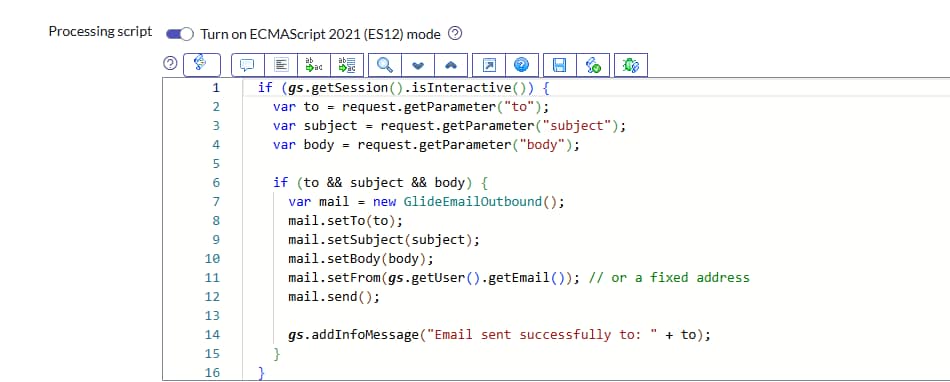
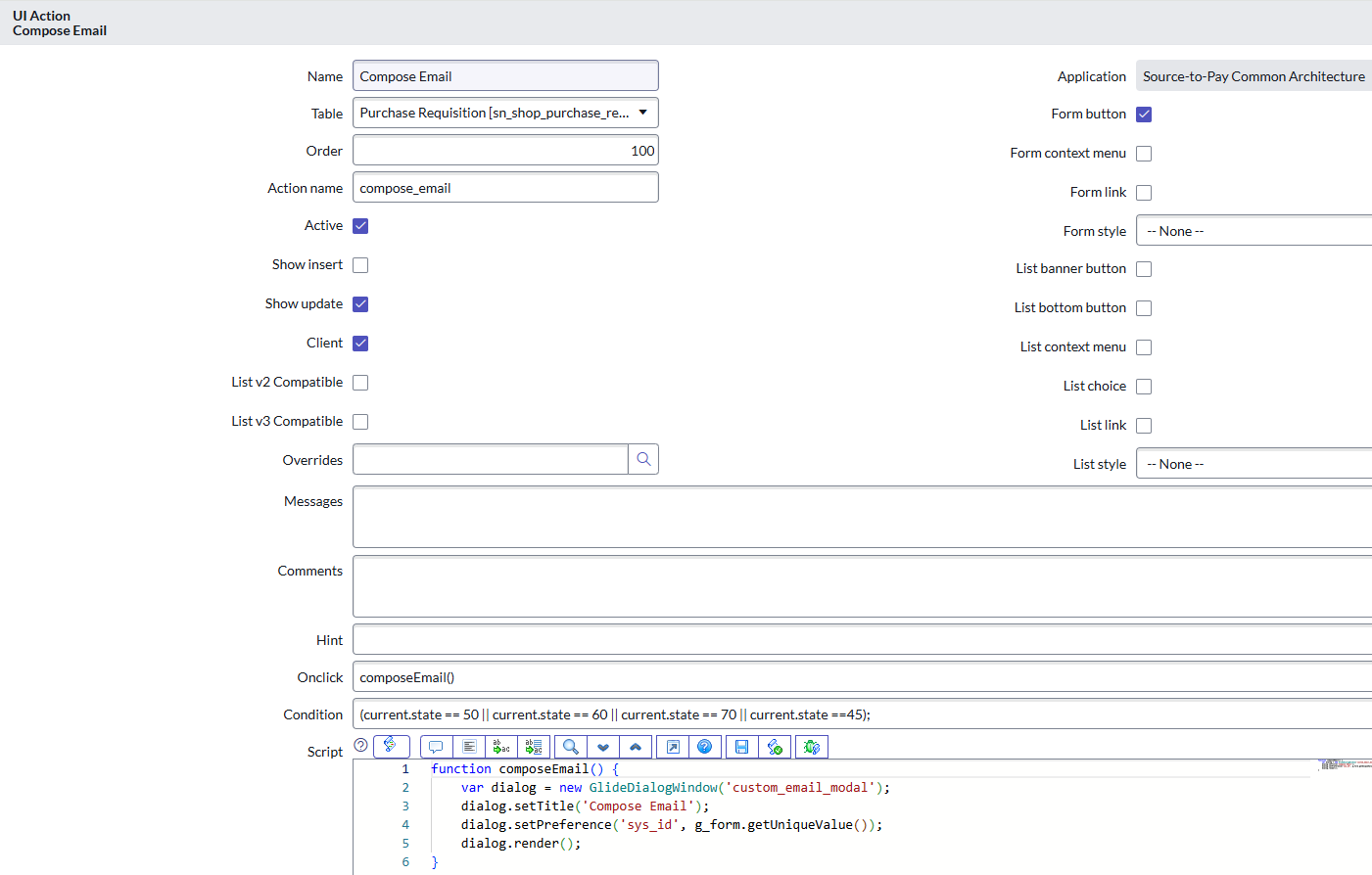
UI Action to open an email compose window — allowing the user to manually write or customize the email body and triggering a notification.
To allow user input before sending the email.
When the user clicks a button on a Purchase Requisition (PR), open a modal to compose a custom email (To, Subject, Body) → then send it.
=================================
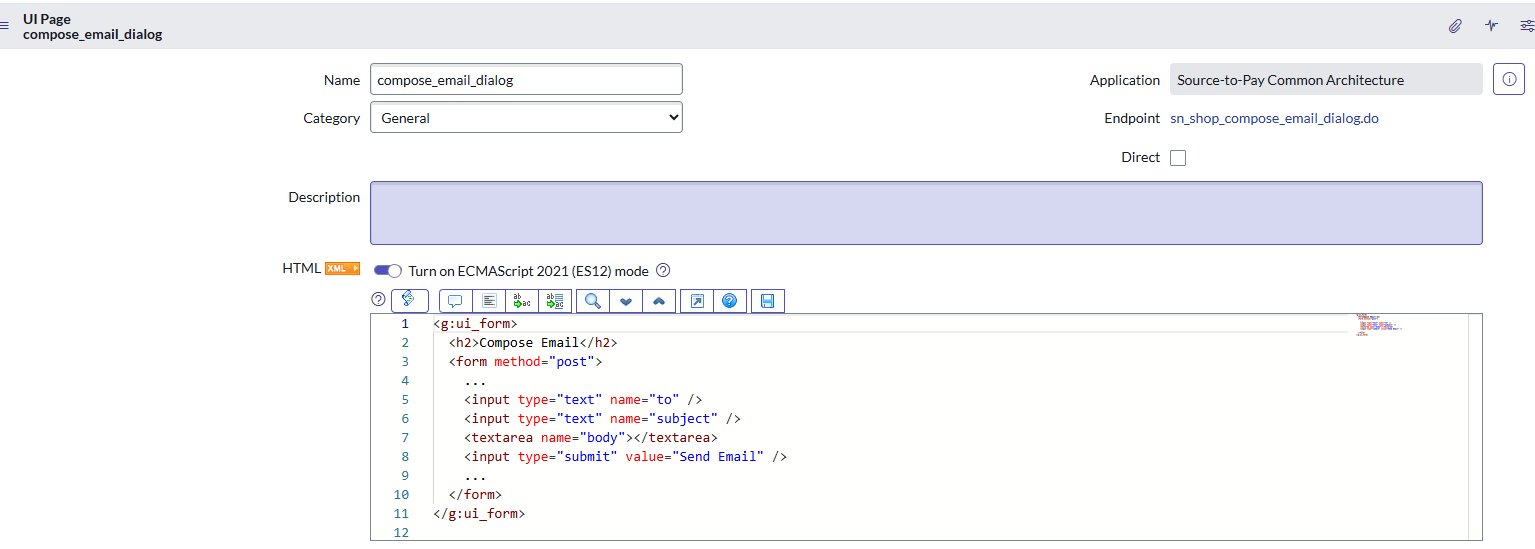
HTML in UI page
Geeting "Page could not found"
can anyone help me to debug this code. PFA
Solved! Go to Solution.
- Mark as New
- Bookmark
- Subscribe
- Mute
- Subscribe to RSS Feed
- Permalink
- Report Inappropriate Content
05-23-2025 06:35 AM
Please find below links which helps you clear idea about ui page and ui action like how to pass value from one component to another.
https://www.servicenow.com/community/servicenow-ai-platform-articles/ui-page-tips-and-tricks/ta-p/23...
https://www.servicenow.com/community/servicenow-ai-platform-articles/using-angularjs-in-ui-pages/ta-...
If my response was helpful in resolving the issue, please consider accepting it as a solution by clicking on helpful. or Accept solution button and giving it a thumbs up. This will benefit others who may have a similar question in the future.
Thanks
KrishnaMohan
- Mark as New
- Bookmark
- Subscribe
- Mute
- Subscribe to RSS Feed
- Permalink
- Report Inappropriate Content
05-23-2025 06:35 AM
Please find below links which helps you clear idea about ui page and ui action like how to pass value from one component to another.
https://www.servicenow.com/community/servicenow-ai-platform-articles/ui-page-tips-and-tricks/ta-p/23...
https://www.servicenow.com/community/servicenow-ai-platform-articles/using-angularjs-in-ui-pages/ta-...
If my response was helpful in resolving the issue, please consider accepting it as a solution by clicking on helpful. or Accept solution button and giving it a thumbs up. This will benefit others who may have a similar question in the future.
Thanks
KrishnaMohan