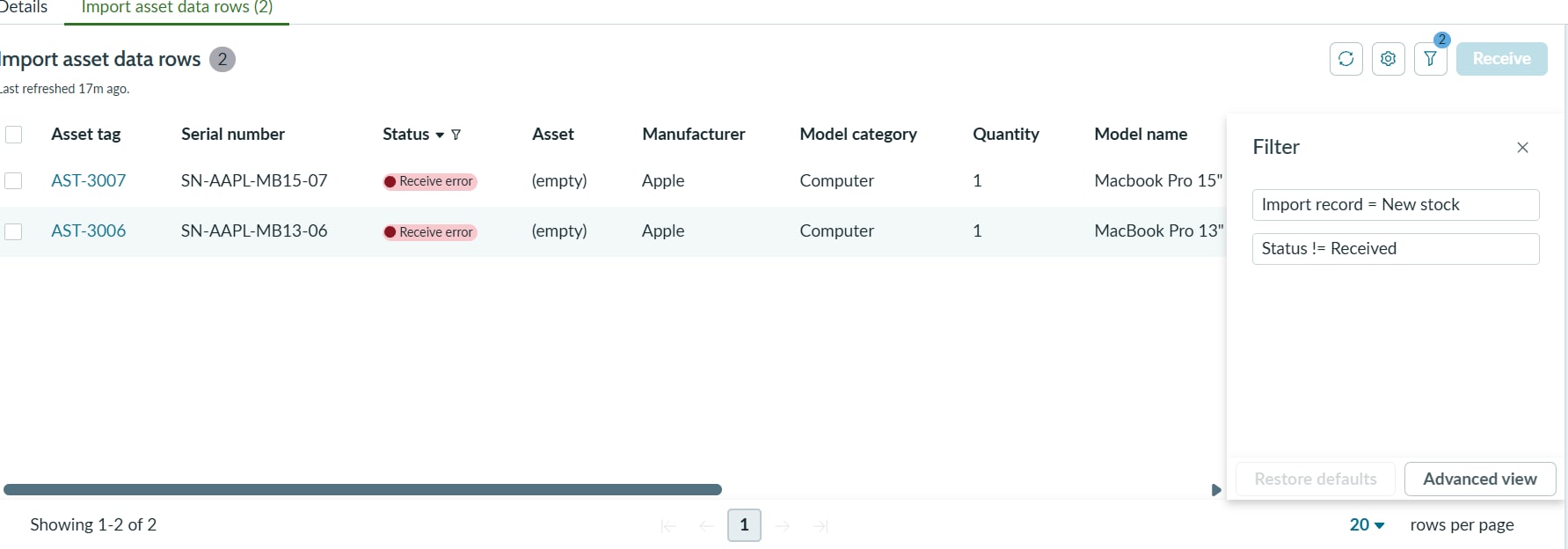
Unable to clear default filter on "Import asset data rows" in Hardware Asset Workspace

Options
- Mark as New
- Bookmark
- Subscribe
- Mute
- Subscribe to RSS Feed
- Permalink
- Report Inappropriate Content
51m ago
Hi everyone,
I am running into a UI issue in the Hardware Asset Workspace where I am completely unable to clear a default list filter, preventing me from viewing successfully imported assets.
I am importing hardware assets via the "Import receiving log" feature within a Stockroom. After the import processes and the assets are successfully received, they disappear from the list because of a default filter (Status != Received). I want to clear this filter to view my entire import history for that specific file, but the UI is not allowing me to remove it.
0 REPLIES 0