- Mark as New
- Bookmark
- Subscribe
- Mute
- Subscribe to RSS Feed
- Permalink
- Report Inappropriate Content
12-20-2019 01:50 AM
Hi All,
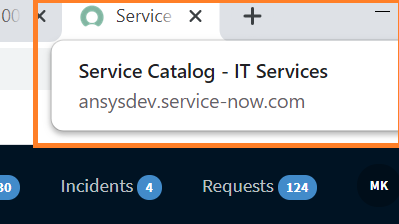
Can we change the browser tab title on the Service Portal for a single catalog item. Currently it is displayed as 'Service Catalog - IT Services' for all catalog items.

I want to modify it to 'Service Catalog - HR Services' only for one HR catalog item.
Thanks,
Madhura
Solved! Go to Solution.
- Labels:
-
Service Catalog
- Mark as New
- Bookmark
- Subscribe
- Mute
- Subscribe to RSS Feed
- Permalink
- Report Inappropriate Content
12-23-2019 05:19 AM
Here are the steps you can follow.
1. Create a new widget <item_change_tab_title> and add below code in the client controller section.
function ($scope, $document) {
$document[0].title = <your desired page title>;
}
2. create a new field on your catalog item of macro type and attach your widget <item_change_tab_title>.
Regards,
Mandeep


- Mark as New
- Bookmark
- Subscribe
- Mute
- Subscribe to RSS Feed
- Permalink
- Report Inappropriate Content
12-20-2019 01:52 AM
Hi Madhura,
here you'll find the solution:
If I have answered your question, please mark my response as correct and/or helpful.
Thank you very much
Cheers
Alberto
- Mark as New
- Bookmark
- Subscribe
- Mute
- Subscribe to RSS Feed
- Permalink
- Report Inappropriate Content
12-20-2019 02:19 AM
Hi Alberto,
I have tried the solution mentioned in the community link but I was not able to restrict it only for one catalog item. I want the name on the browser tab to be modified only for a single catalog item.
- Mark as New
- Bookmark
- Subscribe
- Mute
- Subscribe to RSS Feed
- Permalink
- Report Inappropriate Content
12-20-2019 03:56 AM
Hi Madhura,
you can use "$document[0].title = <your desired page title>" to set the page title.
You can use this in client controller of widgets.
I used it in widget for catalog item.
Regards,
Mandeep
- Mark as New
- Bookmark
- Subscribe
- Mute
- Subscribe to RSS Feed
- Permalink
- Report Inappropriate Content
12-20-2019 03:58 AM
make sure to add $document in your function parameter also.
function ($scope, $document) {
$document[0].title = <your desired page title>;
}