- Mark as New
- Bookmark
- Subscribe
- Mute
- Subscribe to RSS Feed
- Permalink
- Report Inappropriate Content
02-17-2022 08:22 PM
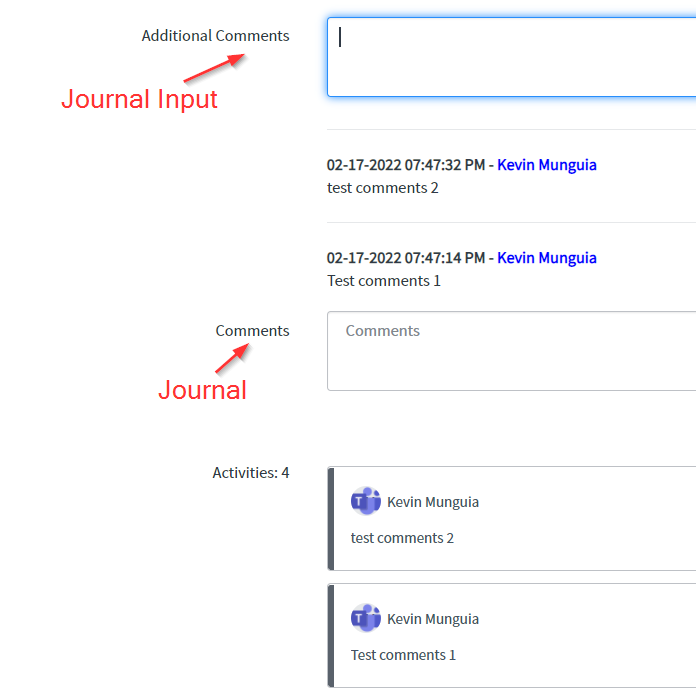
I created two new Journal Fields to the Outage table. Having an issue where either I add comments to the Comments Field, which is (Type: Journal) and it creates duplicate entries or I add comments to the Additional Comments (Type: Journal Input) and nothing happens when I update the Outage ticket. Which one do I use and how do I get it to work properly?

Solved! Go to Solution.
- Labels:
-
Service Desk
- Mark as New
- Bookmark
- Subscribe
- Mute
- Subscribe to RSS Feed
- Permalink
- Report Inappropriate Content
02-17-2022 09:26 PM
I needed to Add Journal Input type in the activity configuration and remove the other Journal field that was labeled comments for me.

- Mark as New
- Bookmark
- Subscribe
- Mute
- Subscribe to RSS Feed
- Permalink
- Report Inappropriate Content
02-17-2022 08:39 PM
HI
The first step is to check the 'duplication' and clarify if it is a result of the same script running multiple times,
or a result of the record that is being updating then triggering an additional update to the related (source) record.
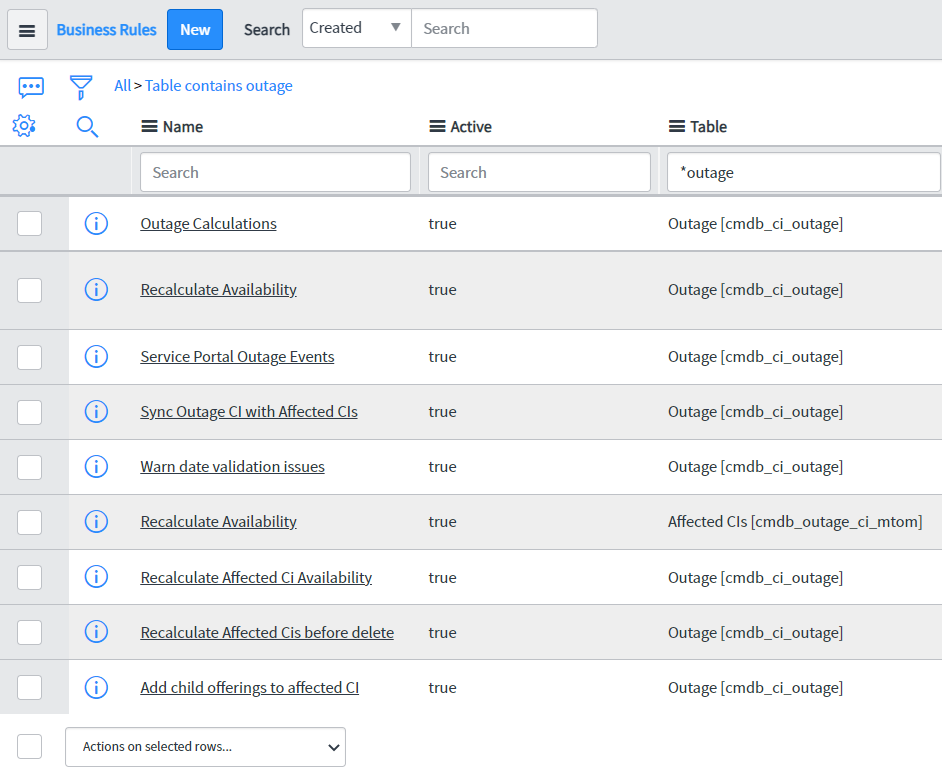
Verify that there were no 'Before' Business Rules with current.update();
Since it is a before business rule, the changes you made will be saved automatically. If you use a current.update(), it will update the record twice.
Mark my answer correct & Helpful, if Applicable.
Thanks,
Sandeep
- Mark as New
- Bookmark
- Subscribe
- Mute
- Subscribe to RSS Feed
- Permalink
- Report Inappropriate Content
02-17-2022 09:00 PM

- Mark as New
- Bookmark
- Subscribe
- Mute
- Subscribe to RSS Feed
- Permalink
- Report Inappropriate Content
02-17-2022 09:26 PM

- Mark as New
- Bookmark
- Subscribe
- Mute
- Subscribe to RSS Feed
- Permalink
- Report Inappropriate Content
02-17-2022 08:41 PM
We faced a very similar problem.
There were 4 duplicate activity logs every time we updated a field on a table.
We also verified that there were no 'Before' Business Rules with current.update();
And then we tried something new!
We found a few 'After' Update Business Rules that had current.update().
We made 2 changes to these:
- removed the current.update() line of code and
- converted the BRs to Before Update.
Voila!! There were no more duplicate logs 😉
And truth is there were 4 of these 'After' Business Rules containing current.update(), and that's the reason we had 4 duplicates!